Accessibility & Inclusion
Understand the fundamentals of integrating accessibility and inclusion throughout the development process
Building products that work for everyone isn't just good ethics; it's good business. When teams prioritize accessibility from the start, they create experiences that reach wider audiences and solve problems more effectively. Accessible products benefit all users, not just those with disabilities. Features like captions help people in noisy environments, voice controls assist multitasking users, and clear navigation supports anyone feeling overwhelmed.
Creating truly inclusive products requires understanding diverse user needs, learning about assistive technologies, and building accessibility into every stage of development. This means writing inclusive content, designing flexible interfaces, testing with real users who have disabilities, and fostering a culture where accessibility is everyone's responsibility.

The Web Content Accessibility Guidelines (WCAG) provide the international standard for making digital products accessible. These guidelines are organized around 4 core principles:
WCAG has 3 conformance levels:
- Level A covers the most basic
accessibility features that, if missing, make content completely inaccessible to some users - Level AA addresses the major barriers and is the standard most organizations aim for, including many legal requirements.
- Level AAA represents the highest level of accessibility but isn't always achievable for all content types
Focus on Level AA compliance first as it covers most user needs and satisfies legal requirements in many jurisdictions. Common WCAG requirements include providing text alternatives for images, ensuring sufficient color contrast (at least 4.5:1 for normal text), making all functionality available via keyboard, giving users enough time to read content, and avoiding content that causes seizures. These aren't arbitrary rules but solutions to real problems people encounter daily.[1]
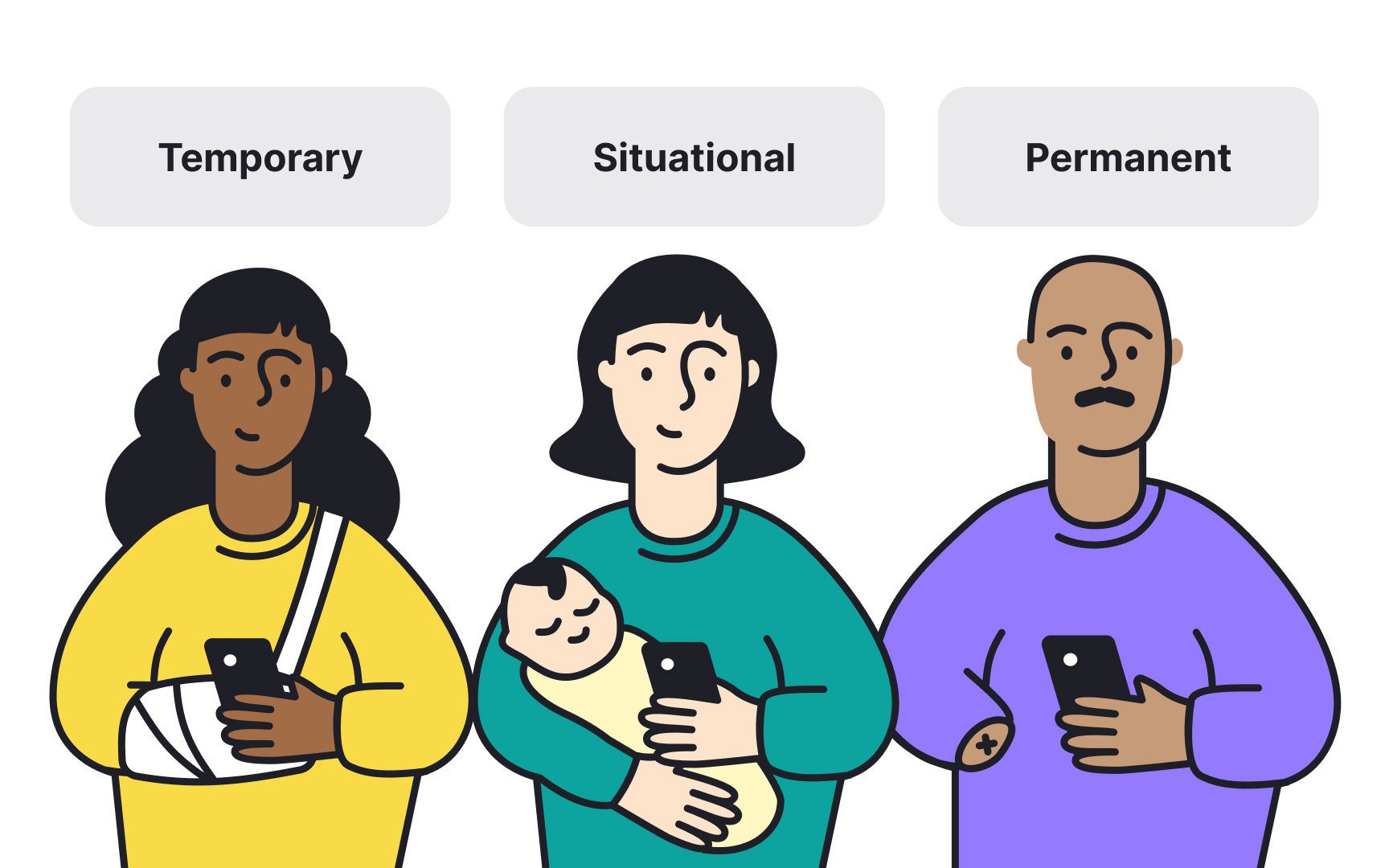
Traditional personas often focus on demographics, goals, and behaviors while overlooking the full spectrum of human diversity. Inclusive personas expand this approach by considering temporary, situational, and permanent disabilities alongside other diversity factors. A parent holding a baby has temporary one-handed use. Someone with a broken arm faces situational limitations. A person with one arm experiences permanent conditions.[2] All 3 need similar product accommodations.
Building inclusive personas means representing users across ability levels, cultural backgrounds, language proficiencies, and technology access. Include factors like cognitive differences, sensory limitations, motor abilities, and situational constraints. Consider users with slow internet connections, older devices, or those accessing your product in bright sunlight or noisy environments.
The goal isn't creating separate personas for disabled users but integrating
Assistive technologies help people with disabilities interact with digital products.
Understanding how these tools work changes how you approach content structure and interactive elements:
- Screen readers convert on-screen
content to speech or braille, allowing blind or low-vision users to navigate interfaces. - Switch controls let users with limited mobility navigate using adaptive switches, head pointers, or sip-and-puff devices instead of traditional mice or keyboards.
- Voice recognition software like Dragon NaturallySpeaking enables hands-free computer use.
- Screen magnifiers enlarge portions of the screen for users with low vision, while alternative input devices accommodate various motor abilities.
Each assistive technology has specific requirements. Screen readers need semantic HTML, proper heading structures, and descriptive labels. Keyboard
Cognitive
Here are some best practices when designing for cognitive accessibility :
- Provide clear
content hierarchy and use familiar design conventions - Break down complex tasks into smaller steps and offer multiple ways to complete actions
- Avoid time limits where possible, or make them adjustable
- Use plain language and define technical terms
- Provide clear error messages that explain what went wrong and how to fix it[3]
- Use visual cues and icons to support text content without replacing it entirely
- Make sure buttons,
navigation , and interactions work the same way throughout your product - Use progressive disclosure to show only essential information initially, revealing more as needed
- Enable confirmation steps for critical actions to prevent costly mistakes
These patterns don't just help users with cognitive disabilities but make products easier for everyone, especially during stressful moments when cognitive resources are limited.
Mobile devices have become primary computing tools for billions of people, making mobile
These include:
- Screen readers like VoiceOver and TalkBack provide audio feedback for
navigation - Display accommodations adjust text size,
contrast , andcolor filters - Voice control enables hands-free operation for users with motor limitations
- Features like AssistiveTouch create custom touch alternatives, while touch accommodations adjust how the device responds to taps and holds
- Haptic feedback provides physical confirmation of actions, helping users with visual impairments
- Switch control allows external devices to navigate the interface
- Closed captions and audio descriptions make media
content accessible to deaf and blind users
Another important thing to remember is that mobile accessibility requires specific considerations beyond desktop.
For example:
- Touch targets should be at least 24x24 CSS px to accommodate different finger sizes and motor abilities[4]
- Important actions should be reachable with one hand
- Orientation shouldn't be locked unless absolutely necessary
- Motion and animations should respect reduced motion preferences
- Text should remain readable when users increase system font sizes
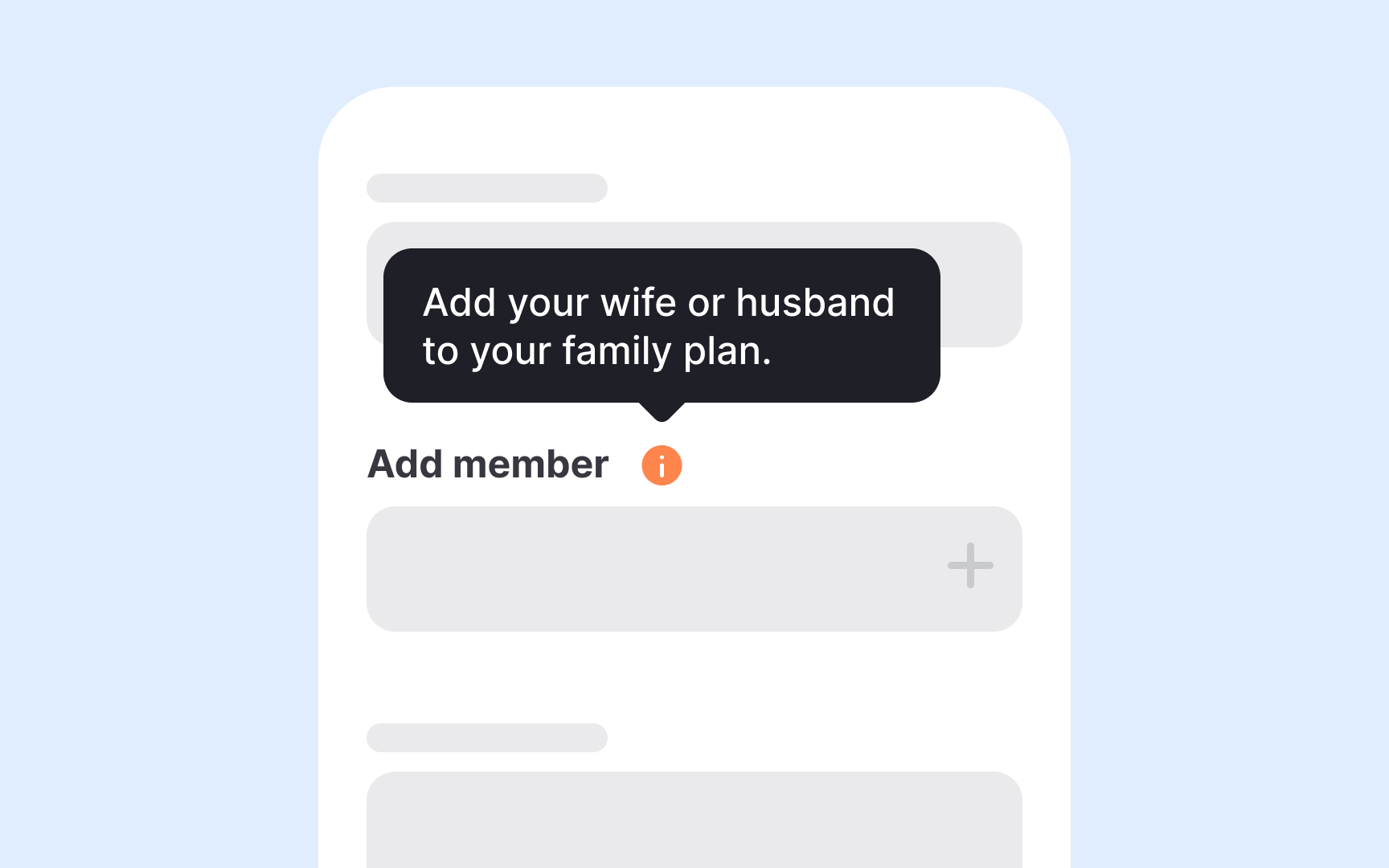
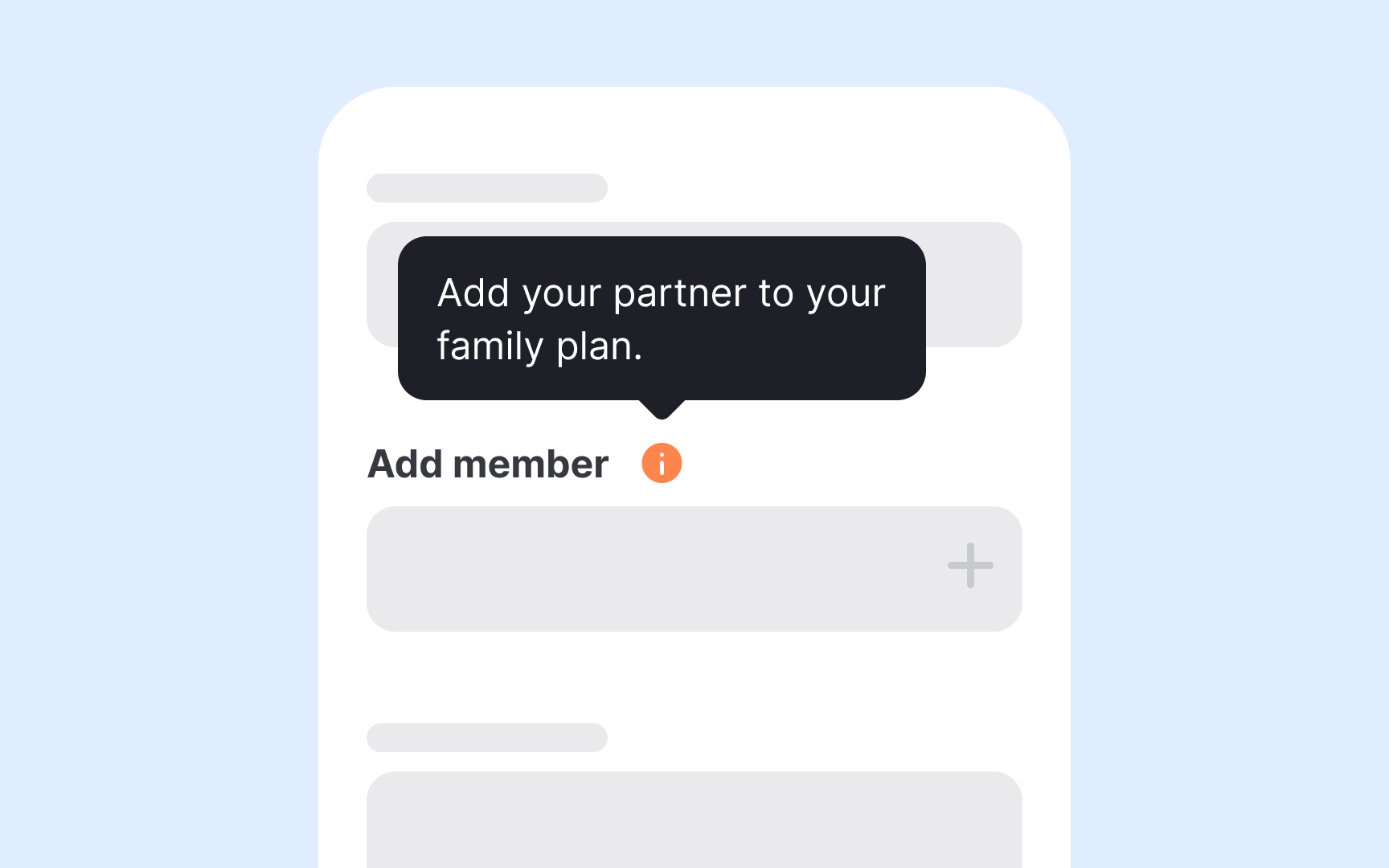
Words shape how people perceive themselves and others in your product. Inclusive language respects diversity and avoids assumptions about users' identities, abilities, backgrounds, or circumstances. This means moving beyond obviously offensive terms to examine subtle biases in everyday product language.
Person-first language emphasizes the individual before their condition: "person with a disability" rather than "disabled person," though some communities prefer identity-first language like "blind person" or "autistic person." When possible, follow the preferences of the communities you're describing. Avoid metaphors that trivialize serious conditions, like "that's crazy" or "this is insane." Use "unexpected" or "unusual" instead.
Gender-neutral language prevents assumptions. Use "they" instead of defaulting to "he" or "she." Replace "guys" with "everyone," "folks," or "team." Avoid unnecessarily gendered terms like "manpower" (use "workforce") or "chairman" (use "chair"). Consider cultural differences in names, addresses, and family structures. Don't assume everyone has a first name and last name, lives at a street address, or fits traditional family models. These small changes accumulate into products that feel welcoming to diverse users.
The most effective way to understand
Recruit diverse participants representing different disabilities: blind and low-vision users, deaf and hard-of-hearing users, people with motor disabilities, and those with cognitive differences. Partner with disability organizations or use specialized recruitment services. Compensate participants fairly for their time and expertise. Conduct sessions in accessible locations or remotely to accommodate different needs.
During testing, observe how participants actually use assistive technology rather than how you imagine they would. Let them complete tasks naturally without intervention. Ask about their regular strategies and workarounds. Many disabled users have developed clever adaptations that reveal both problems and solutions. Document not just what fails but why it fails and how it affects their experience. Share findings across your team with specific examples and user quotes. Regular testing with disabled users should be standard practice, not a one-time exercise before launch.
Pro Tip: Budget for accessibility testing from project start rather than treating it as a final pre-launch checklist item.
Demonstrating the business value of
Accessibility reduces legal risk and associated costs. Lawsuits over inaccessible websites have increased dramatically, with settlement costs ranging from tens of thousands to millions of dollars. Retrofitting accessibility after launch costs significantly more than building it in from the start.
You can measure accessibility impact through multiple metrics: increased user base from disabled communities, reduced support tickets about usability issues, improved task completion rates, higher customer satisfaction scores, and decreased legal risk. You can also track how accessibility improvements benefit all users through metrics like reduced cognitive load and improved mobile usability. Calculate cost savings from avoiding retrofits and legal issues. With this data, present accessibility as an investment in product quality that expands market reach and reduces risk rather than just compliance overhead.
Legal requirements vary by organization type and location. Public sector organizations usually face stricter mandates than private companies, though this is changing. Some industries like banking, healthcare, and education have specific accessibility requirements. Companies operating internationally must comply with multiple regulatory frameworks. Non-compliance can result in lawsuits, financial penalties, and reputational damage beyond just monetary costs.
Legal requirements change and evolve as technology advances and case law develops. Staying informed about regulations in your target markets protects your organization while ensuring your product serves all users effectively. Regular accessibility audits help maintain compliance and identify improvement opportunities before issues become legal risks.
Building
Leadership commitment makes the difference. When executives prioritize accessibility in roadmaps and resource allocation, teams follow. Establish clear accountability by assigning accessibility champions across teams who advocate for inclusive practices. Create feedback loops where disabled employees and users can share experiences and suggestions. Make accessibility metrics visible in dashboards alongside other product metrics. Build accessibility testing into continuous integration pipelines so issues are caught immediately. Culture change takes time, but consistent prioritization eventually makes accessibility the default rather than an afterthought.
References
Topics
From Course

Share


Similar lessons
Intro to Accessibility

Inclusive Design Basics