Design Systems vs. UI Kits vs. Style Guides
Recognize how design systems, UI kits, and style guides work together to shape consistency, speed, and collaboration in digital products.
Design systems, UI kits, and style guides all support consistency, but they operate on different levels of depth. A design system is the overarching framework, a living collection of standards, patterns, and coded components that guide how interfaces look and behave. It ensures that every part of a product, from typography to interaction, follows a shared logic across teams.
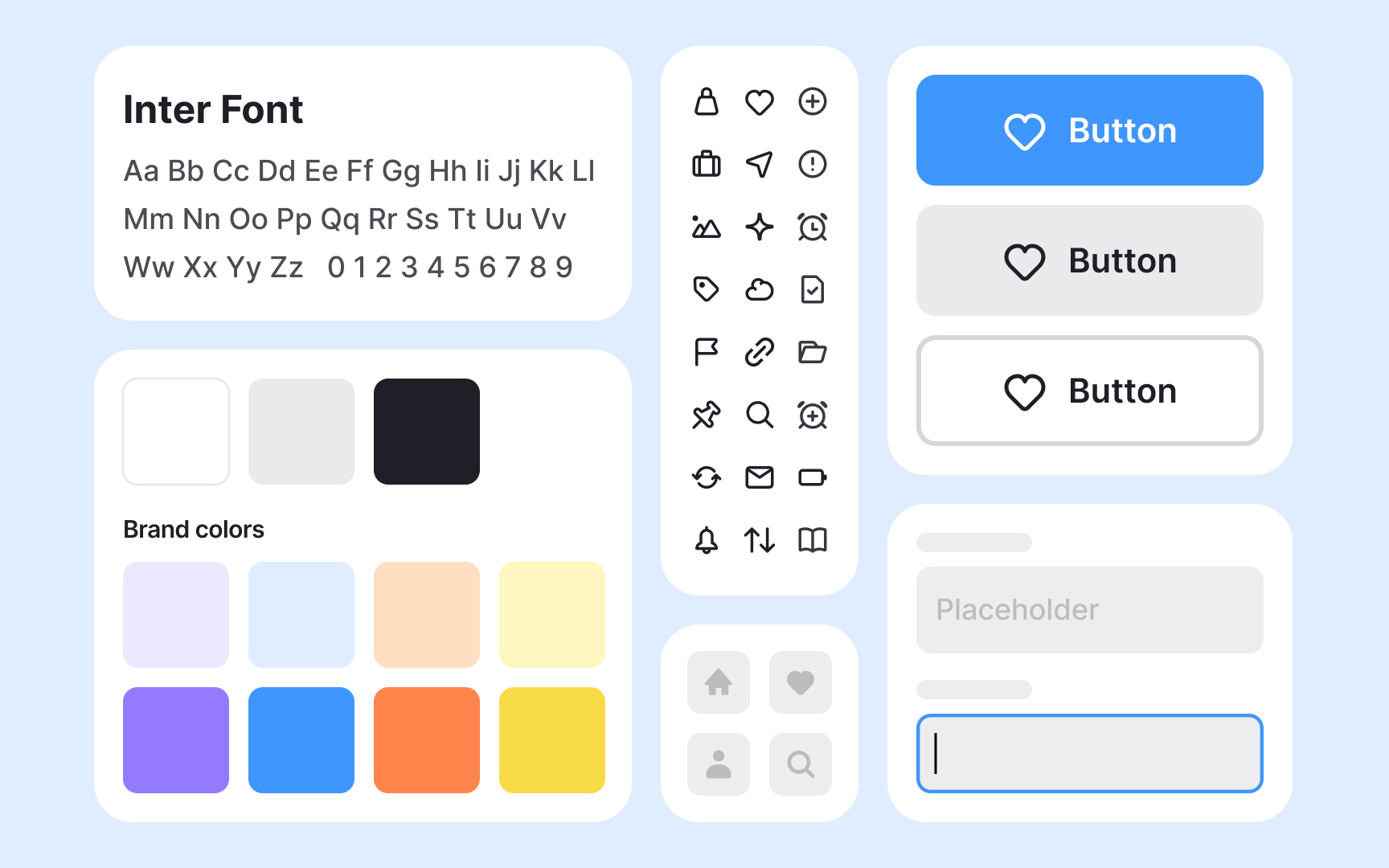
Style guides focus on the rules behind the visuals. They define the tone, color palette, typography, and brand or content principles that shape a unified voice. While essential, they are only one part of a larger system.
UI kits, in contrast, are practical toolsets filled with pre-made visual elements like buttons or icons that speed up design work. They help designers prototype quickly but lack the governance and scalability of a system.
Understanding where each fits helps teams choose the right level of structure. For a small prototype, a UI kit may be enough. For a mature product serving multiple teams, a design system is indispensable. Together, these layers bridge creativity and consistency.
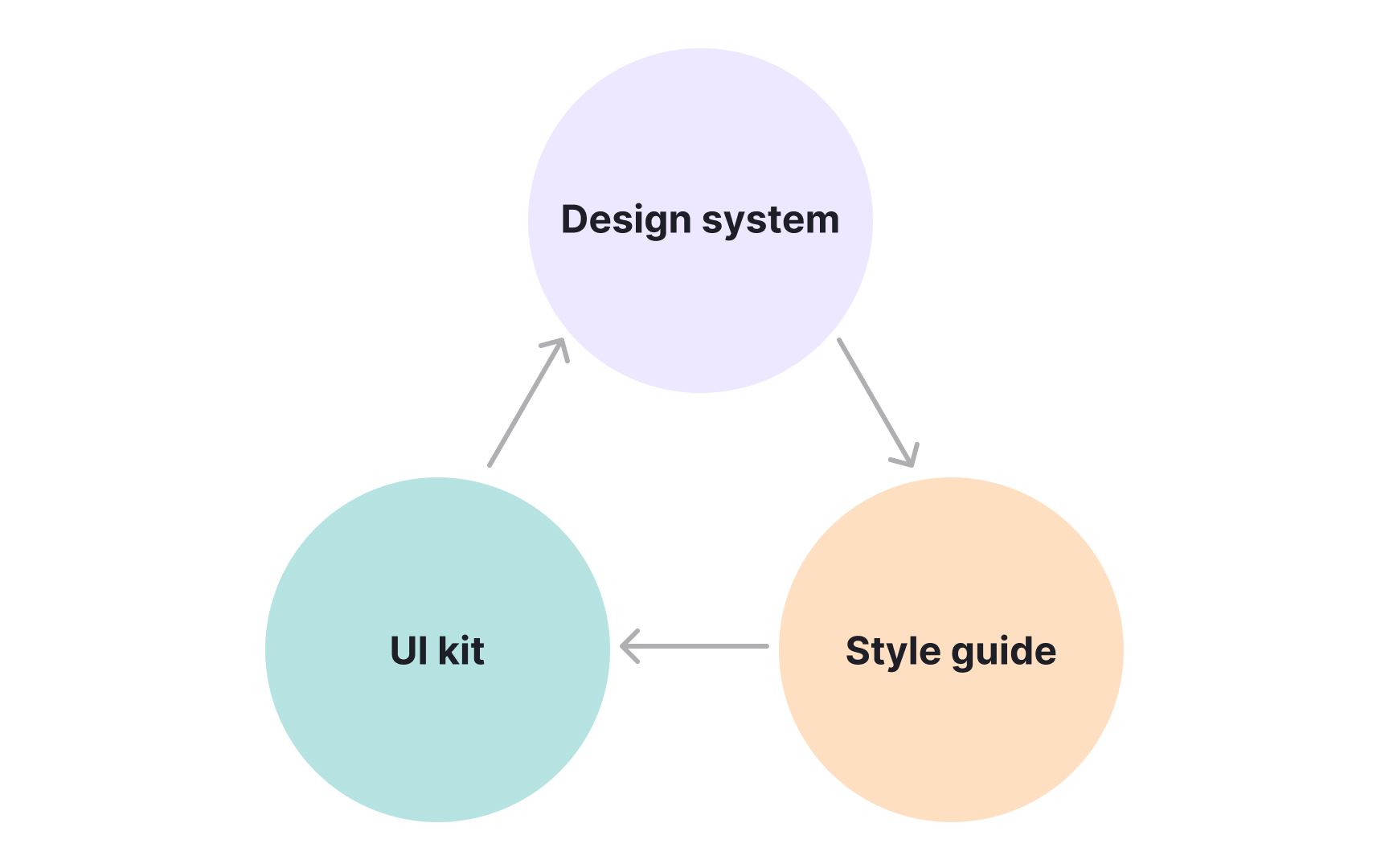
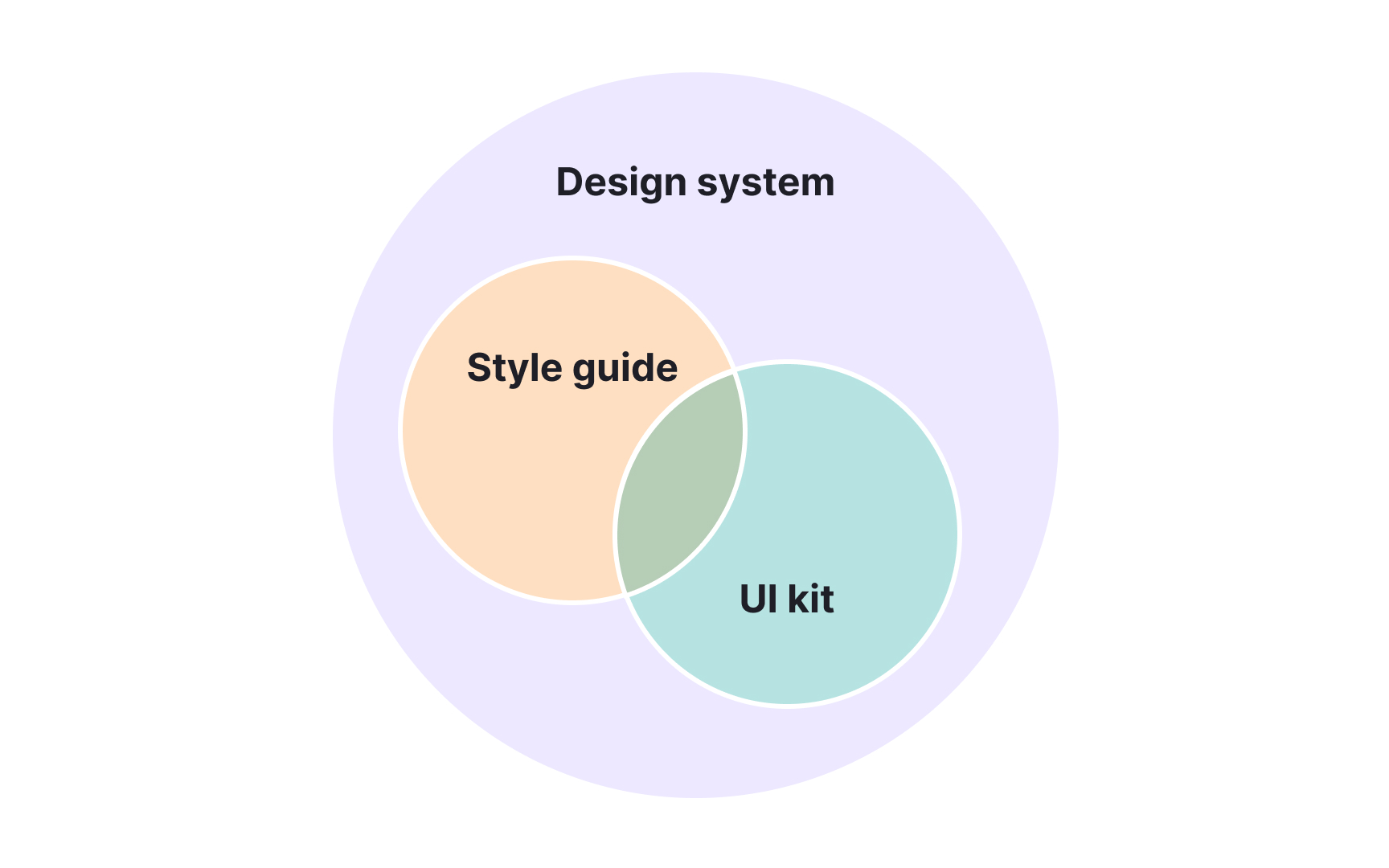
Consistency in digital design depends on several layers working together. Style guides,
A
A
A
Pro Tip: Start small: define visual rules, create reusable UI pieces, then connect them into a system that supports growth.
Style guides and design systems serve related but distinct purposes in the design process. A
A
This structure improves speed, accuracy, and collaboration between teams. Designers no longer have to re-specify elements, and developers avoid rebuilding them from scratch. The system ensures that every update or fix is applied once and distributed across the product, keeping the entire experience consistent and efficient.
Pro Tip: Style guides describe the design language, but design systems make it operational across products and teams.
A
However, UI kits are not complete systems. They lack governance rules,
A
When teams keep documentation updated and accessible, it becomes a shared language between disciplines. It also helps new members onboard faster and make consistent design decisions. Without it, even the best system can lose coherence and reliability over time.
Choosing between a
- A UI kit fits best when speed and simplicity are key. It helps small teams or short-term projects design quickly without setting up complex infrastructure.
UI kits allow fast experimentation and are ideal forprototypes , early startups, or one-time campaigns that need a cohesive but lightweight design base. - A style guide is suited for maintaining
brand and communication consistency across multiple channels. It works well for organizations that already have an established identity but do not yet need coded components. A clear style guide ensures that every designer and writer follows the same visual and verbal tone. - A design system becomes essential once products grow in complexity or scale. It provides not just visual standards but also coded, reusable parts and
documentation . This makes it indispensable for large teams or organizations managing multiple platforms. Choosing the right approach depends on how permanent, scalable, and collaborative the project needs to be.
Design systems and style guides both require attention after creation, but their maintenance needs differ greatly. A
A
Maintaining these resources prevents outdated rules or unused components from cluttering the

To prevent this, designers should adjust
Using a
Pro Tip: A good UI kit is a starting point, not a final design. Ensure to customize every detail to reflect your brand’s unique character.
References
- Design Systems vs. Style Guides | Nielsen Norman Group
- UI Kits vs. Design Systems - MockFlow | MockFlow - Blog
Topics
From Course
Share


Similar lessons

Anatomy of UI Components

Atomic Design by Brad Frost