Stroke paints
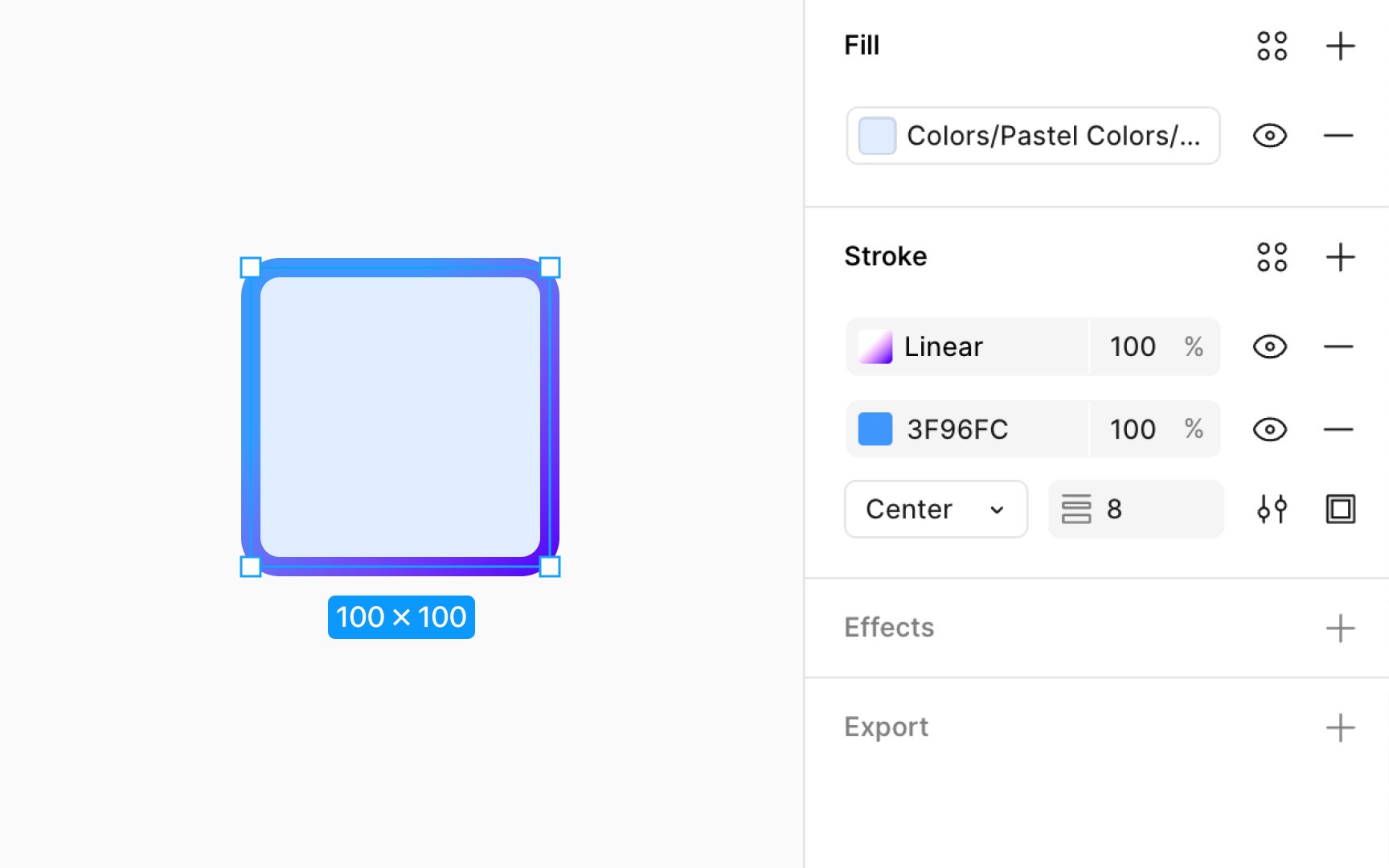
Stroke properties are accessible within the Design panel in Figma, with various options to customize stroke appearance. The Paints property allows the addition of solid colors, gradients, or images to a stroke. It also supports multiple paints on a single stroke, enabling diverse and intricate designs.
To add paints to strokes:
- In the Design panel, locate the Stroke section.
- Click on the color swatch to open the color picker and select from solid, gradient, or image fills. Adjust opacity as desired.
- Click "+" to layer more paints, mixing colors or textures.
- Use the eye icon to experiment with the visibility of different paint layers without having to make any permanent changes.
- Click "-" to delete a paint layer or stroke.
Pro Tip: When adding more than one stroke paint layer, the weight, position, and style properties of all layers must be the same.