Breaking down the anatomy of shadows
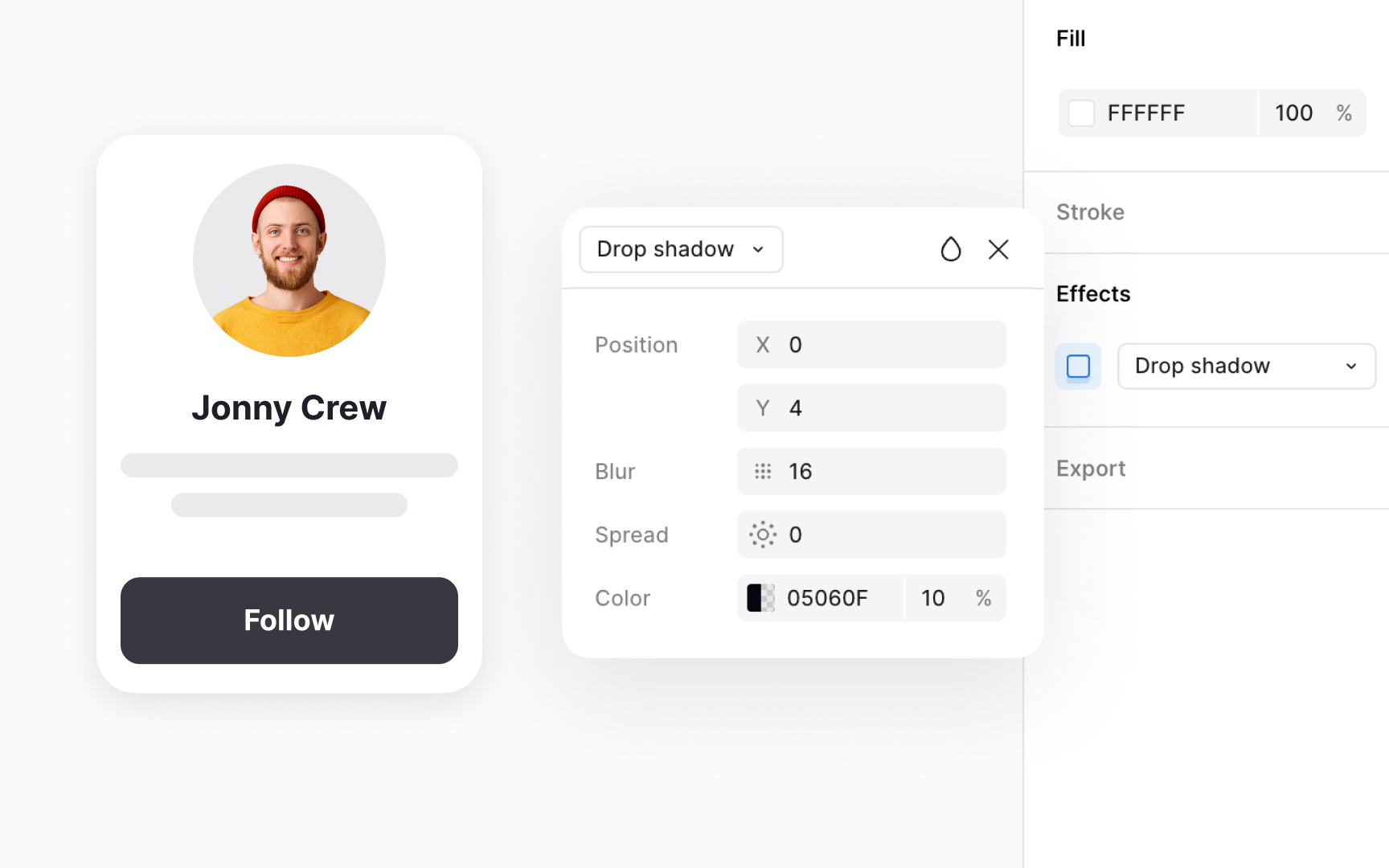
Shadows are the visual signal that makes elevation readable. They are built from a few core properties that work together to create depth. Offset shows where the shadow falls and hints at the direction of the light. Blur determines how soft or sharp the shadow edge feels. Spread controls how large the shadow grows as the surface lifts. Adjusting these properties changes how high an element appears, even when the shape itself does not move.
Realistic depth often depends on combining more than one shadow. Layering soft and sharp shadows together creates a natural glow around raised surfaces. A softer shadow can suggest ambient light, while a sharper one can signal directional light. This layered approach helps components feel grounded in their environment instead of floating unnaturally. Shadow color also plays a role. Very dark tones can look harsh, while subtle tints blend better with the surrounding UI and keep the elevation feeling smooth.
Design systems support this consistency through defined shadow tokens. Pairing the right shadow type with the right elevation level prevents mixed styles and keeps the hierarchy clear across all components.[1]