Stretchy layout grid
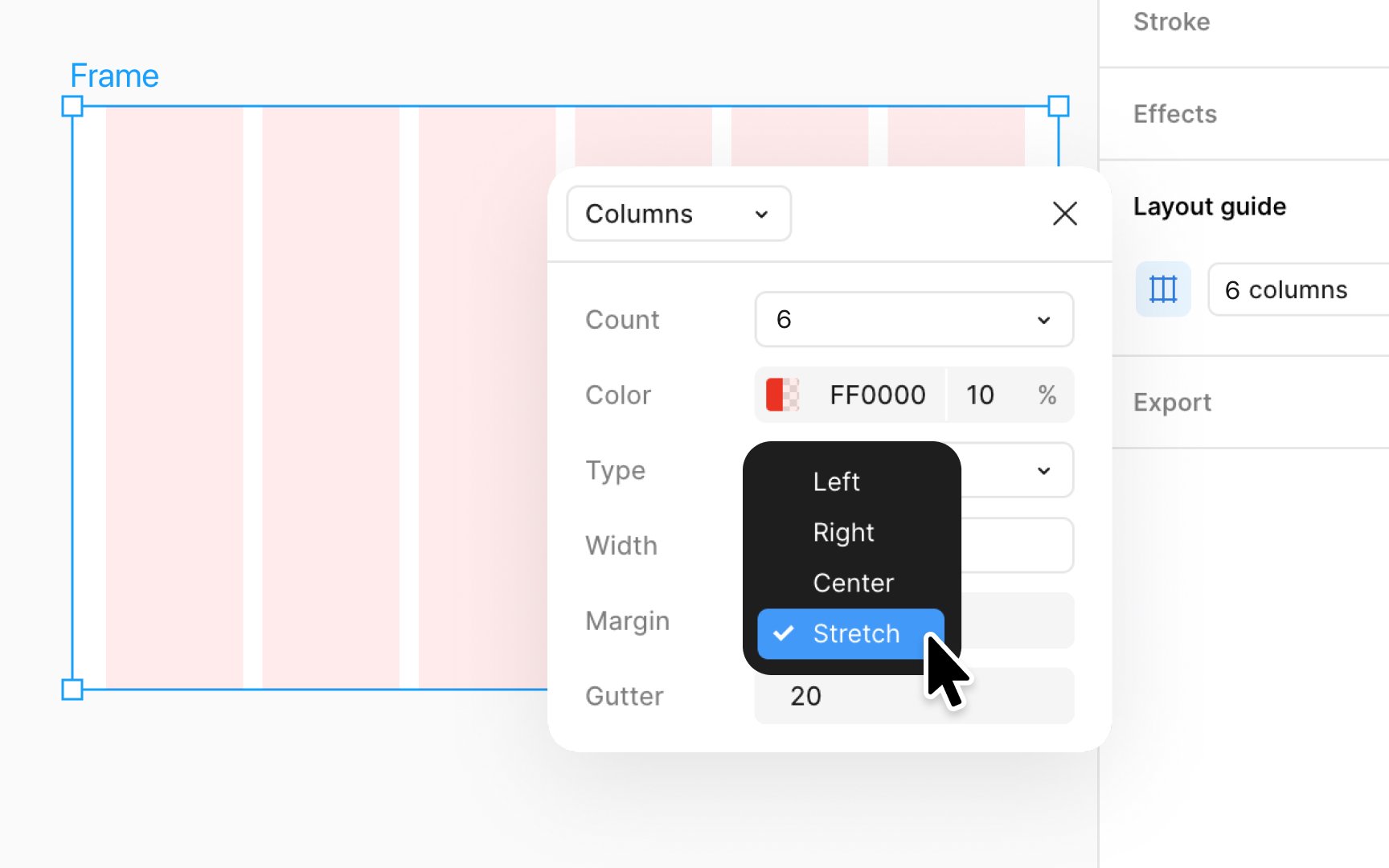
A stretchy grid in Figma is a type of layout grid that automatically adjusts its size to fit the screen or frame it's applied to. This is really helpful when you're designing things like websites or apps that need to look good on different devices, from phones to big computer screens.
To use a stretchy grid:
- Select the frame you want to work on.
- Go to the Design panel and click the + next to Layout guide.
- By clicking on the Layout guide settings icon, choose either Columns or Rows, depending on what you need for your design.
- In the settings that pop up, you can make your grid stretchy by choosing the Stretch option under the Type dropdown.
This makes your columns or rows fill the entire width or height of your frame, adjusting automatically as the frame size changes.