Privacy & Data
Build products that protect user privacy while delivering exceptional value through responsible data practices
Privacy in products is about respecting the people who trust you with their information. Every time someone shares their email, location, or preferences with your product, they're making a leap of faith. Modern product teams face tough choices about what data to collect and how to use it responsibly. You need to understand privacy frameworks like GDPR and CCPA, but more importantly, you need to grasp why privacy matters to real people. From designing consent flows that don't feel like legal traps to handling data breaches with transparency, every decision shapes user trust. Smart product teams know that privacy isn't a barrier to innovation but the very reason customers choose them over competitors.
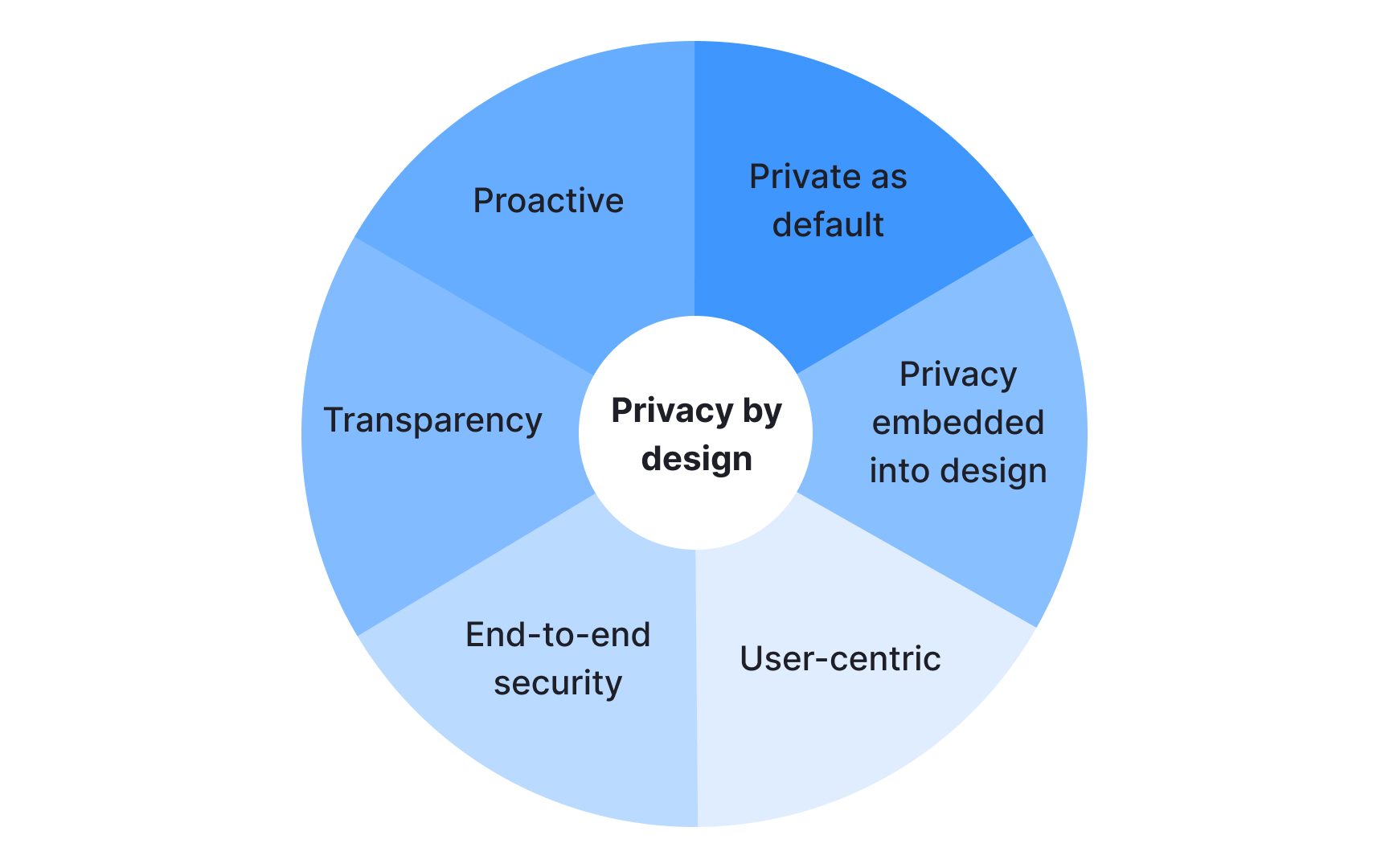
Privacy by design embeds data protection into products from the start rather than adding it later. This proactive approach includes 7 foundational principles that guide how teams build products:
- Proactive not reactive (prevent privacy issues before they happen)
- Privacy as the default setting (users get maximum privacy without taking action)
- Privacy embedded into design (integrated into the system architecture)
- Full functionality (privacy without sacrificing usability)
- End-to-end security (data protected throughout its lifecycle)
- Visibility and transparency (operations remain open and accountable)
- Respect for user privacy (keep it user-centric)[1]
When teams ignore these principles, they may need to face expensive retrofits, legal problems, and broken user trust. Building privacy in from the beginning creates better products and costs less than patching concerns after launch.
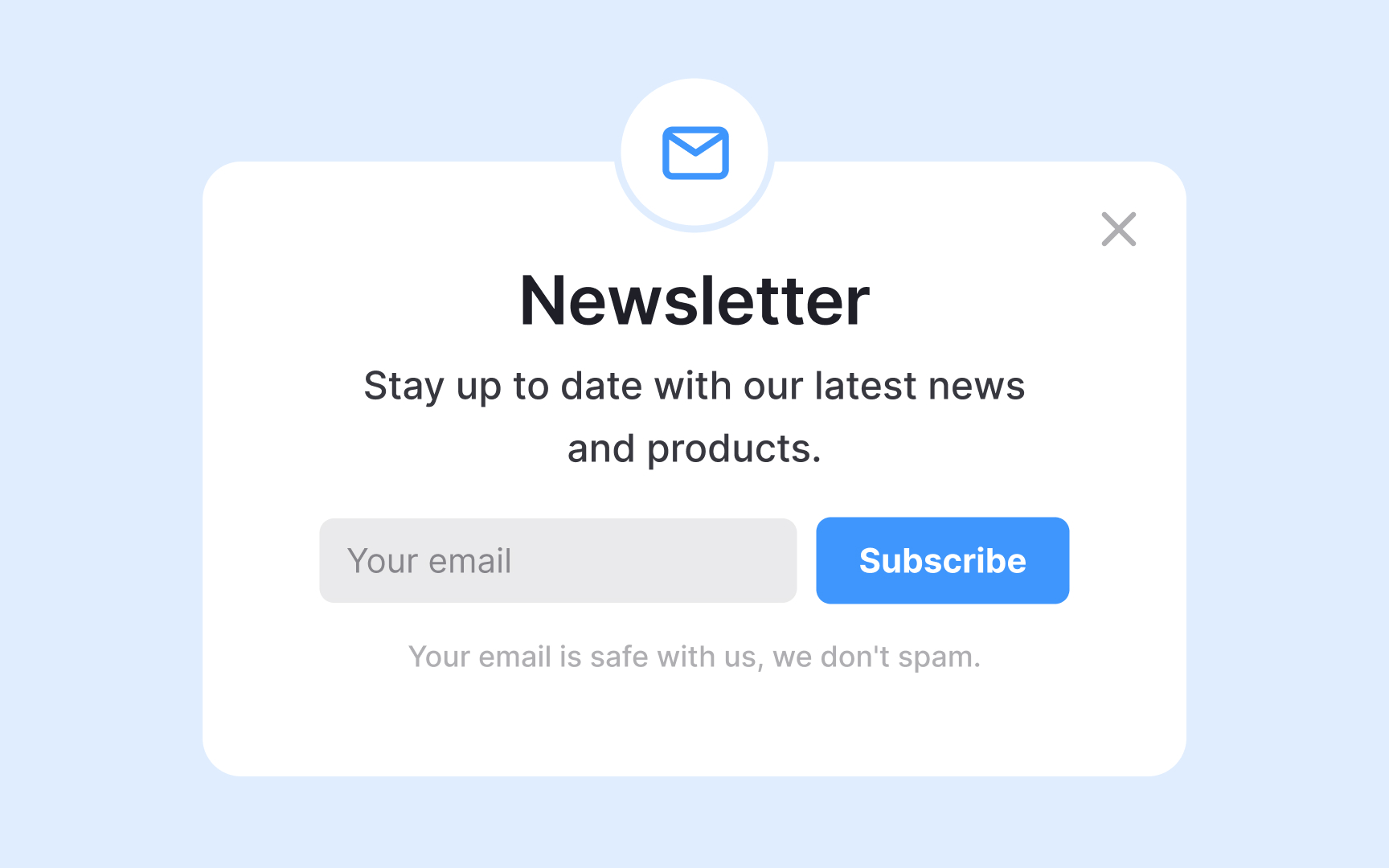
Data minimization means collecting only the information you actually need to deliver your product's core functionality. This principle reduces privacy risks, storage costs, and potential liability if a data breach occurs. The less data you collect and store, the less you have to protect.
Start by questioning every data field in your forms and systems. Does your newsletter really need a phone number? Does your shopping app need to store purchase history forever? Many products collect data just because they can, not because they need it. Effective minimization involves setting retention limits, deleting data after its purpose is served, and avoiding the temptation to collect information for hypothetical future features.

Permission flows determine how users grant permission for data collection and usage. A well-designed permission request is clear, specific, and genuinely optional rather than a barrier users must overcome to access your product. Users should understand exactly what they're agreeing to without needing a law degree.
Good permission flows use plain language, break permissions into granular choices, and never bundle unrelated permissions together. For example, when requesting camera access, explain why it’s needed rather than just demanding permission. Separate notifications, analytics, and personalization into individual toggles that users can control independently. Avoid dark patterns like pre-checked boxes, confusing double negatives, or hiding the decline option. The flow should make it equally easy to say yes or no.[2]
Poor flows create legal liability and damage user trust. For example, cookie banners that make rejection harder than acceptance violate GDPR requirements.[3] Apps that gate basic functionality behind unnecessary permissions frustrate users and often get uninstalled.
Pro Tip: Test your permission flow by timing how long it takes users to both accept and reject permissions.
GDPR (General Data Protection Regulation) is the EU's comprehensive privacy law that applies to any product serving European users regardless of where your company is based. It requires explicit consent for data collection, gives users rights to access and delete their data, mandates breach
CCPA (California Consumer Privacy Act) is California's privacy law covering businesses serving California residents. It grants users the right to know what data is collected, the right to delete personal information, and the right to opt out of data selling. While similar to GDPR in user rights, CCPA has different thresholds for which businesses must comply and focuses heavily on preventing data sales without consent.[5]
Beyond these two major regulations, many countries and regions have their own privacy laws. Always research local requirements for markets you serve. Meeting GDPR standards often satisfies other laws, but verify specific requirements for each market where your product operates.
Privacy impact assessments (PIAs) are systematic evaluations that identify and mitigate privacy risks before launching new features or products. This process examines what data you collect, why you need it, how you'll protect it, and what could go wrong. PIAs help teams spot problems early when they're cheaper and easier to fix.
The assessment process involves documenting data flows, identifying potential privacy risks, evaluating the necessity and proportionality of data collection, and proposing risk mitigation measures.
Key questions in the assessment include:
- What personal data will we process?
- Who will have access?
- How long will we retain it?
- What happens if this data is compromised?
Teams should conduct PIAs whenever launching new features, changing data practices, or adopting new technologies that affect user privacy. GDPR requires PIAs (Data Protection Impact Assessments) for high-risk processing activities like large-scale processing of sensitive data, systematic monitoring of public areas, or automated decision-making that significantly affects users. Even when not legally required, PIAs force teams to think critically about privacy implications before committing to specific technical approaches.
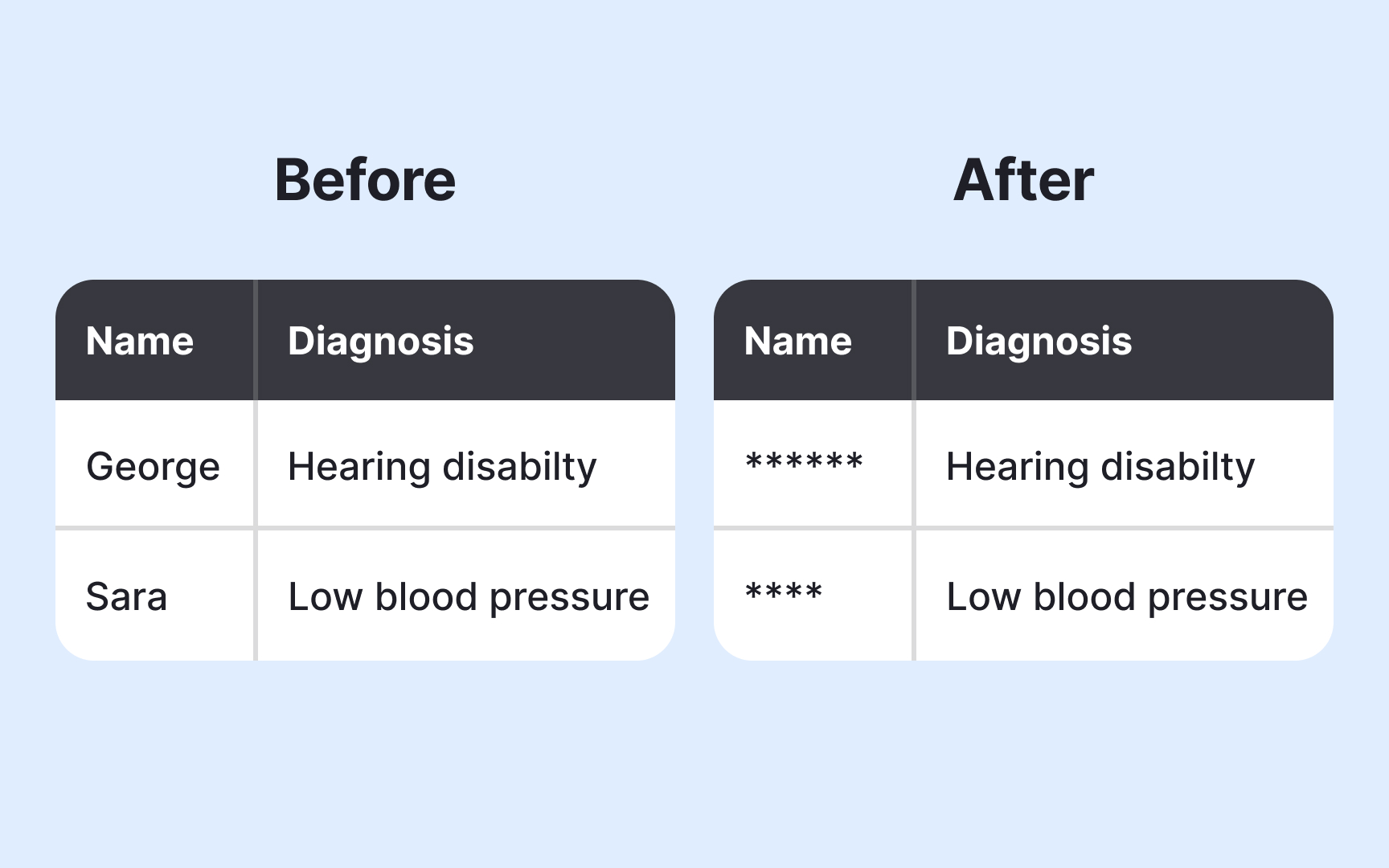
Anonymization removes or modifies personal identifiers from data so individuals cannot be identified, even with additional information. Use anonymization when you need to analyze user behavior, share data with researchers, or retain information for historical analysis without keeping personal data. This process transforms personal data into anonymous data that falls outside privacy regulations while still providing analytical value.
Common techniques include:
- Data masking (replacing identifiable values with placeholders)
- Aggregation (combining individual records into group statistics)
- Pseudonymization (replacing identifiers with reversible artificial codes)
- Generalization (reducing precision of data like ages or locations)
Each technique has different strengths and risks. Simple masking might still allow identification through combining multiple data points, while proper aggregation can prevent re-identification entirely.
True anonymization is permanent and irreversible. If you can reverse the process or re-identify individuals by combining datasets, the data remains personal and subject to privacy laws. Pseudonymization offers less protection than full anonymization but provides more utility for certain analyses.
Third-party integrations like analytics tools, advertising networks, payment processors, and social media plugins introduce privacy risks you don't fully control. Every third-party service you add creates a potential data exposure point. When you integrate external services, you share responsibility for how they handle user data, even though you can't directly control their security practices or policy changes.
Common risks include data breaches at third-party vendors, unauthorized data sharing or selling, changes to third-party privacy policies that affect your users, and loss of data when services shut down or get acquired. Some third-party scripts collect more data than you realize, tracking user behavior across your product without explicit disclosure. Users trust your product, not necessarily the dozens of third parties operating behind the scenes.
Mitigate these risks by auditing all third-party integrations regularly, reading service agreements carefully before integration, using minimal necessary
Pro Tip: Create a third-party vendor registry documenting what data each service accesses and review it quarterly.
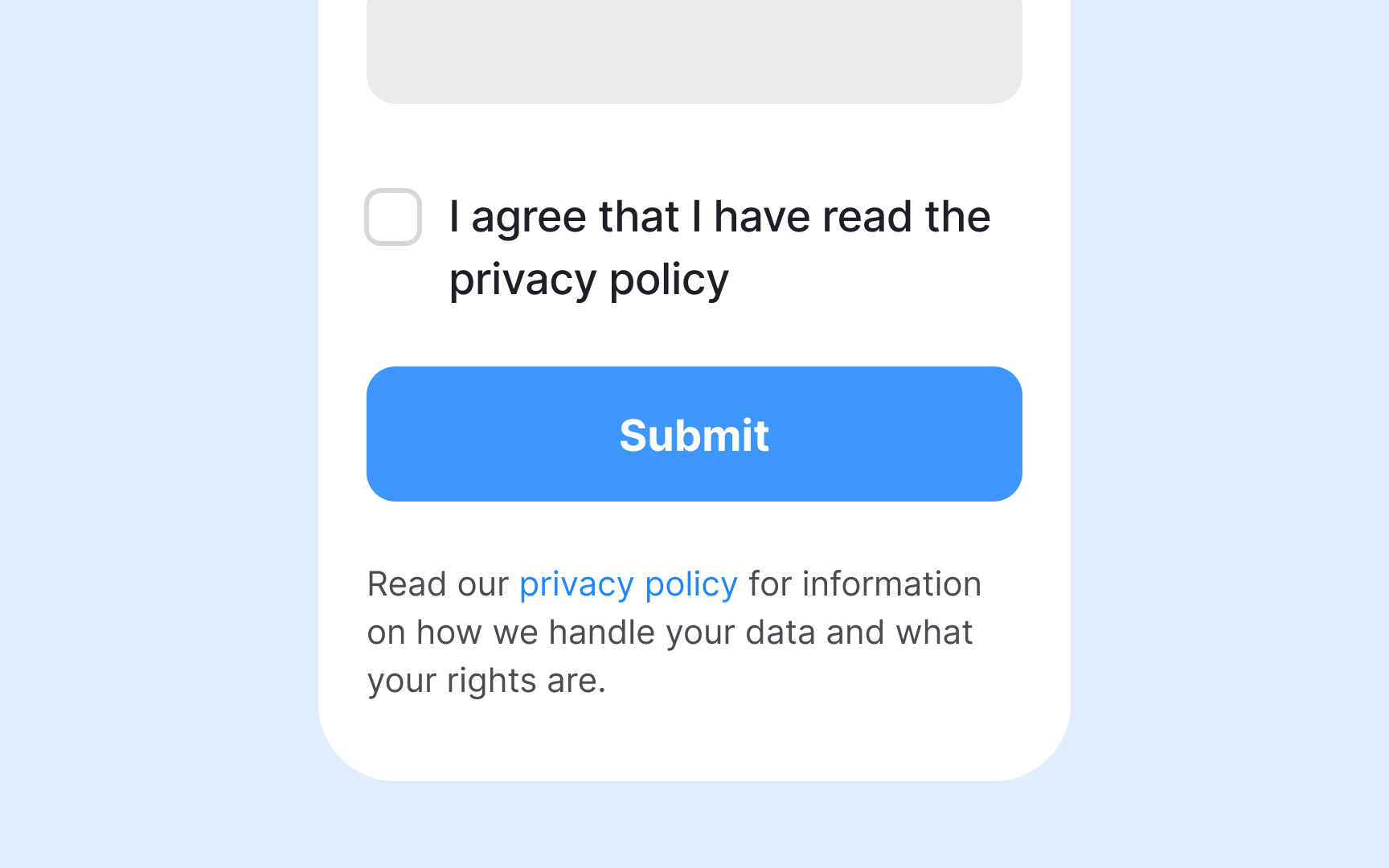
Transparency mechanisms show users what data you collect, how you use it, and who you share it with. Clear communication about data practices builds trust and helps users make informed decisions about using your product.
Effective mechanisms include accessible privacy policies written in plain language, privacy dashboards showing what data you've collected about specific users, clear explanations at the point of data collection, and regular transparency reports disclosing data requests from governments or third parties. Users should be able to see their data, understand why you need it, and know their options for controlling it without navigating complex legal documents or hidden settings.
Poor transparency damages user trust even when your actual data practices are reasonable. Burying important information in lengthy legal documents or using vague language about data usage creates suspicion.
Data breach protocols define how your team responds when unauthorized access to user data occurs. Quick, organized responses minimize harm to users and your organization. Having clear procedures before a breach happens reduces panic and ensures you meet legal
Here some best practices to handle breaches:
- Immediate containment procedures to stop ongoing unauthorized access
- Forensic investigation to understand what data was compromised
- Legal notification within required timeframes ( for example, GDPR requires reporting to authorities within 72 hours)
- User communication explaining what happened and what actions they should take, and remediation steps to prevent similar breaches
- Assign specific roles and responsibilities so everyone knows their tasks during an incident
Breaches happen even to security-conscious organizations. The difference between recoverable incidents and catastrophic failures often comes down to preparation and response speed. Regular breach simulations help teams practice protocols before real emergencies. Document everything during actual breaches for legal compliance and future improvement. Users judge companies not just on whether breaches occur but on how transparently and quickly they respond.
Privacy-preserving analytics lets you understand user behavior and improve products without collecting identifiable personal data. These techniques provide the insights teams need for decision-making while minimizing privacy risks. You can measure what matters without tracking individual users across sessions or storing detailed behavioral profiles.
Good approaches include:
- Differential privacy (adding statistical noise to datasets so individual records can't be identified)
- Aggregated reporting (analyzing group trends instead of individual actions)
- On-device processing (performing analysis locally without sending raw data to servers)
- Session-based analytics without persistent identifiers
These methods answer questions like "how many users completed checkout" without knowing which specific individuals did so. Traditional analytics often collect far more data than necessary, creating privacy risks for minimal benefit. Privacy-preserving alternatives maintain analytical value while reducing liability and building user trust. Some data loss is acceptable when balanced against privacy protection. Teams should question whether they truly need individual-level tracking or if aggregated insights suffice for their product decisions.
References
- General Data Protection Regulation (GDPR) – Legal Text | General Data Protection Regulation (GDPR)
- General Data Protection Regulation (GDPR) – Legal Text | General Data Protection Regulation (GDPR)
- California Consumer Privacy Act (CCPA) | State of California - Department of Justice - Office of the Attorney General
Topics
From Course

Share


Similar lessons

Best Practices for Ethical Design Thinking

Ethical & Societal Implications