Step 2: Create a user flow
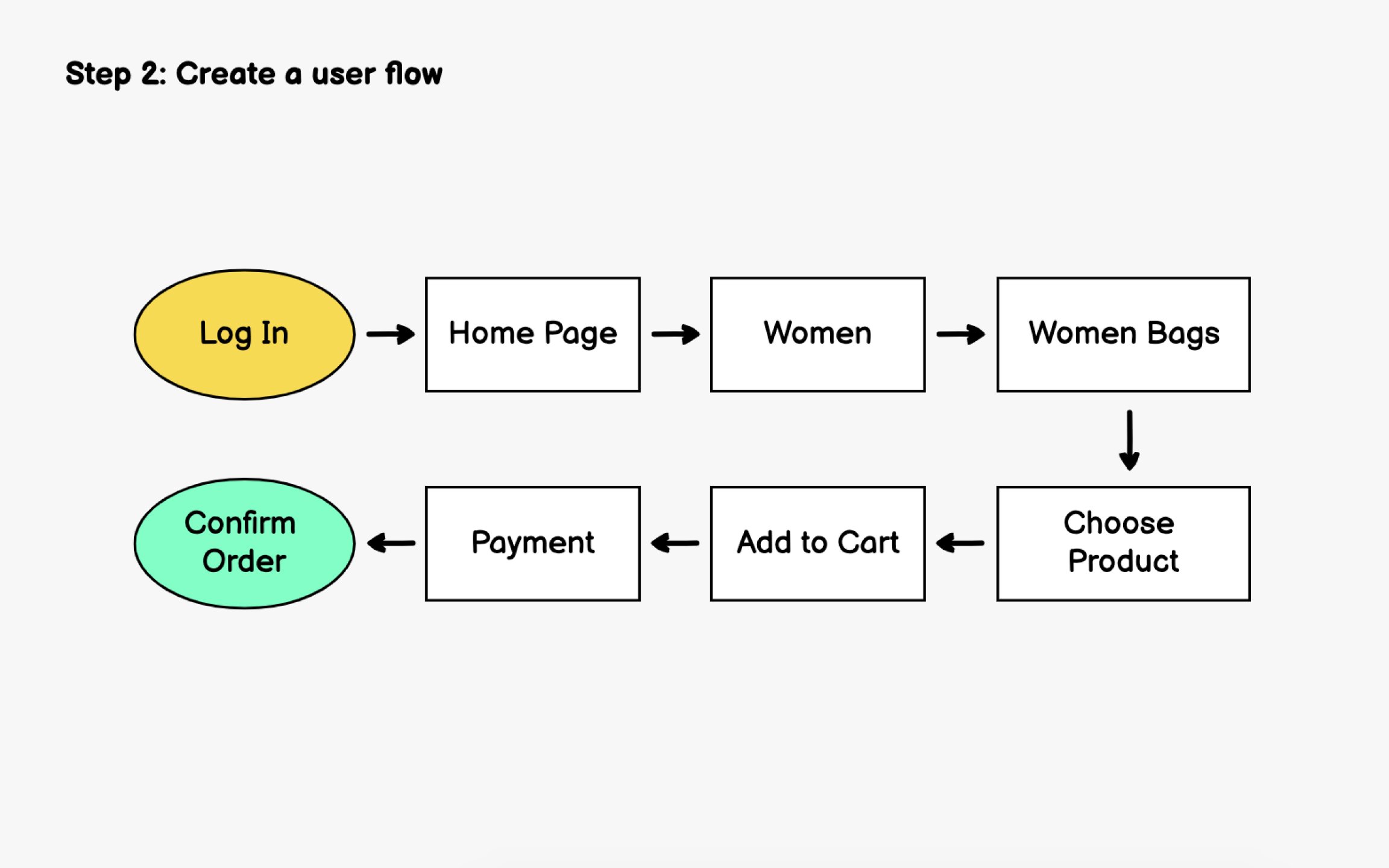
Before wireframing individual screens, map out how users will move through your app. A user flow visualizes the steps someone takes to accomplish a specific goal, revealing how many screens you'll need and how they connect.[1]
User flows aren't always linear. Someone might reach checkout through the homepage, search results, or a saved wishlist. Mapping these alternate paths ensures you don't miss critical screens or create dead ends.
Start simple. Sketch the happy path first, then layer in edge cases like error states, empty states, and what happens when users go back. Modern tools like Miro, FigJam, or Whimsical make collaborative flow mapping easy, but a whiteboard works just as well for initial exploration.
Consider microinteractions within flows too. Does tapping a product open a modal or navigate to a new screen? These decisions affect the wireframe count and overall navigation structure.