Use proportional cell width
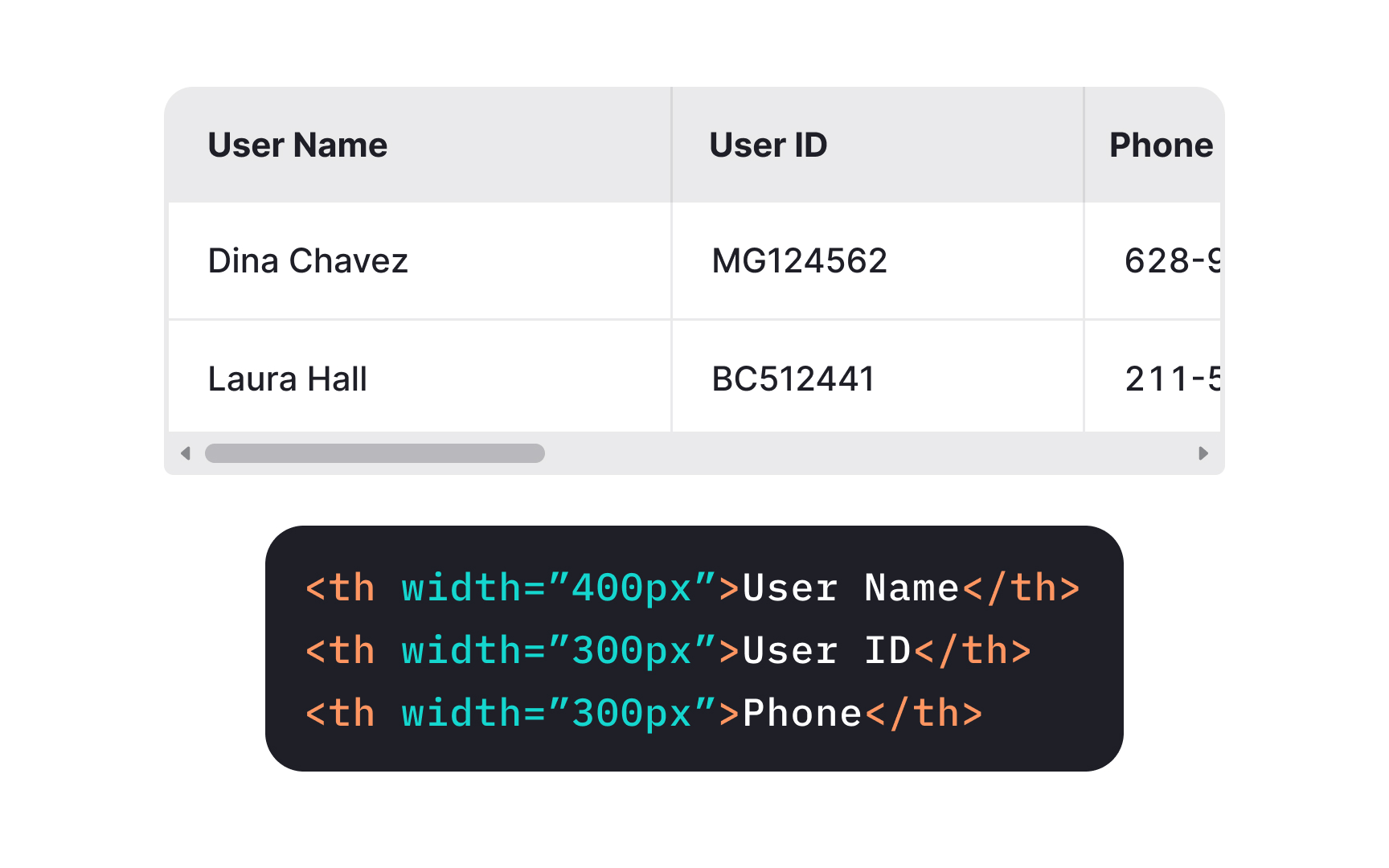
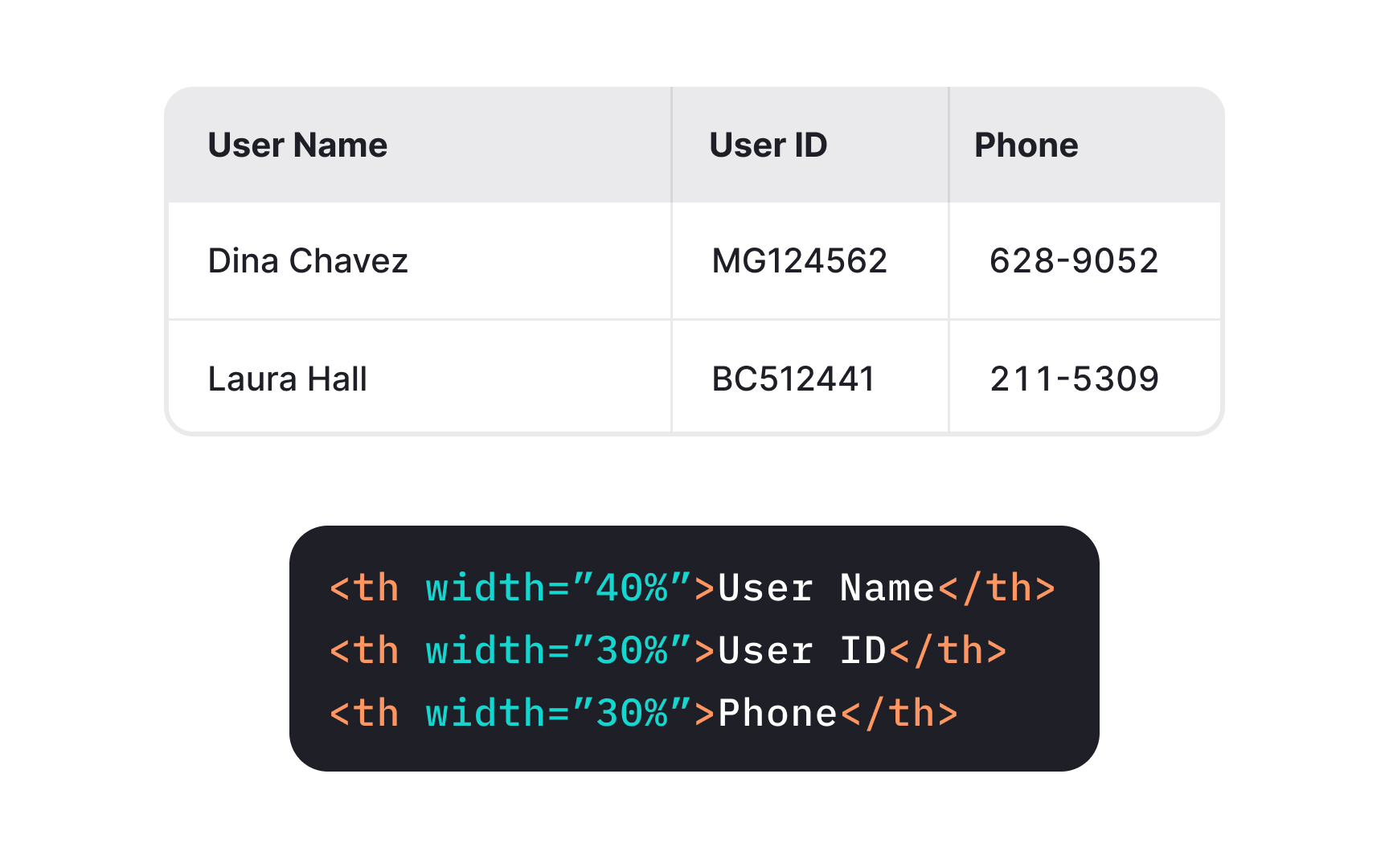
Normally, web browsers automatically determine the table's width and set the rows and columns' dimensions. If you want to have more control, you also have an option to set the width of your table cells manually. In this case, avoid using absolute values in pixels and go for percentages (%), so browsers can automatically adjust the table width and reduce horizontal scrolling.
When it comes to cell height, avoid setting it manually so that cells can expand to accommodate their content. It's especially important for users with low vision that may enlarge text content.