Medical Management Service

What the project is about
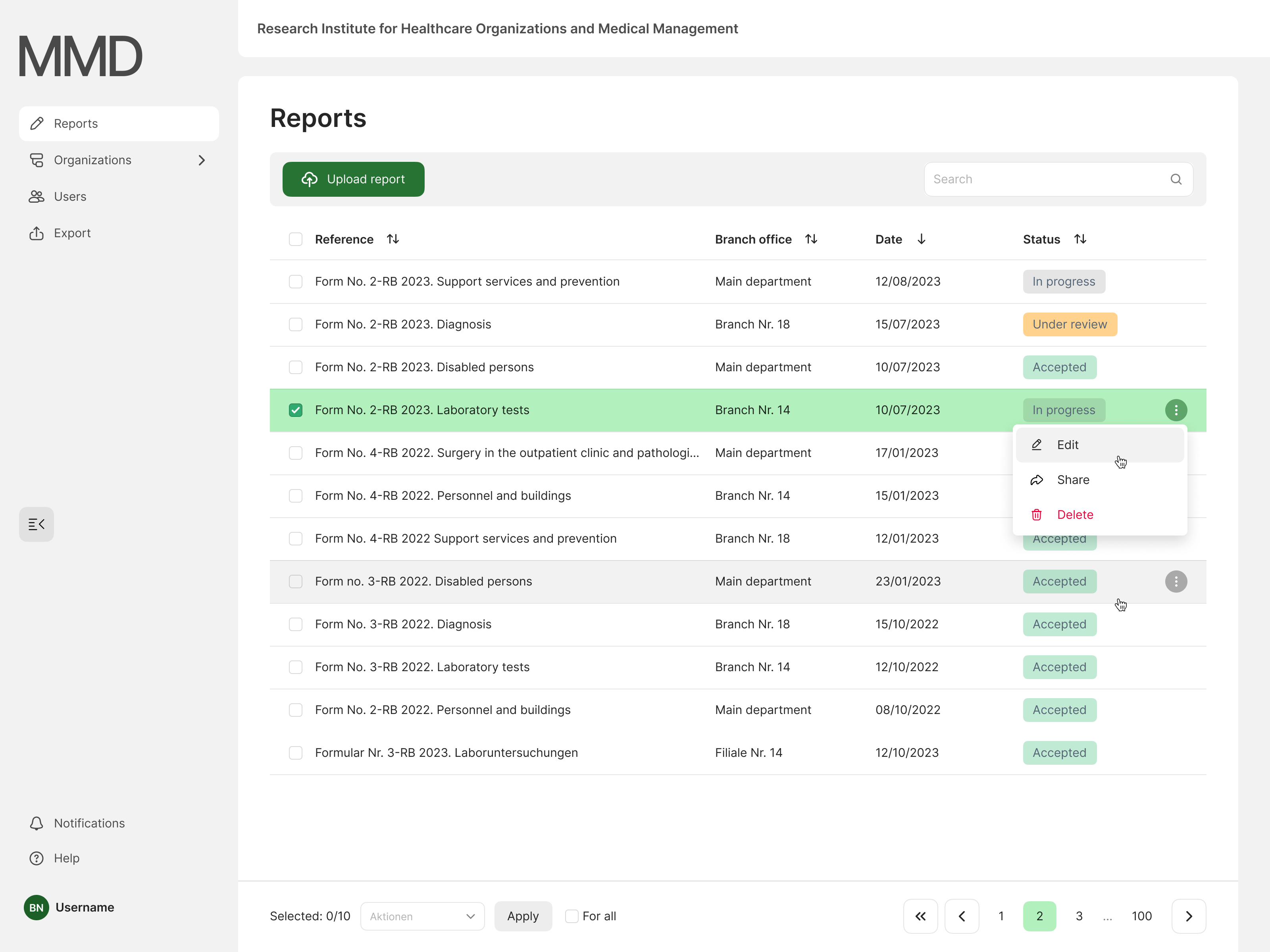
System for processing reports from medical organizations. It enables the collection of data from medical organizations in a central location, the processing of reports, the collection of statistics and the monitoring of subordinate medical facilities.
Project objective
It is necessary to create a system with which medical organizations can send reports to control organizations. Since such reports used to be sent according to rapidly outdated templates, a lot of work had to be done manually. The system helps to automate the report processing and at the same time not to overload the managers of medical organizations when filling out reports. It was necessary to create such a system that would allow managers to intuitively understand how to upload various reports, detect errors in the reports and quickly correct them.
Competition analysis
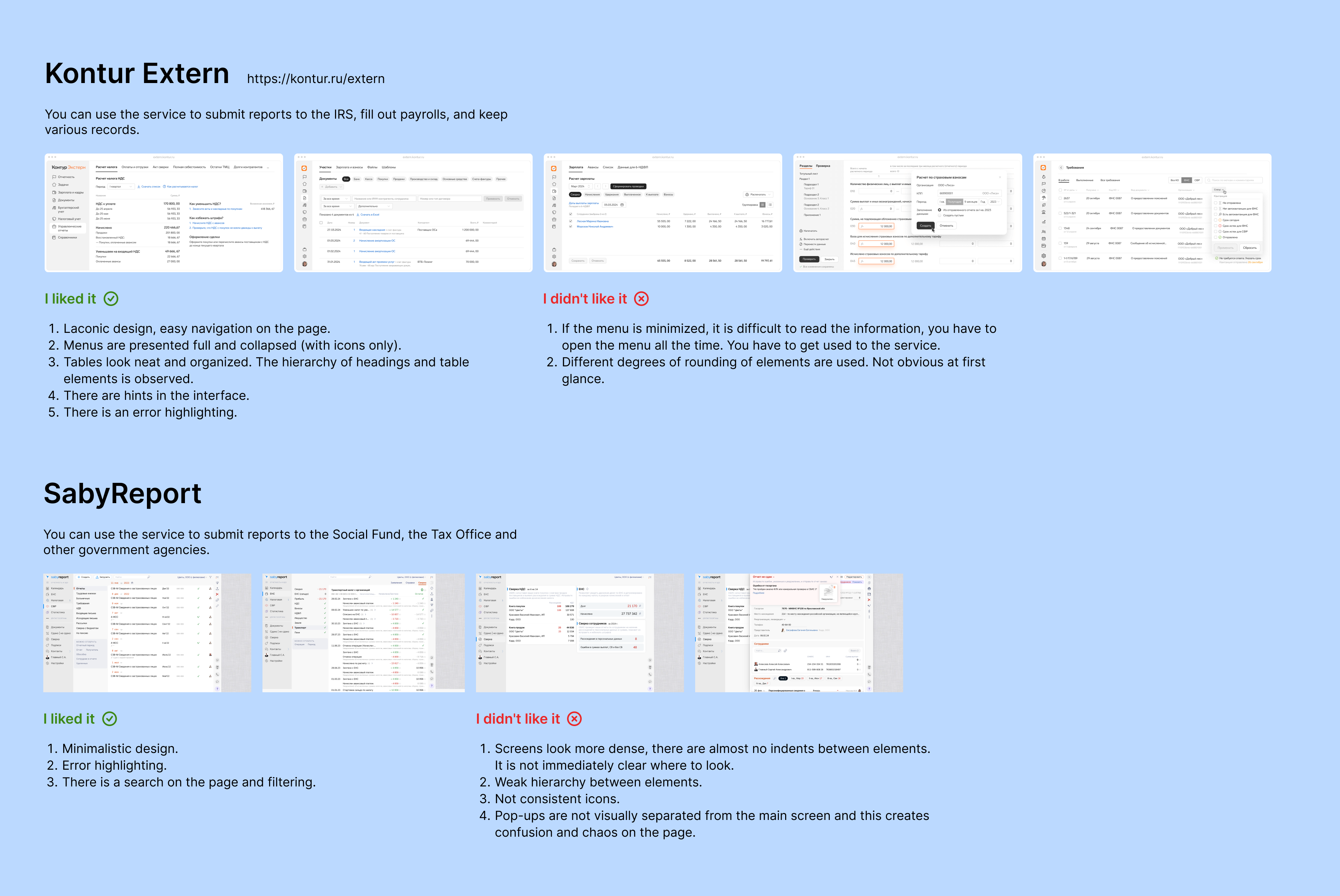
The project has no direct competitors. I have found two similar services that allow the user to fill out reports to the tax office and social services. In addition to reports, these services allow you to keep records of employees, calculate salaries and keep statistics.
Target group analysis
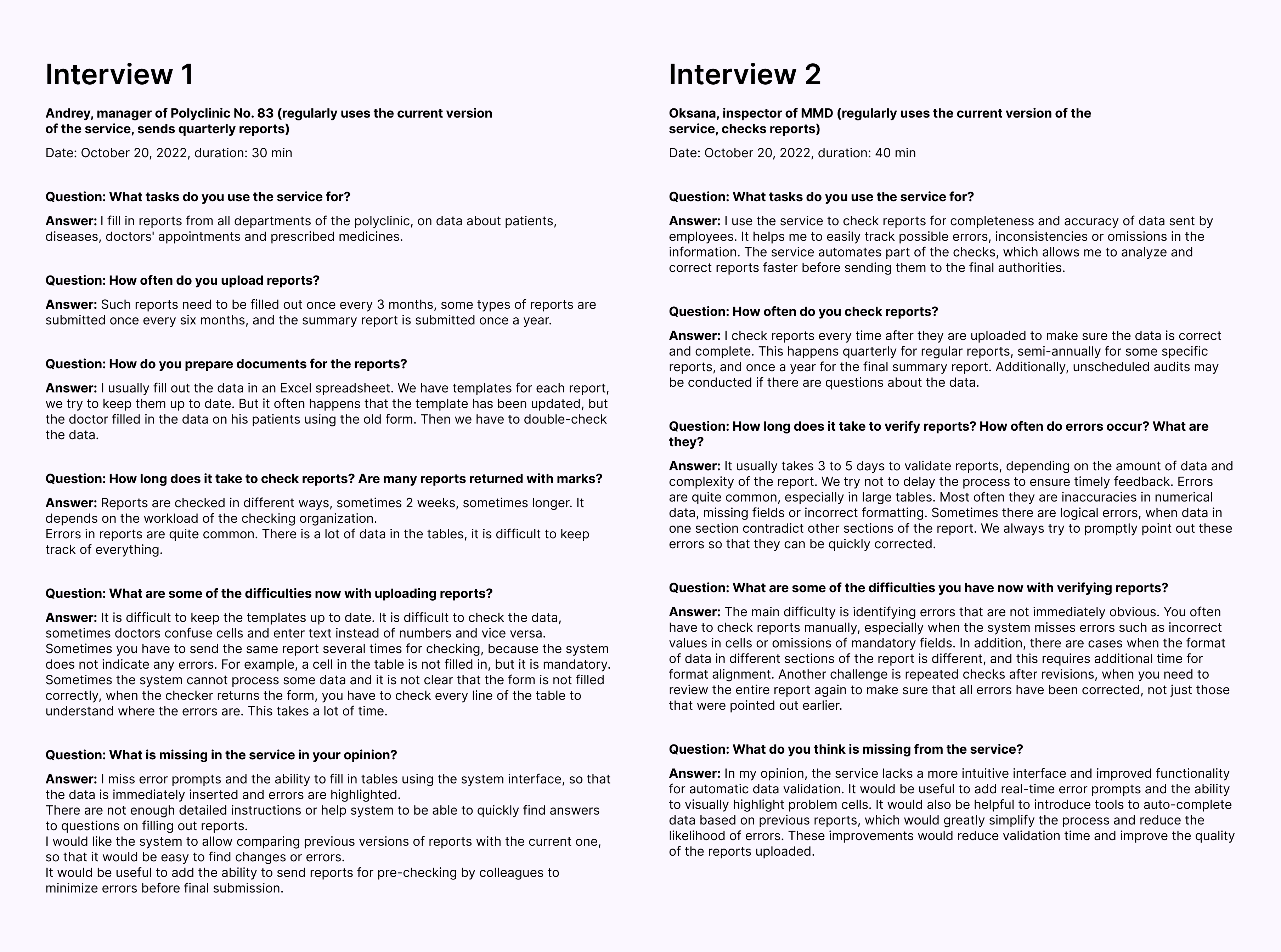
To analyze the target group, I conducted several in-depth interviews. In our system, the users have two roles: the head of the polyclinic who sends the report and the head of the administrative organization who reviews the report. During the interviews, the main problems of the users were identified.
Development of a scenario
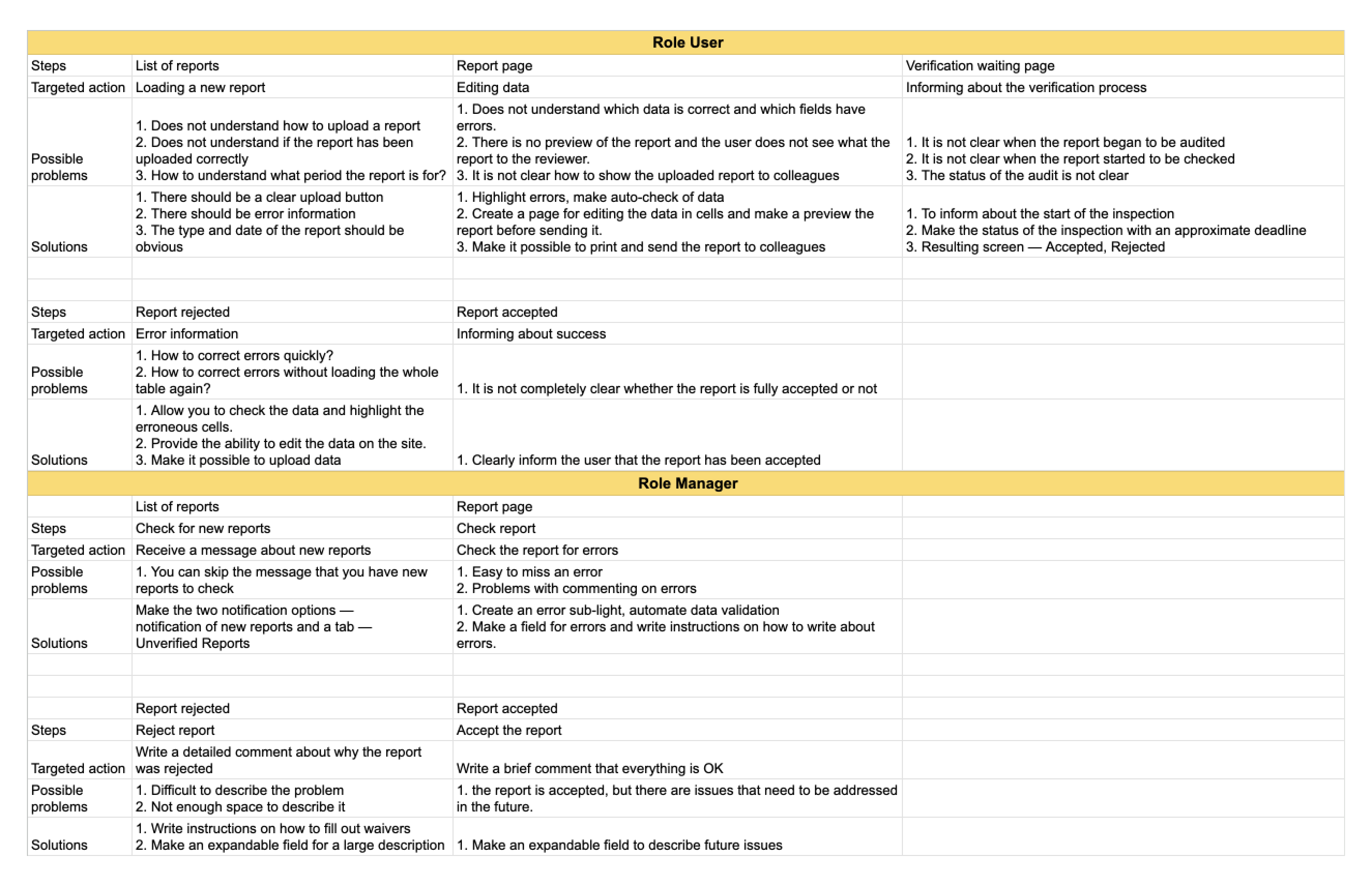
I analyzed the difficulties users face and developed several hypotheses to avoid potential problems. As the service includes two different usage scenarios for different user roles, I created a table describing the main interactions between the user and the system.
Description of screens and elements
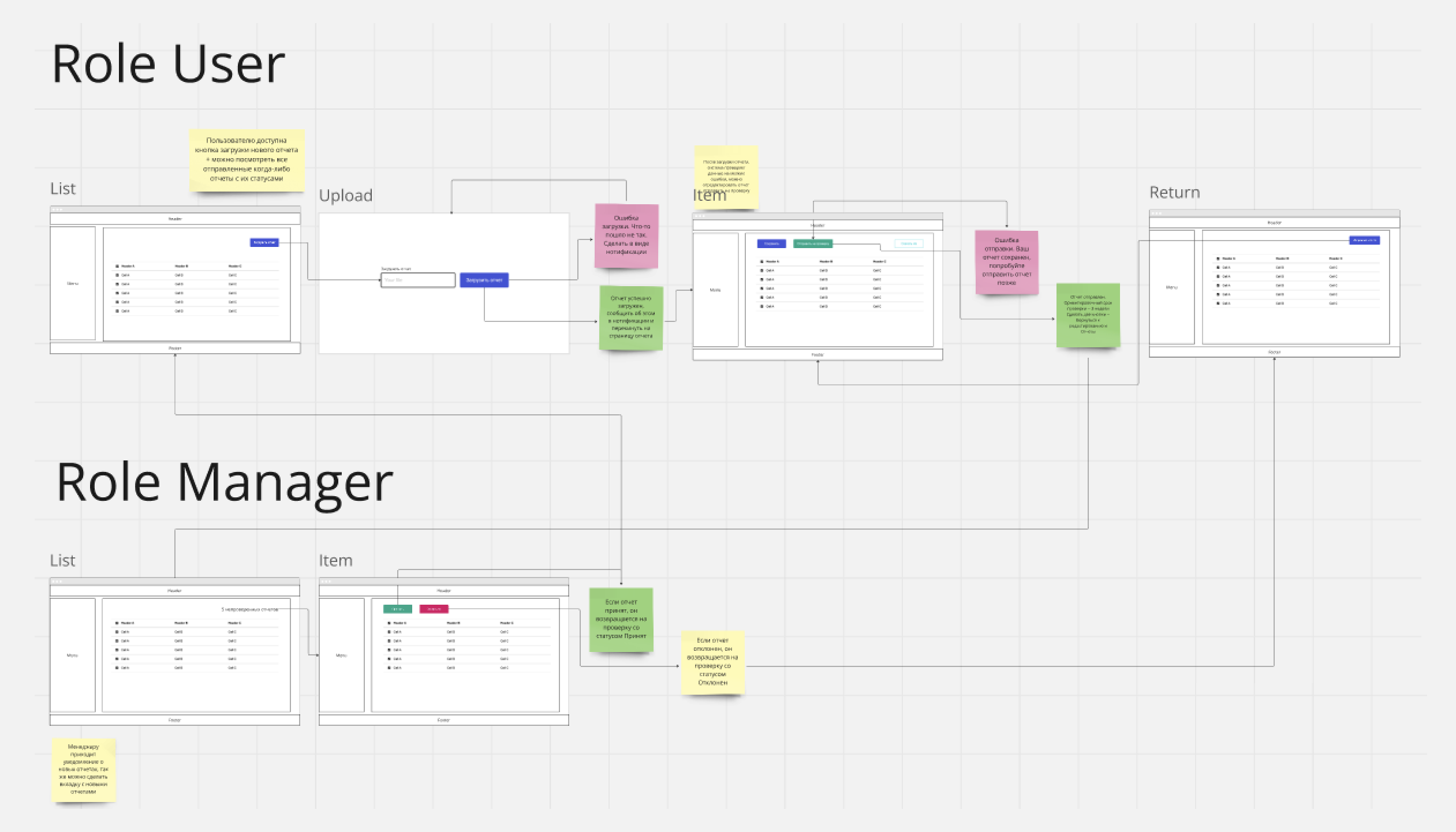
To describe the screens, I used Wireflow — a combination of wireframe and userflow functionality. In Miro, I described the main screens in detail and visualized how the elements interact depending on the user role and scenario.
Selection of a component library
To speed up the creation of layouts and the development of basic elements, I used the open source component library Gravity UI. Missing components that were not included in the library were created manually.
Layout drawing
As an example, I show the layout for the scenario “Uploading and sending a report for validation” as well as the report validation process and the return for revision. Both the user who uploads the report and the manager who checks and validates the report are involved in the report validation.
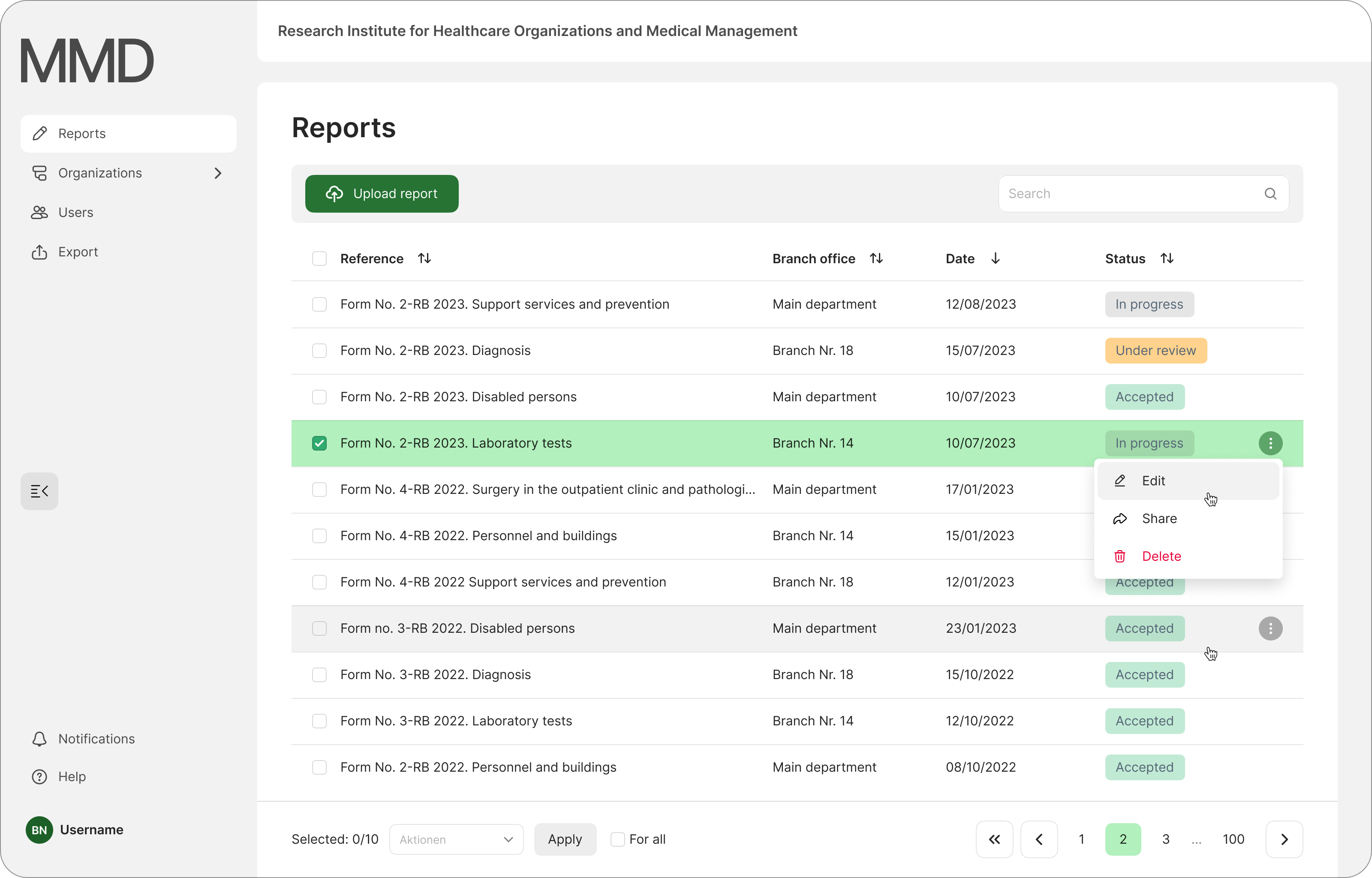
A list of all reports from the medical facility. The following functions are available to the user: Download report, Share report, Go back to edit report, Delete report
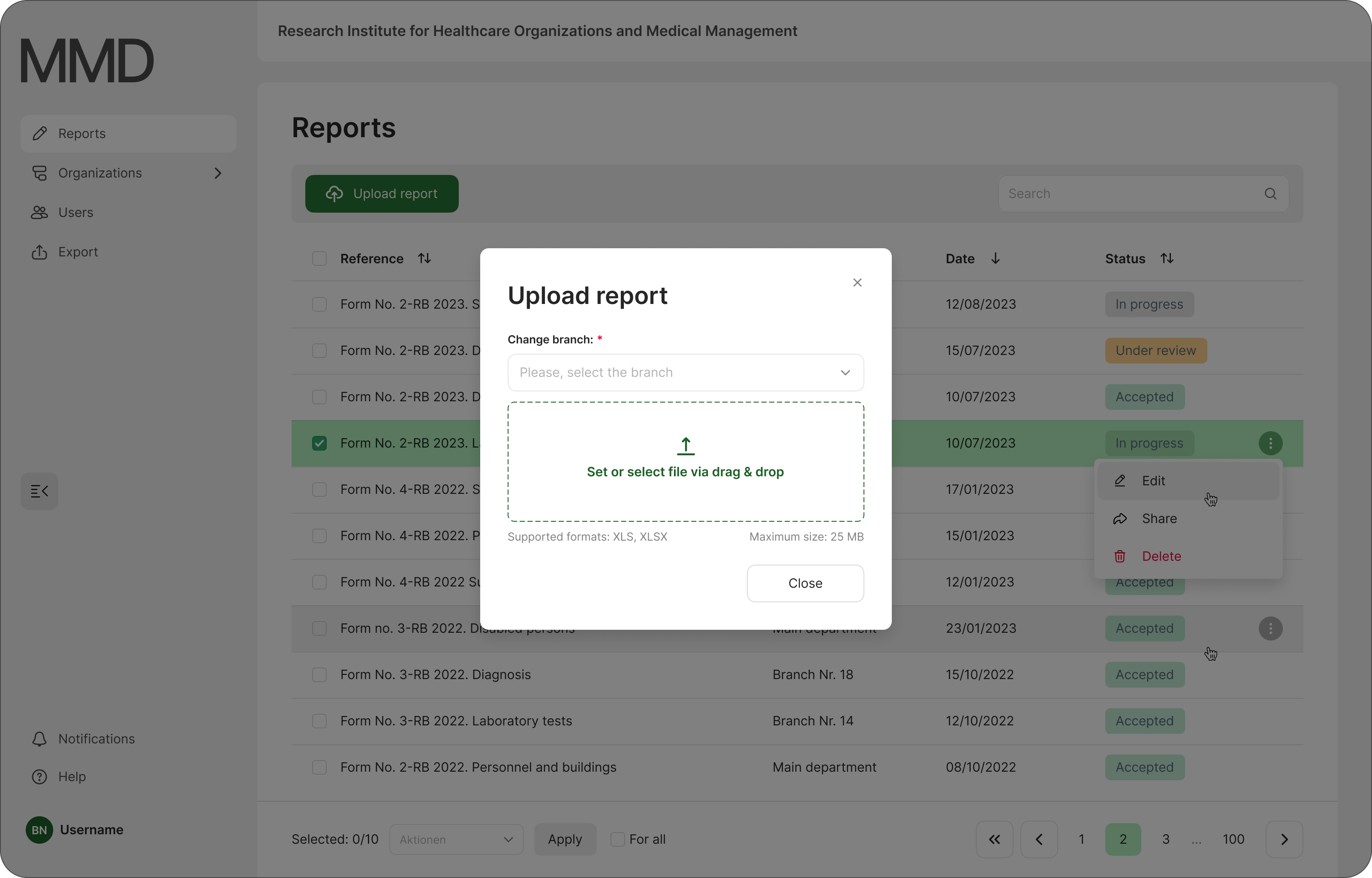
Window for loading new reports
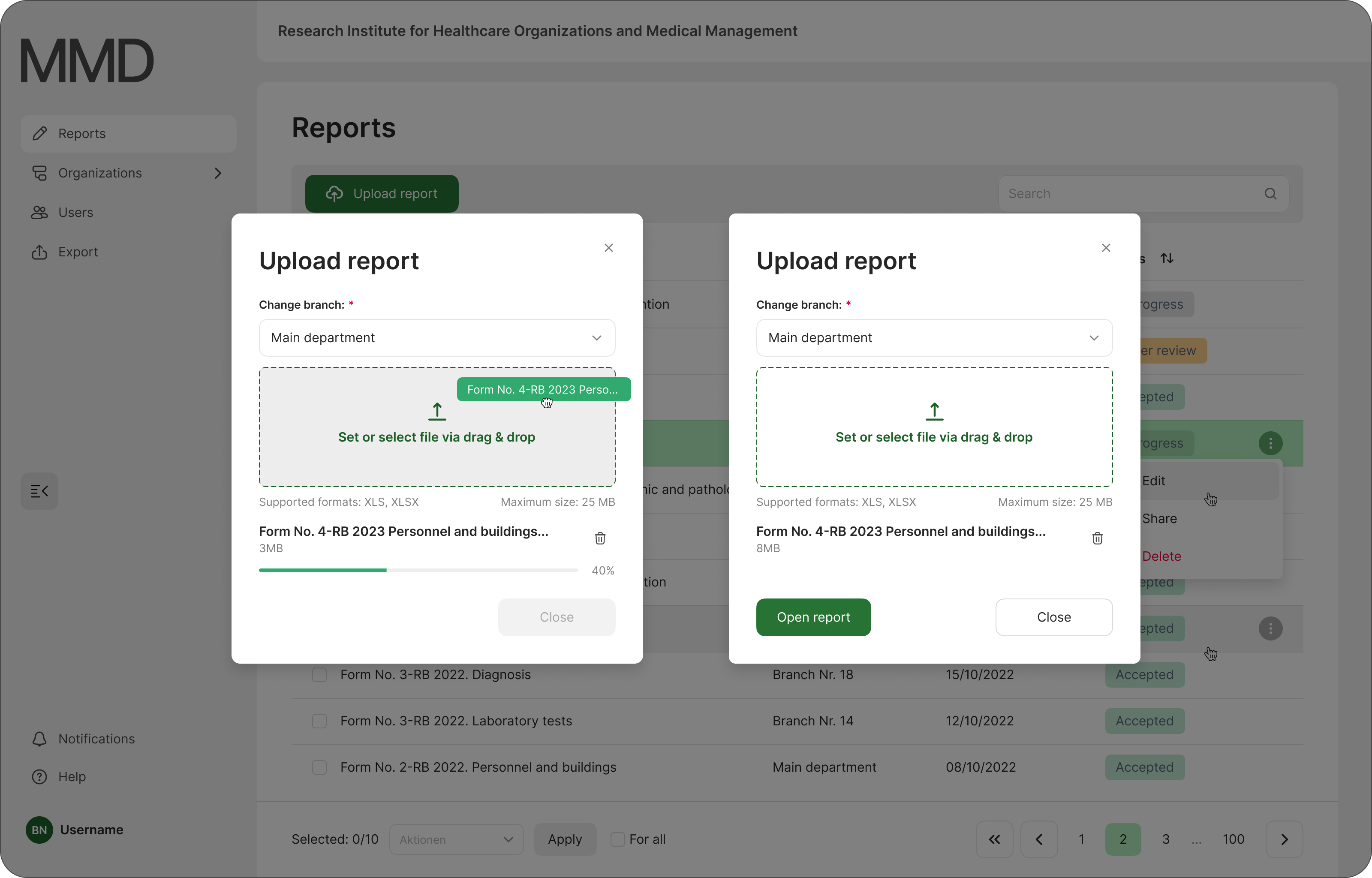
The process of uploading a new document
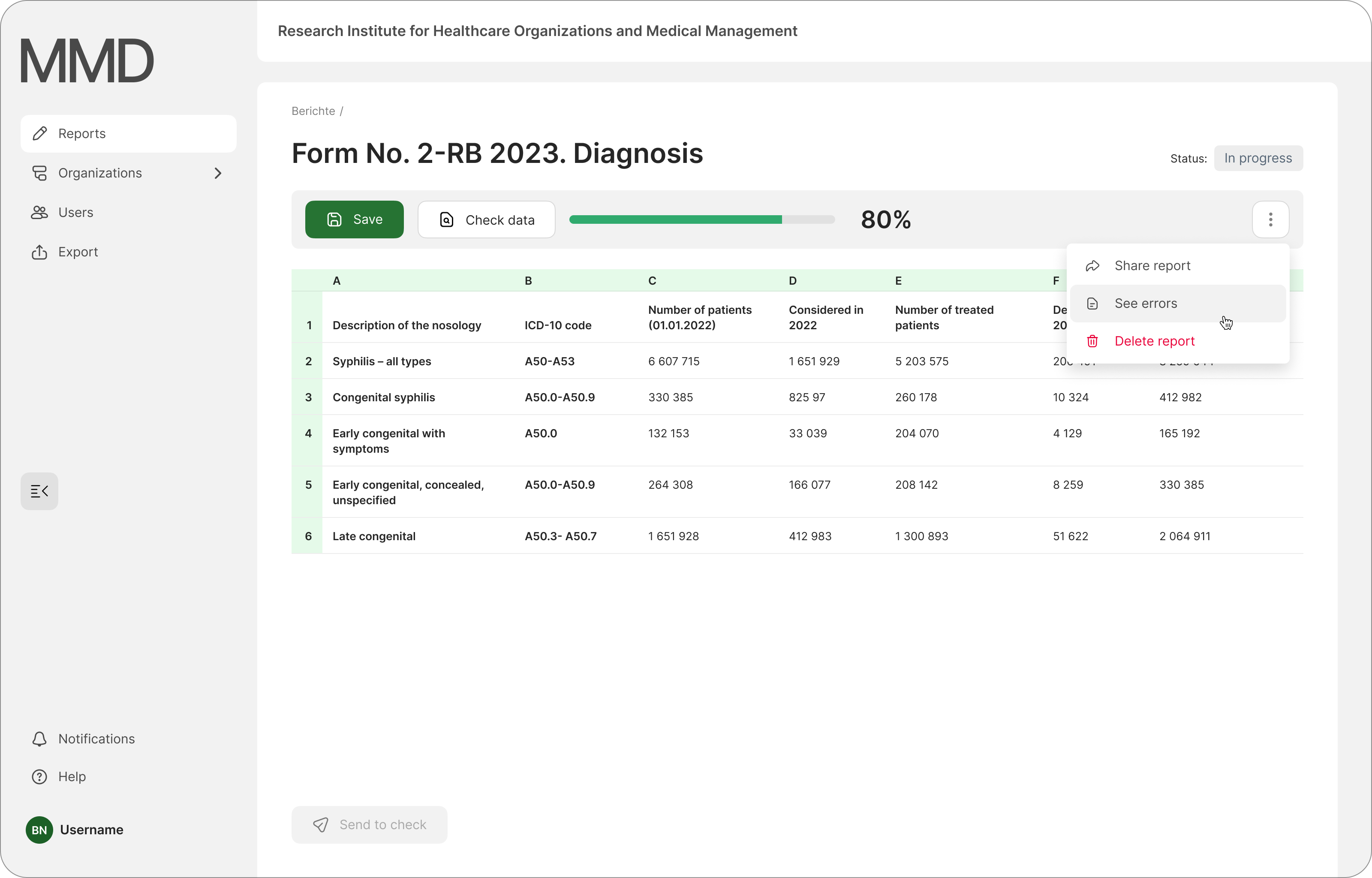
Screen of the report. The user can release the report, check the data for errors and correct them
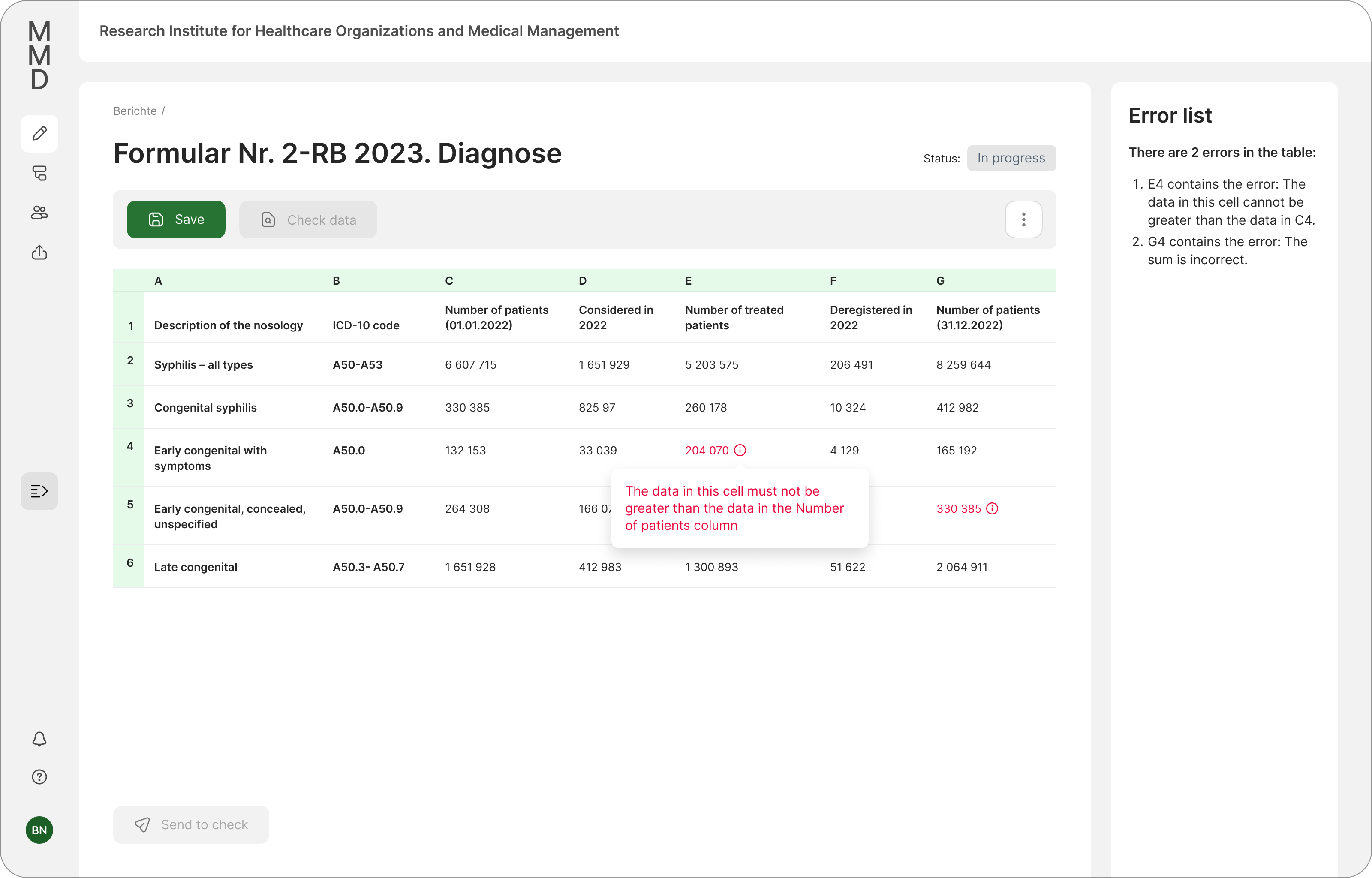
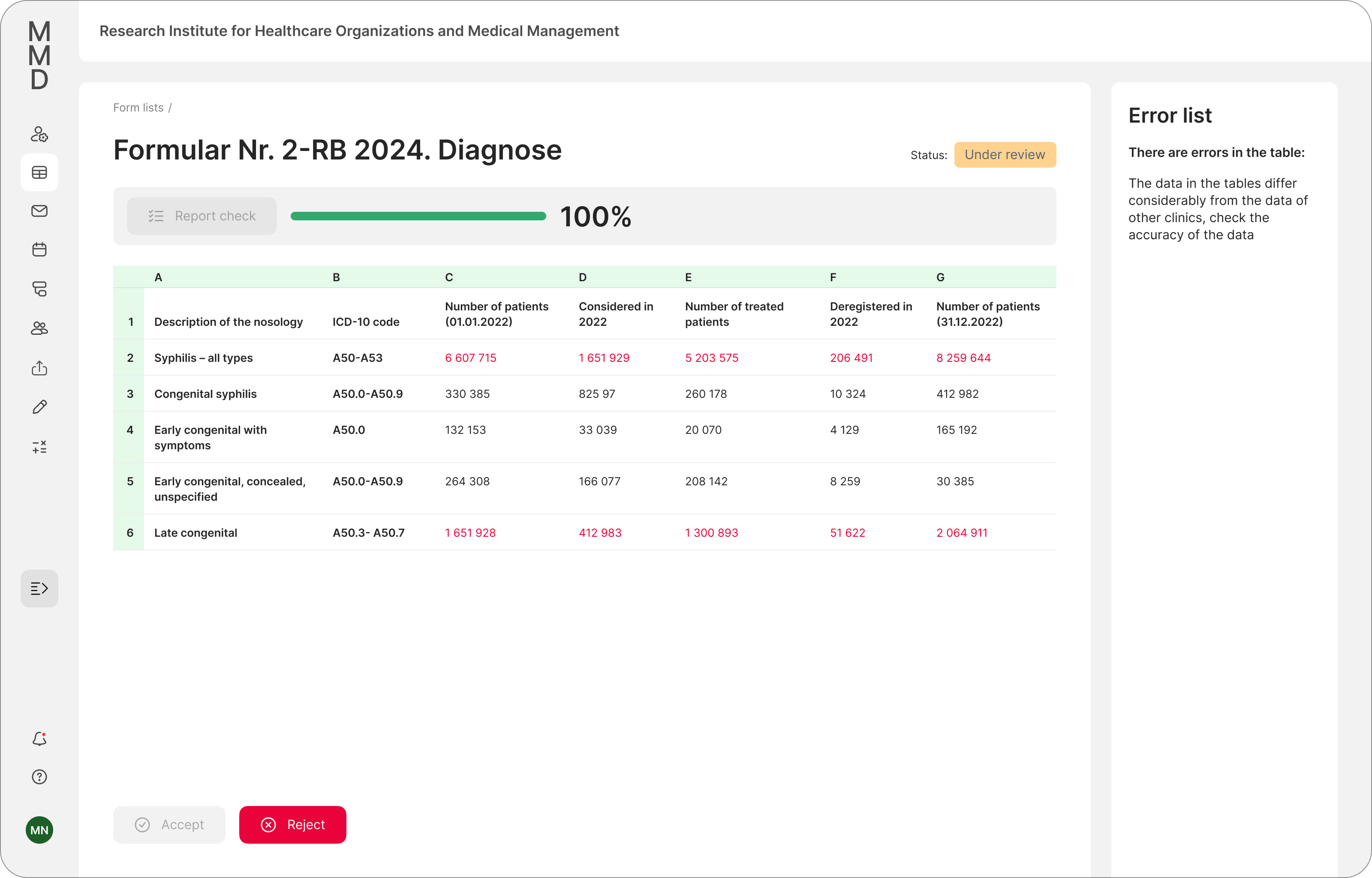
The system has found several errors that are highlighted in red, there are explanations on how to correct the errors
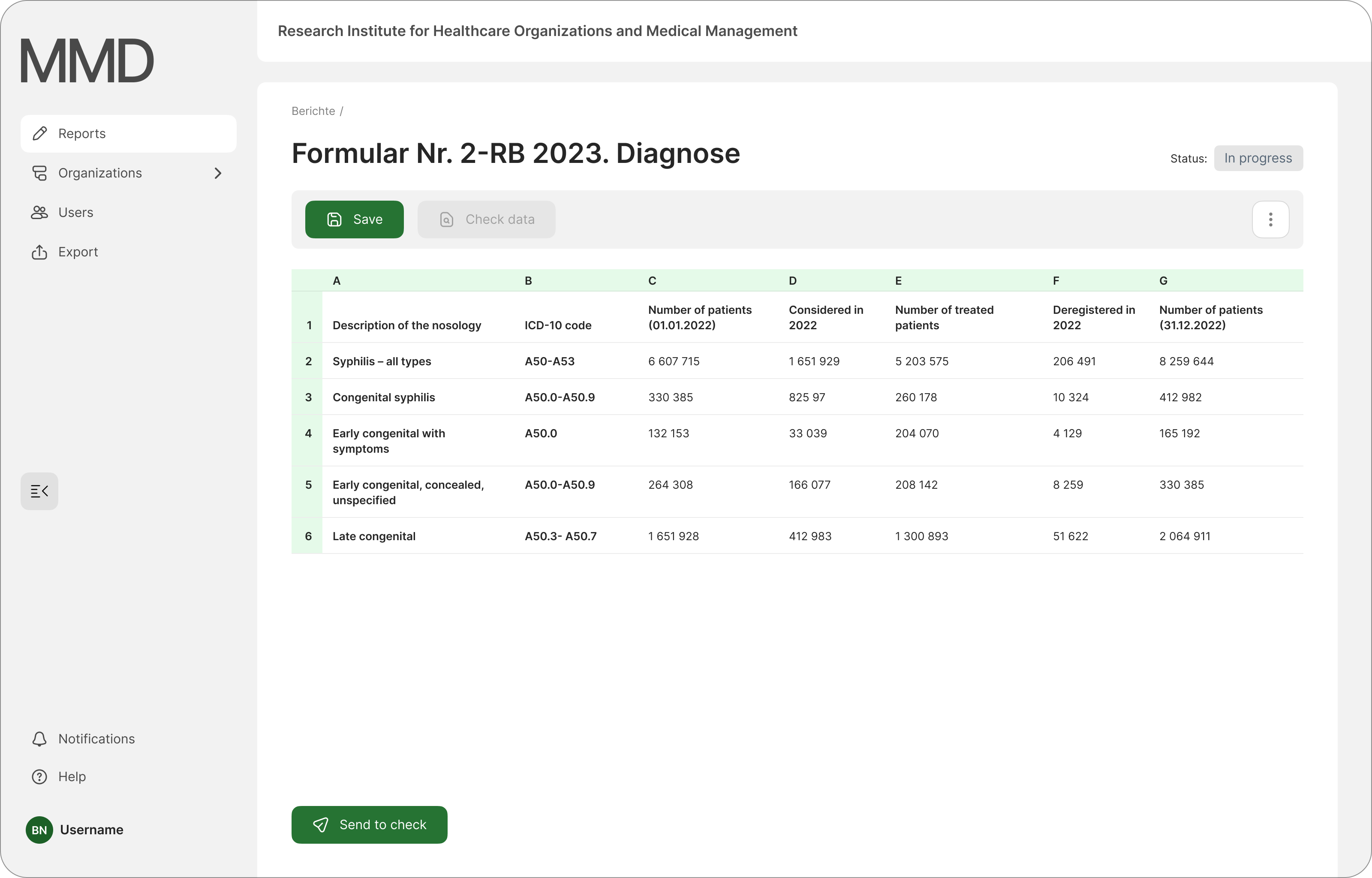
Errors have been corrected and the report can be sent to the main organization for review
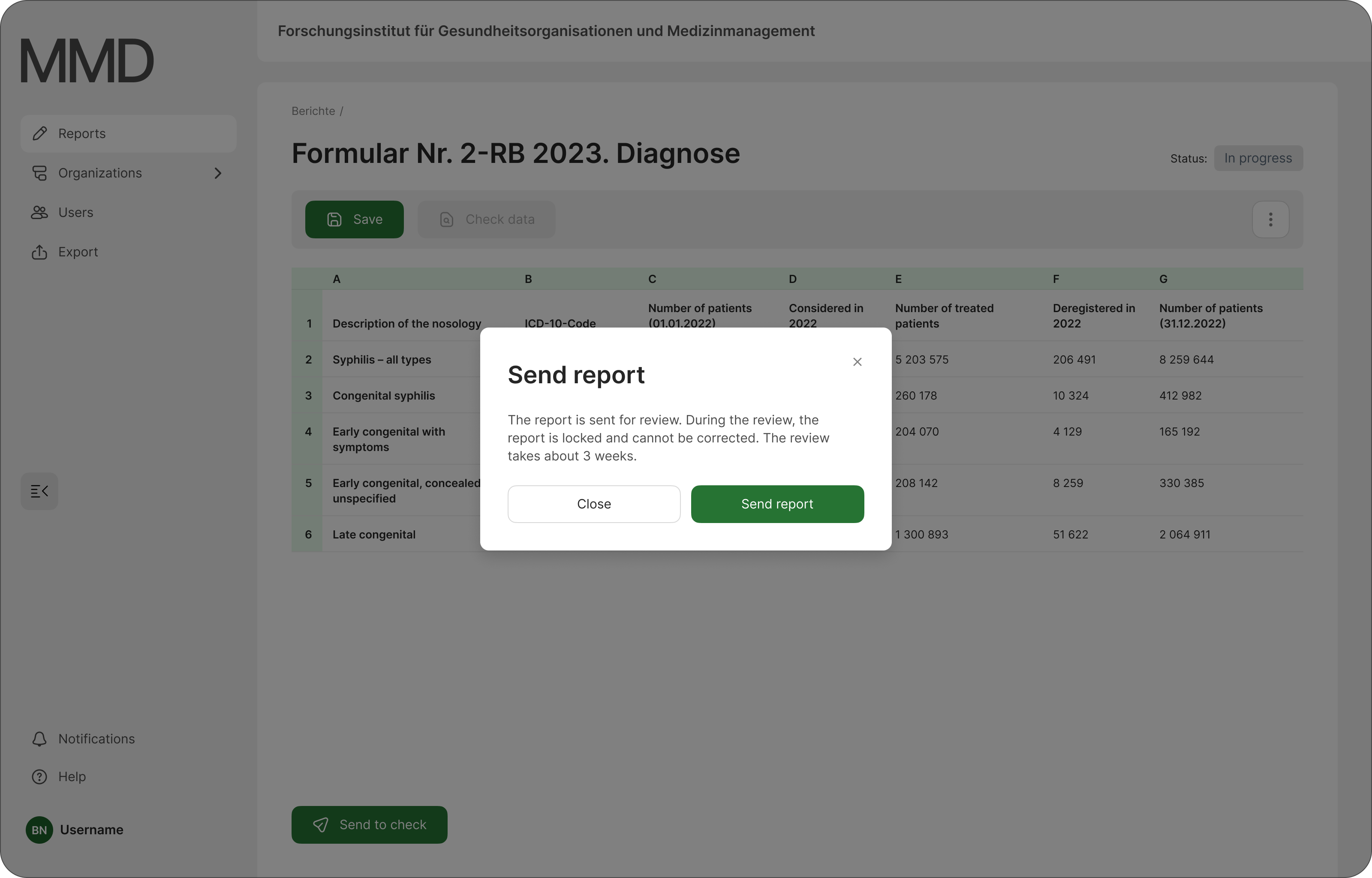
Sending a report. After sending, the status of the report is changed to “Under review”
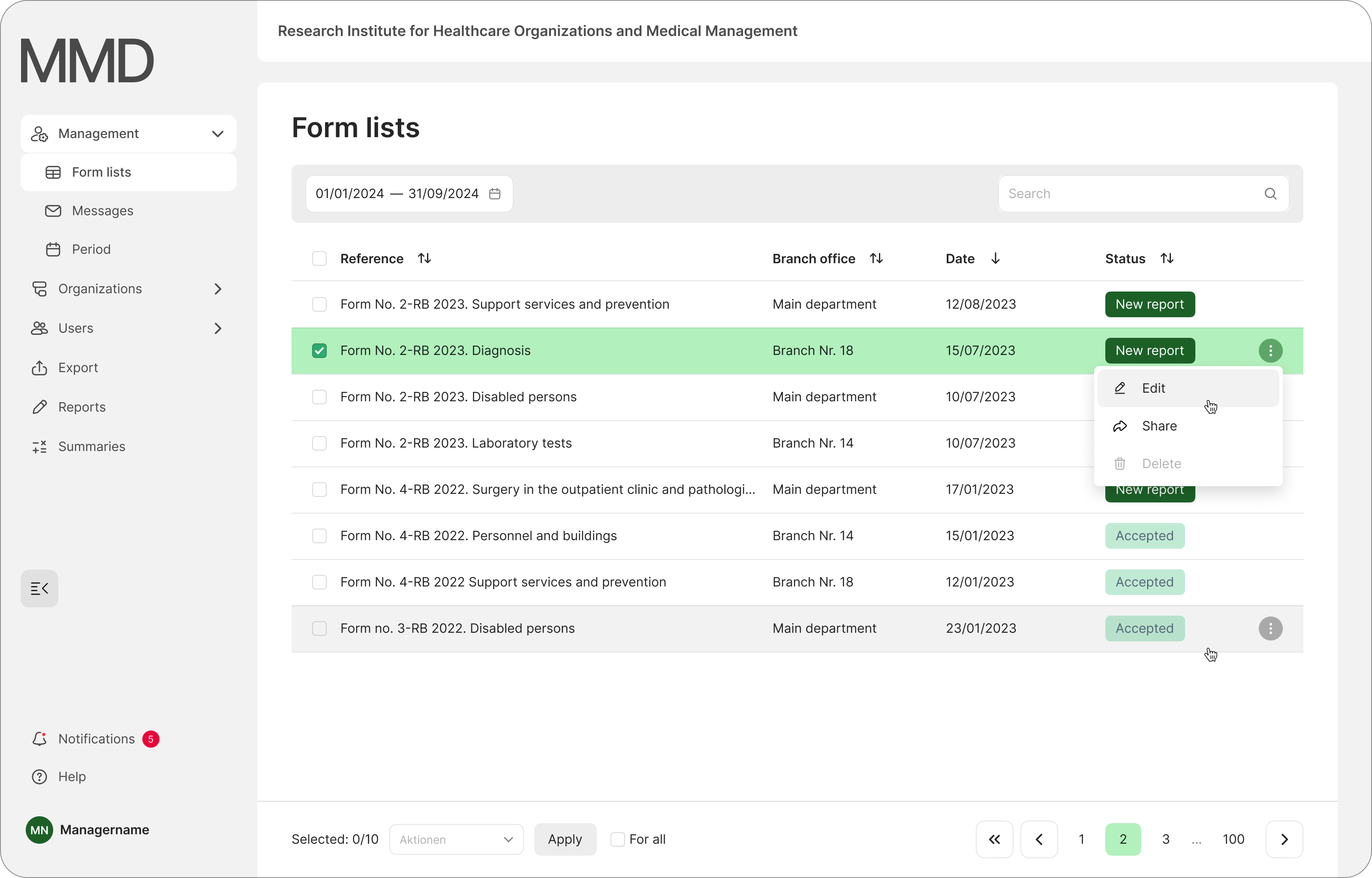
A list of reports for the Manager role. New reports are marked with the status “New report”. The manager can share and check the report
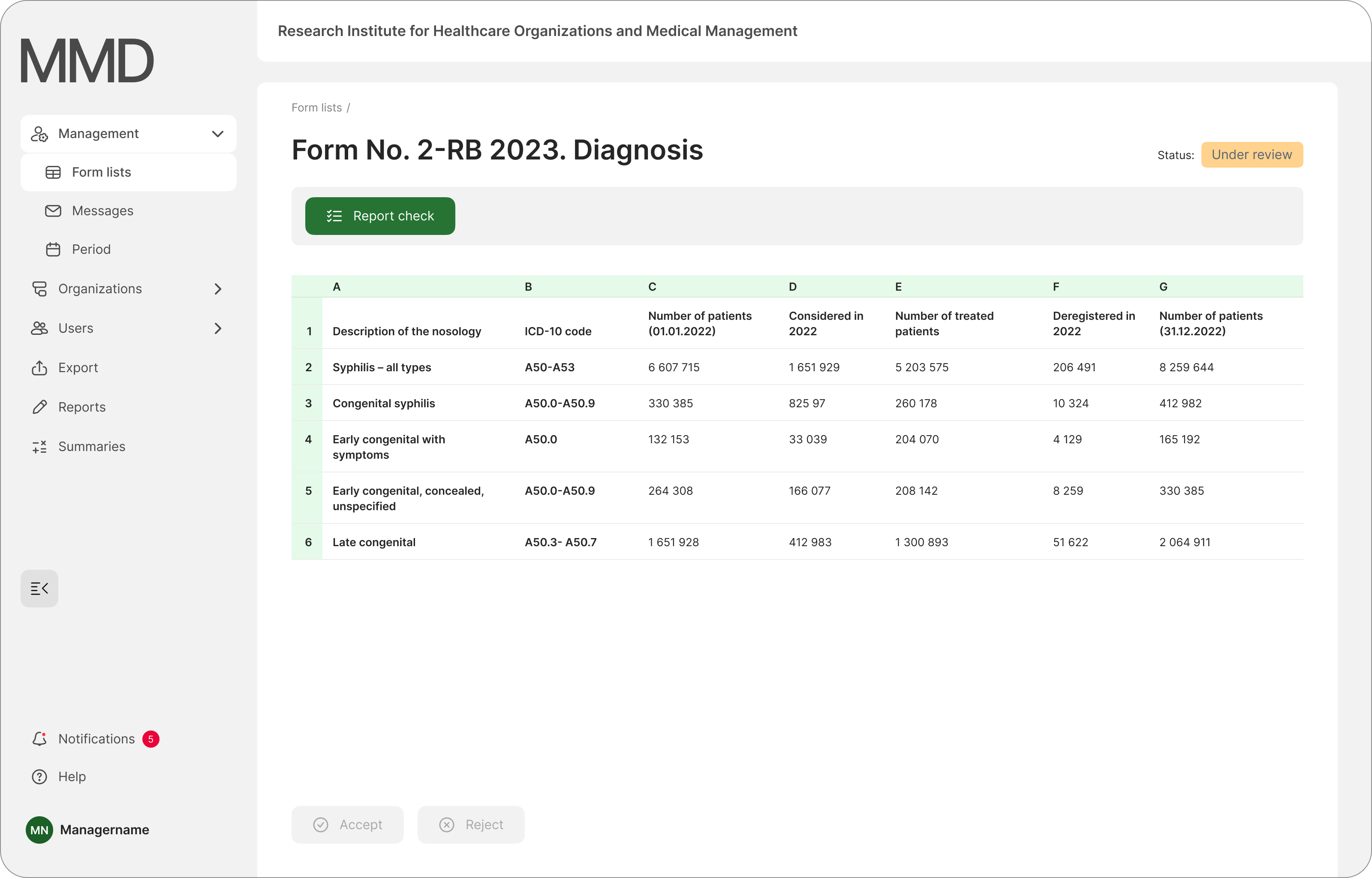
Report page. The manager has the option to review the report. The system not only checks the report, but also compares data from previously uploaded reports from other organizations for the same time period
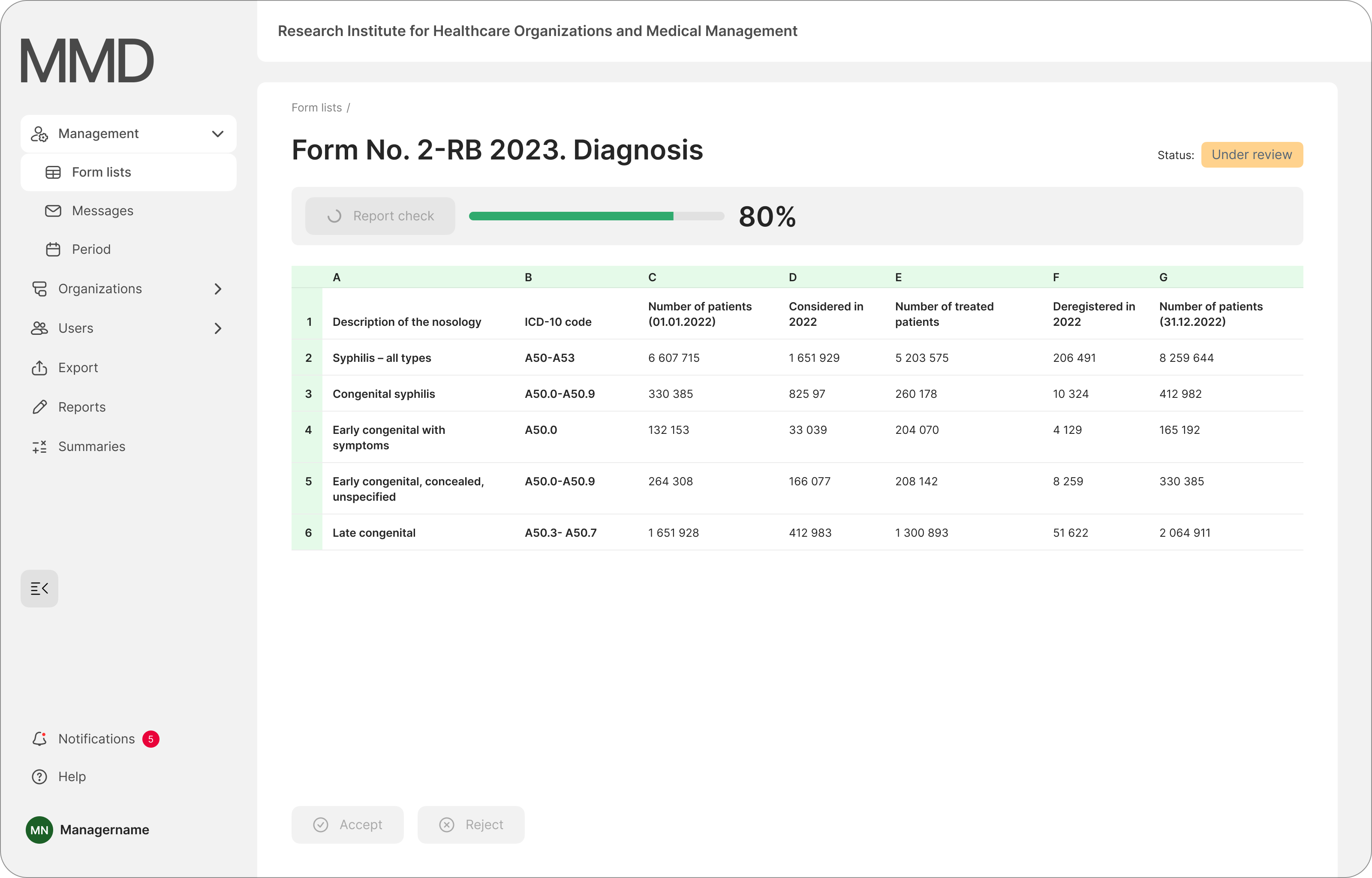
Report validation process
Report screen with errors and explanations of the errors
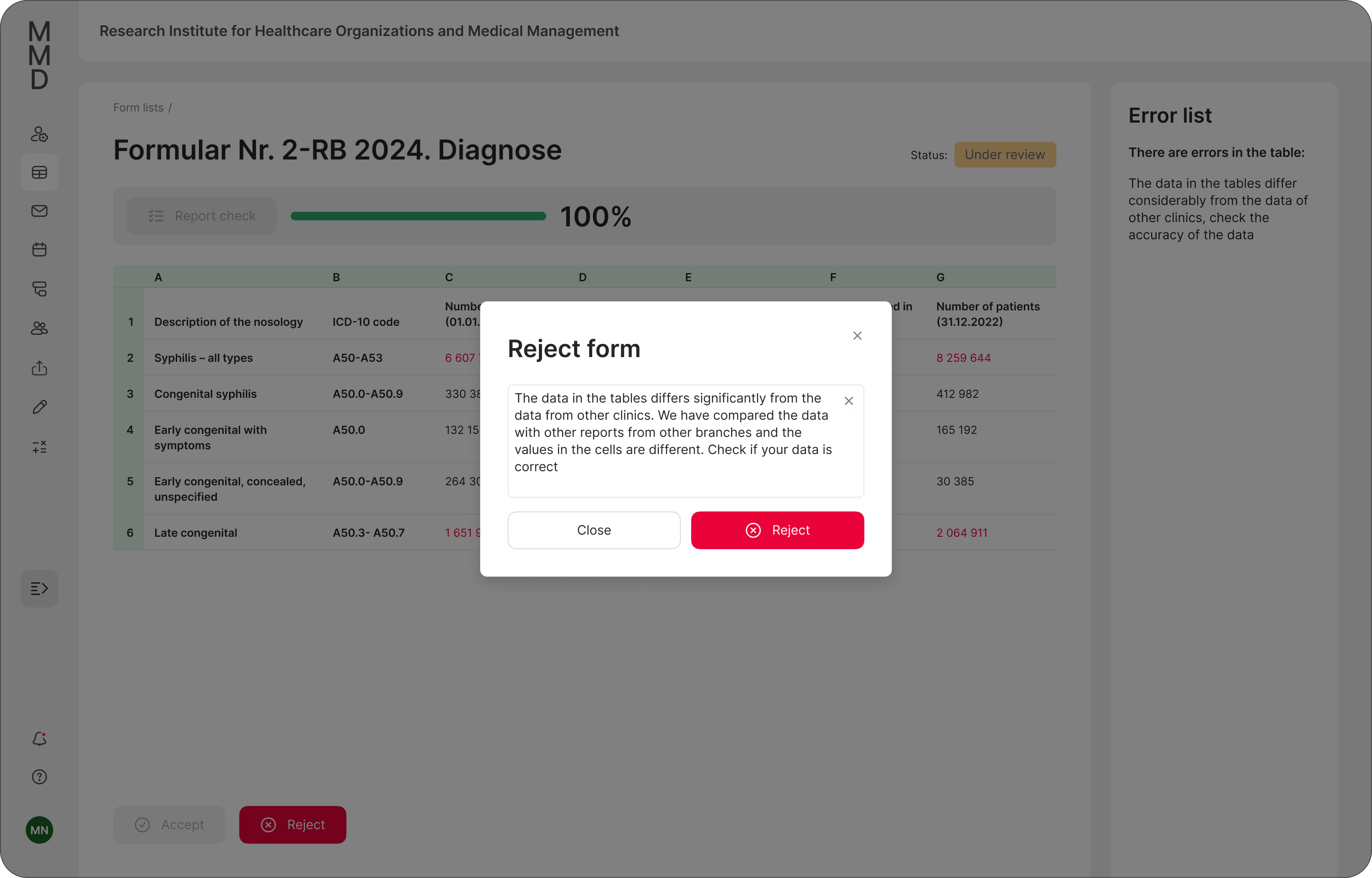
Screen on which the manager rejects the report with an explanation
Conclusion
Working on the project was not easy, but it gave me a lot of satisfaction. The project taught me how to analyze the requirements of the target group, understand the needs of the users and work carefully on the user interface.

You might also like

HealthFlow: Designing a Simple and Insightful Wellness Dashboard


Improving Dating App Onboarding: A/B Test Design

FORM Checkout Flow - Mobile


A/B Test for Hinge's Onboarding Flow


Accessibility Asse


Uxcel Halloween Icon Pack

Popular Courses

UX Design Foundations


Introduction to Figma

Design Terminology
