Islamic E-Learning Platfrom Dashboard

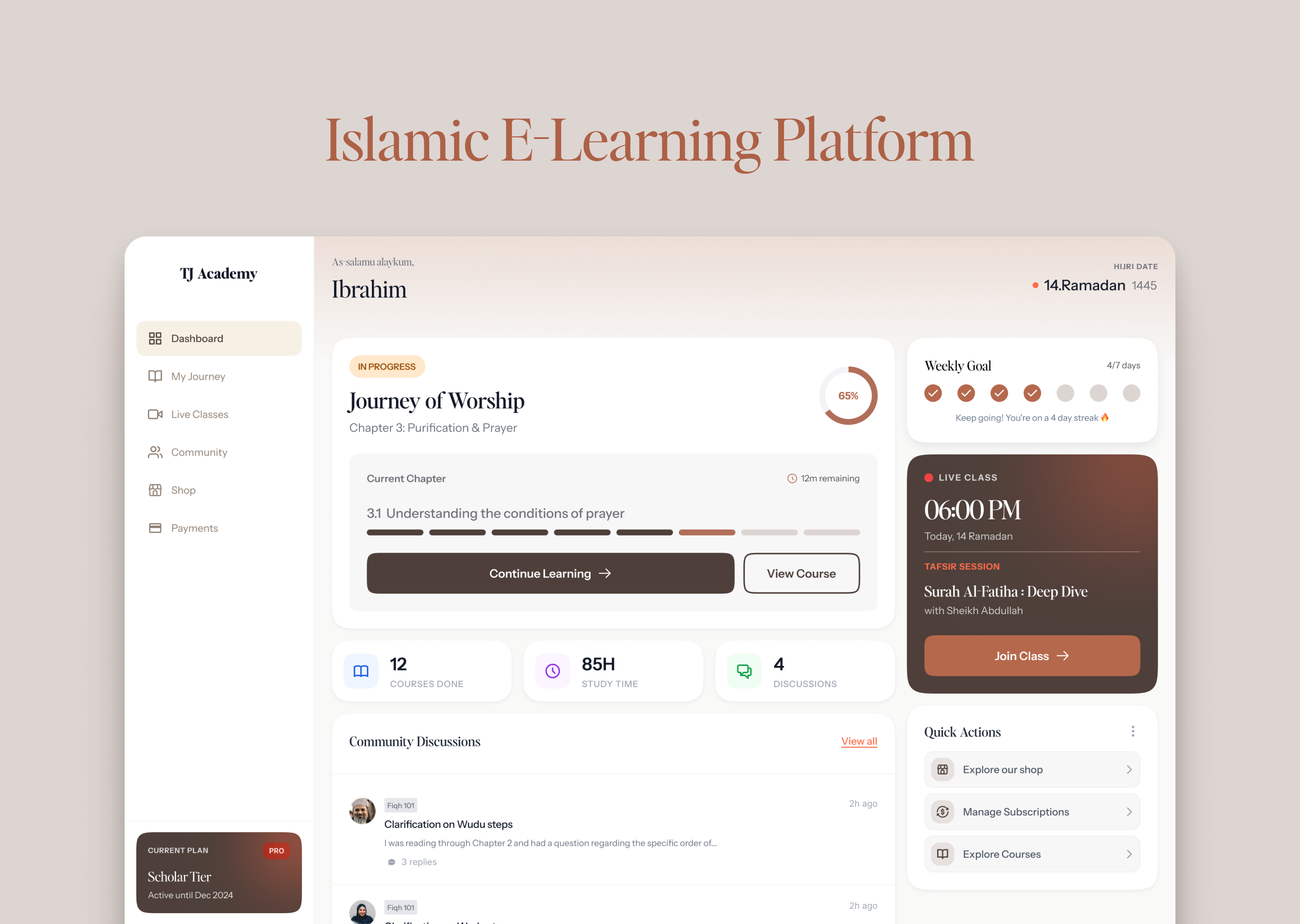
Visual Language & Color
I wanted the interface to feel like a quiet room you'd actually want to sit in and study. The warm neutrals - off-white, charcoal, deep brown - weren't just a stylistic choice, they were a direct response to the client's ask to move away from the loud, decorative aesthetic common in Islamic platforms. Nothing competes for your attention here. Everything just settles.
Islamic Identity Without Decoration
I didn't want Islam to feel like a theme applied on top of the interface. Instead, I embedded it into the functional layer - a greeting that feels personal, a Hijri date that orients the student in their own calendar. It's there, but it doesn't announce itself.
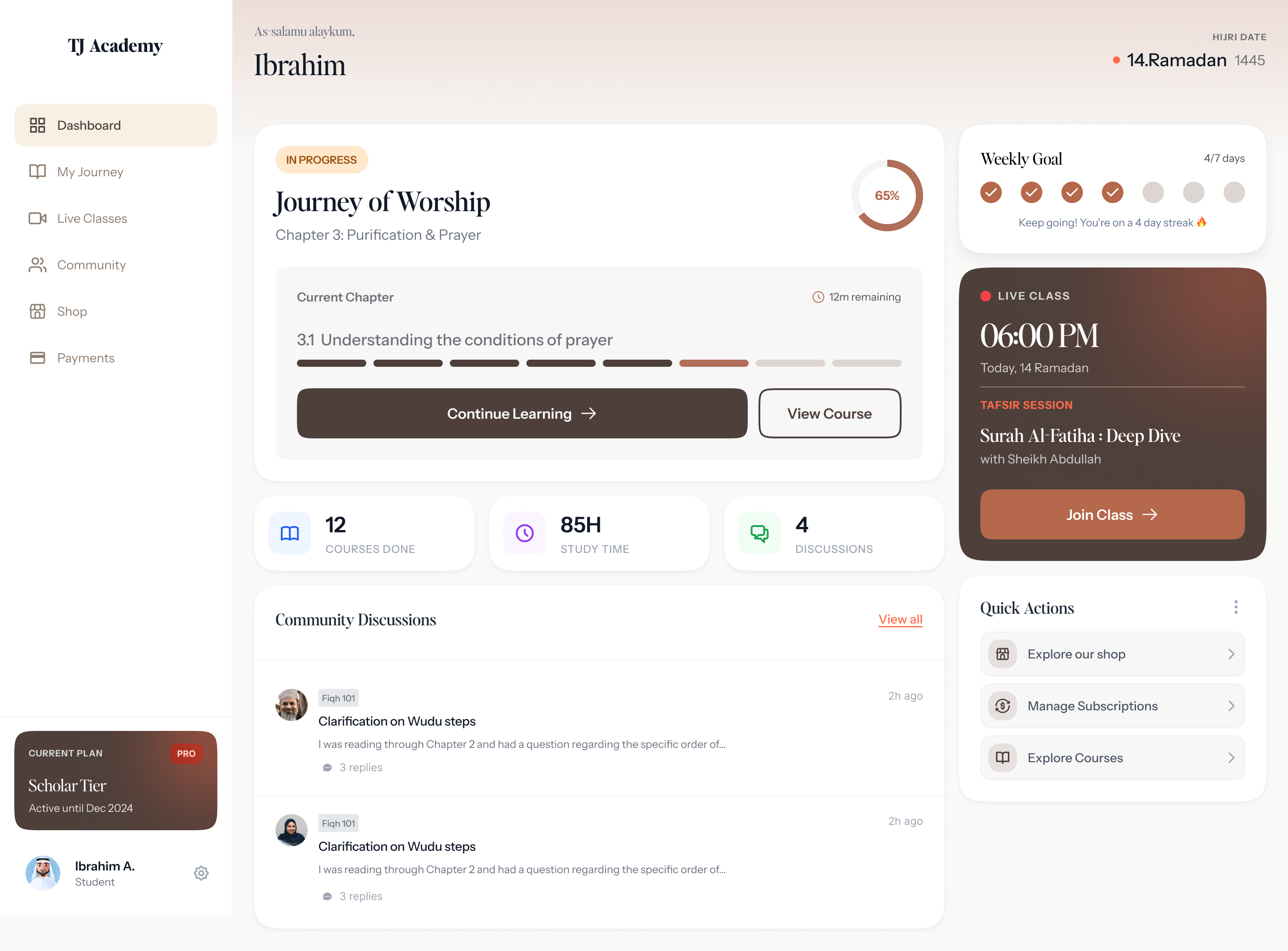
Streak Over Score
This was probably the most deliberate decision. Religious learning isn't about performance - no one should feel judged for how fast they're moving through the journey. What matters is whether you kept showing up. A weekly streak tracks exactly that. Consistency over achievement.
Layout & Hierarchy
I kept the hierarchy simple and the space generous. The active journey sits at the center because that's what the student is here for. Everything else - live classes, quick actions, stats - supports it without pulling focus.
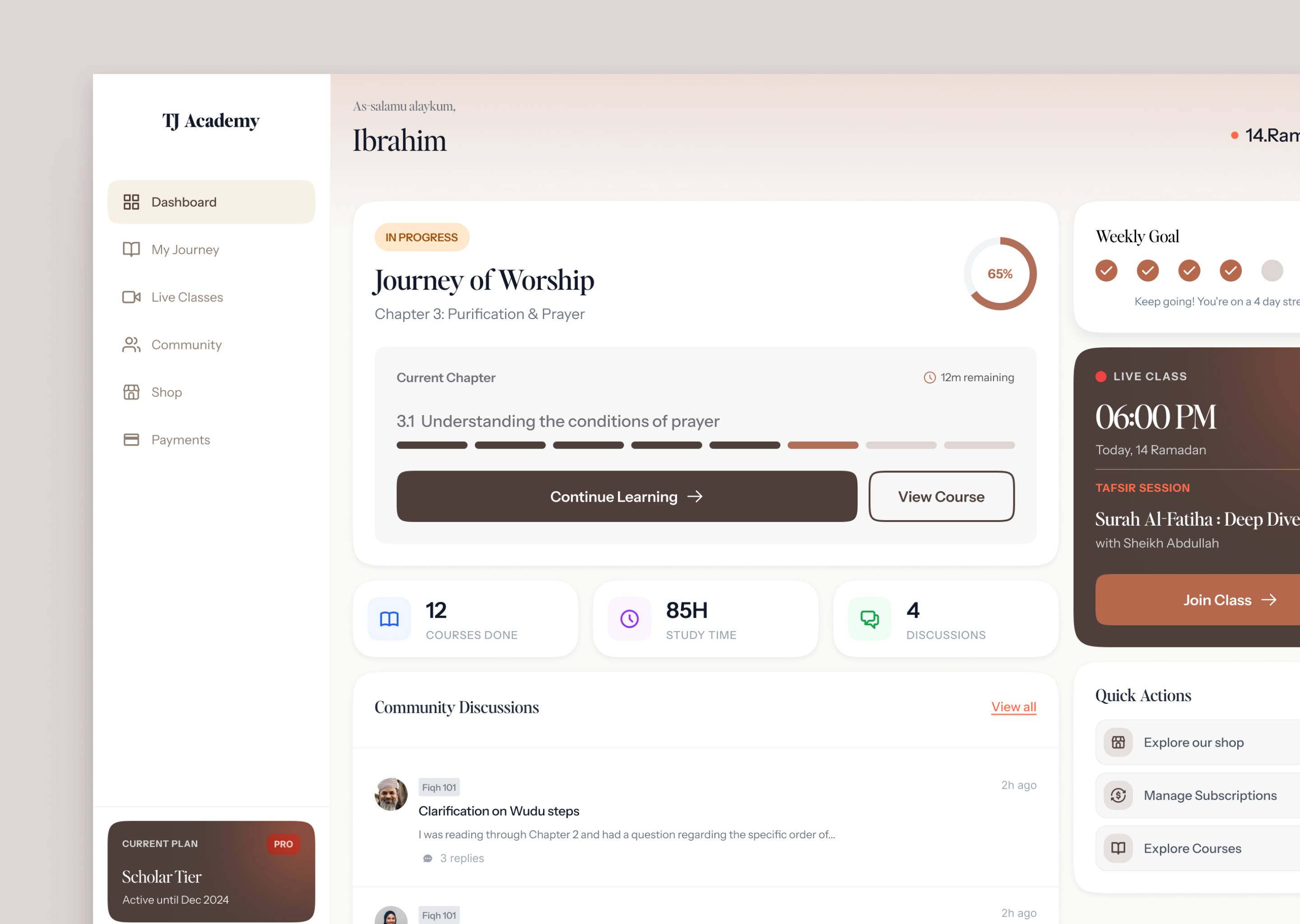
Microcopy
Every label was written with the same intention. "Continue Learning" instead of anything that sounds like a transaction. The student is a seeker here, not a customer, and the words needed to reflect that.
Some of the constraints that i had to work with:
- Color palette was already decided.
- Typography was fixed by the client.
- Client didnt want any islamic cliche illustrations or artworks.
Looking back at these decisions I made as a whole, what stands out to me is that the most meaningful choices weren't about aesthetics at all - they were about understanding who the student is and why they're here. Someone opening this dashboard isn't looking for motivation or gamification. They're showing up, again, to learn something that matters to them. I simply tried to honor that with my design.
Tools used
Topics
Share
Reviews
3 reviews

The color palette does exactly what the brief promised. The warm neutral tones don't shout, they invite. The decision to use deep brown as an accent (CTA, Live Class card) works great and builds a consistent character without reaching for ornamentation.
The information hierarchy on the dashboard is clear. The eye naturally travels from the main course, through the stats, down to the discussions. The Live Class widget on the right has good contrast and draws attention well without disrupting the rest of the layout. The Weekly Goal with checkboxes and the streak message is a nice motivational touch, consistent with the visibility of system status heuristic.
A small note: the project looks like an early stage, some interactive states (hover, focus) are probably not yet worked out, which is completely normal at this point. 👍
Overall, there's mature product thinking here, not just aesthetic thinking. This is a solid foundation. Well worth developing further! 💪😊

This is a really nice, polished UI. The elements are cleanly designed and the layout / visual hierarchy is very clear.
The only thing I would suggest is including some more of the research you did and some more of the process (sketches, low fidelity wireframes, etc.)
Keep up the good work!

This is a really well thought out, balanced project, Roy!
What really stands out is the hierarchy and how you've thought about what a user would want to see first. There are lots of motivational aspects too, very similar to how the Uxcel platform motivates users to keep learning. You've used colour sparingly which makes the important parts stand out — and that's not easy to get right!
Amazing job, no notes 😊👏
You might also like

Pulse Music App - Light/Dark Mode


Designing A Better Co-Working Experience Through CJM


Monetization Strategy


Zoom Sign in Screen


Button System for Mobile Web Platforms Brief


Mobile Onboarding

Popular Courses

UX Design Foundations


Introduction to Figma

Design Terminology
