Improving login experience

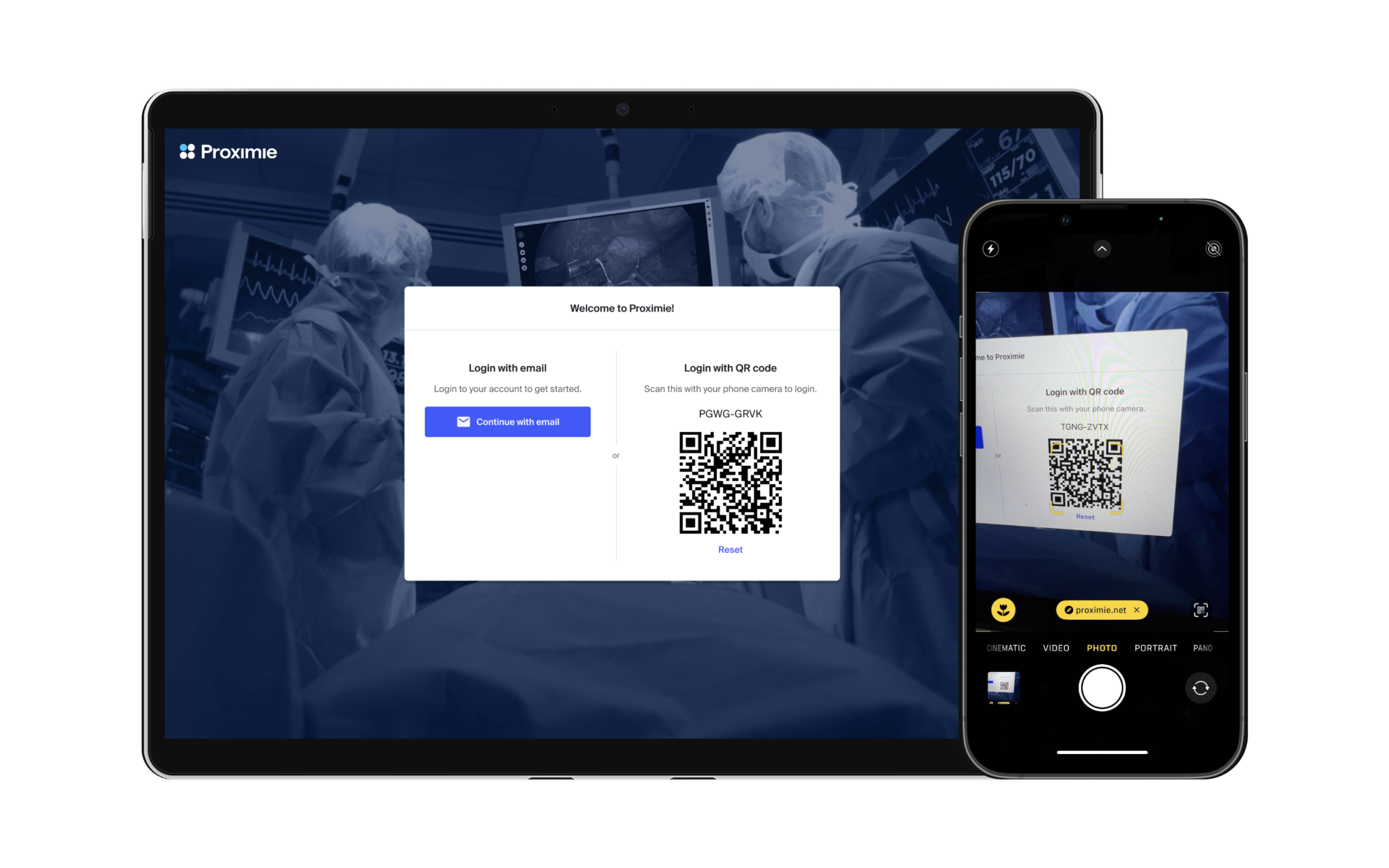
My role: Lead Product Designer
Process: Exploratory research, Concept validation, Prototyping, User testing, UI Design
Context
Proximie is a platform that enables surgeons and nurses to virtually collaborate in real-time and record from inside the operating room. This enhances safety of patients and elevates training and analysis.
The problem
Nurses and surgeons were avoiding Proximie because it too long to setup and record a new case. On average from log in in to start recording, it took 4.32 minutes. This was a significant barrier to adoption.
Research
Starting with a detailed analysis and teardown of the entire setup flow, followed by stakeholder interviews, I identified and prioritised over 24 pain points in the daily setup process for our users.
To prioritise the issues, I held cross-functional stakeholder workshops to rate them based on user impact, effort and alignment with business goals. The two most high impact improvements we selected were (1) Login and (2) session creation.
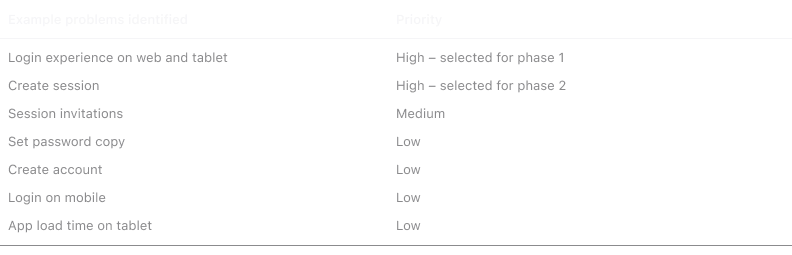
Pain points
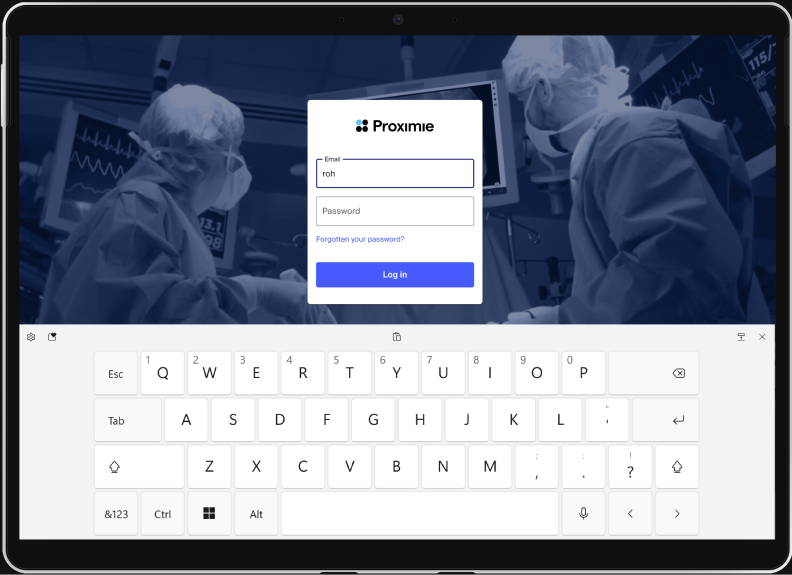
Most our users login to shared tablets in operating rooms that don’t remember their email or password. This meant staff had to manually type in their credentials every day on touch-screen devices that were difficult to type on—frustrating and time-consuming, especially as the first task to onto our platform.
“ When I’m in the operating room, every second matters. If logging in takes too long because I can’t remember my password, it disrupts the flow and pulls my focus away from the patient.” – Surgeon, Hospital in the US
Exploring solutions, design and testing
I facilitated brainstorming with cross-functional stakeholders, evaluating six login solutions, including magic links and NFC tags, before selecting QR code login as the best option.
After validating the QR code was the best option, I began exploring and going wide–experimenting with multiple layouts and flows.
There were many constraints that I had to design within–such as creating a solution for SSO and non-SSO customers, being compatible Auth0 authentication service and ensuring high security to our platorm.
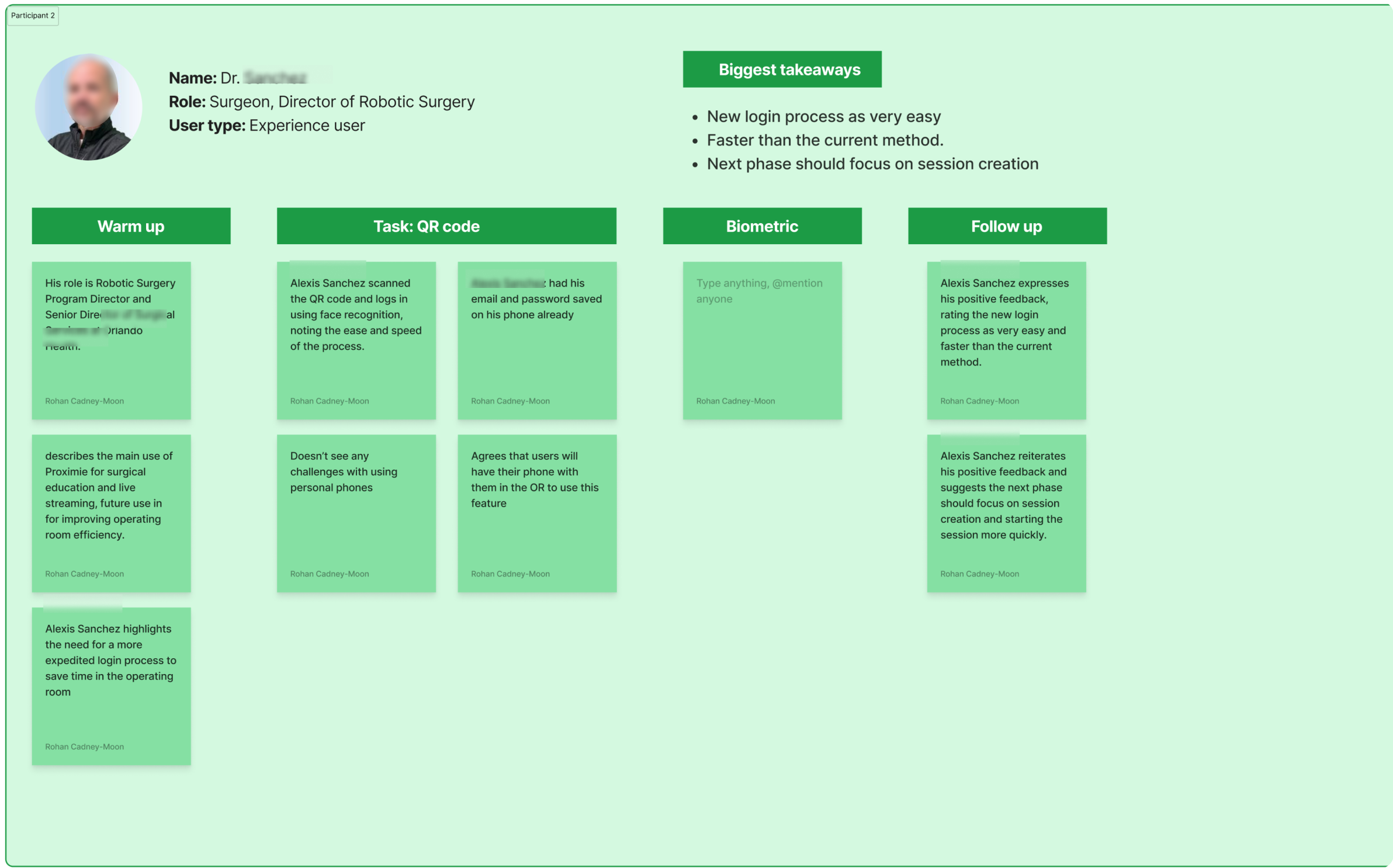
Working with the lead Engineer, we developed a working QR code login prototype and conducted usability testing with eight surgeons and OR staff to validate and iterate the chosen solution.
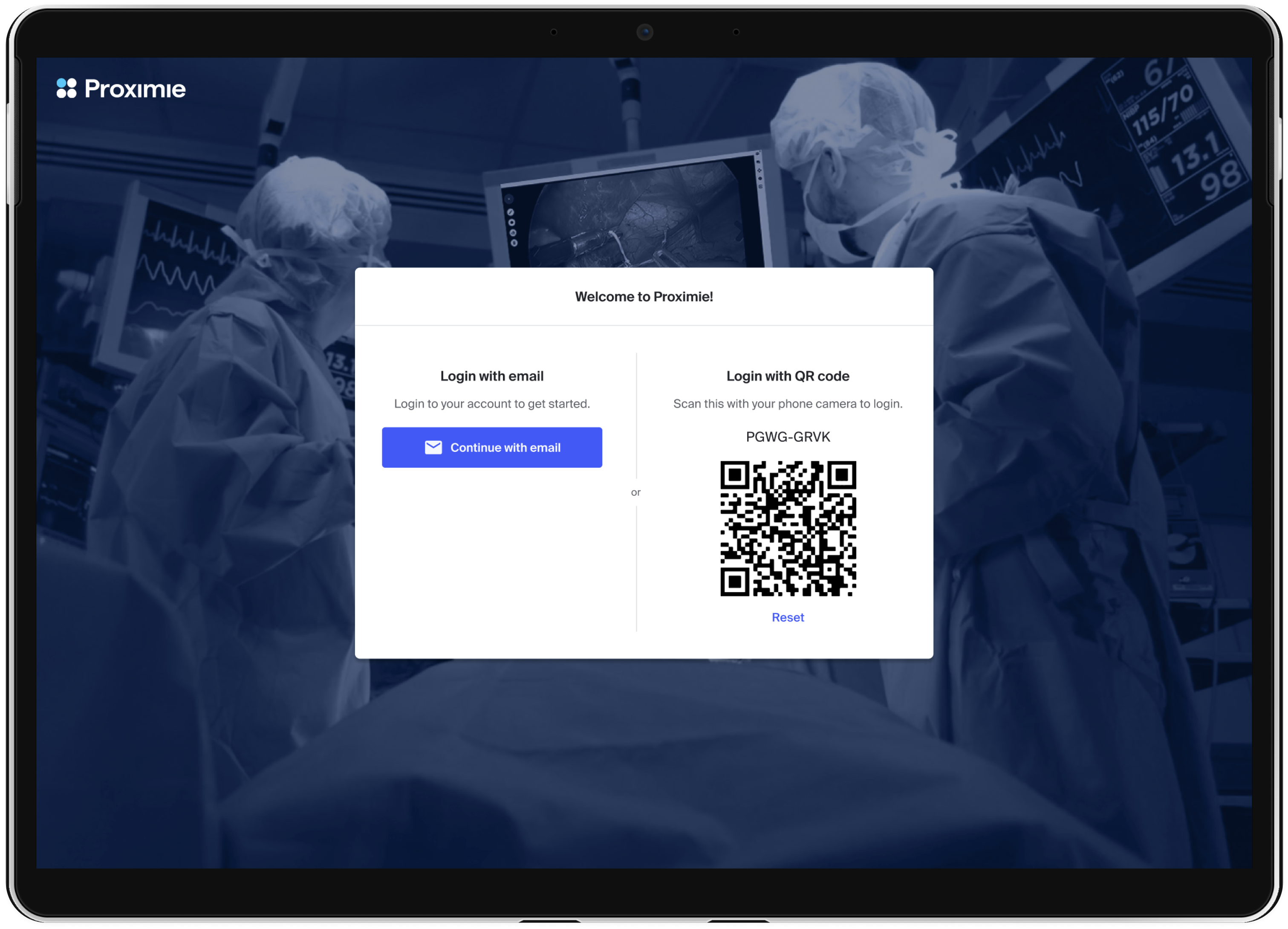
I then made adjustments to the design based on feedback included layout simplification and removing a URL and code option, which was not valuable and added complexity.
The final solution and impact
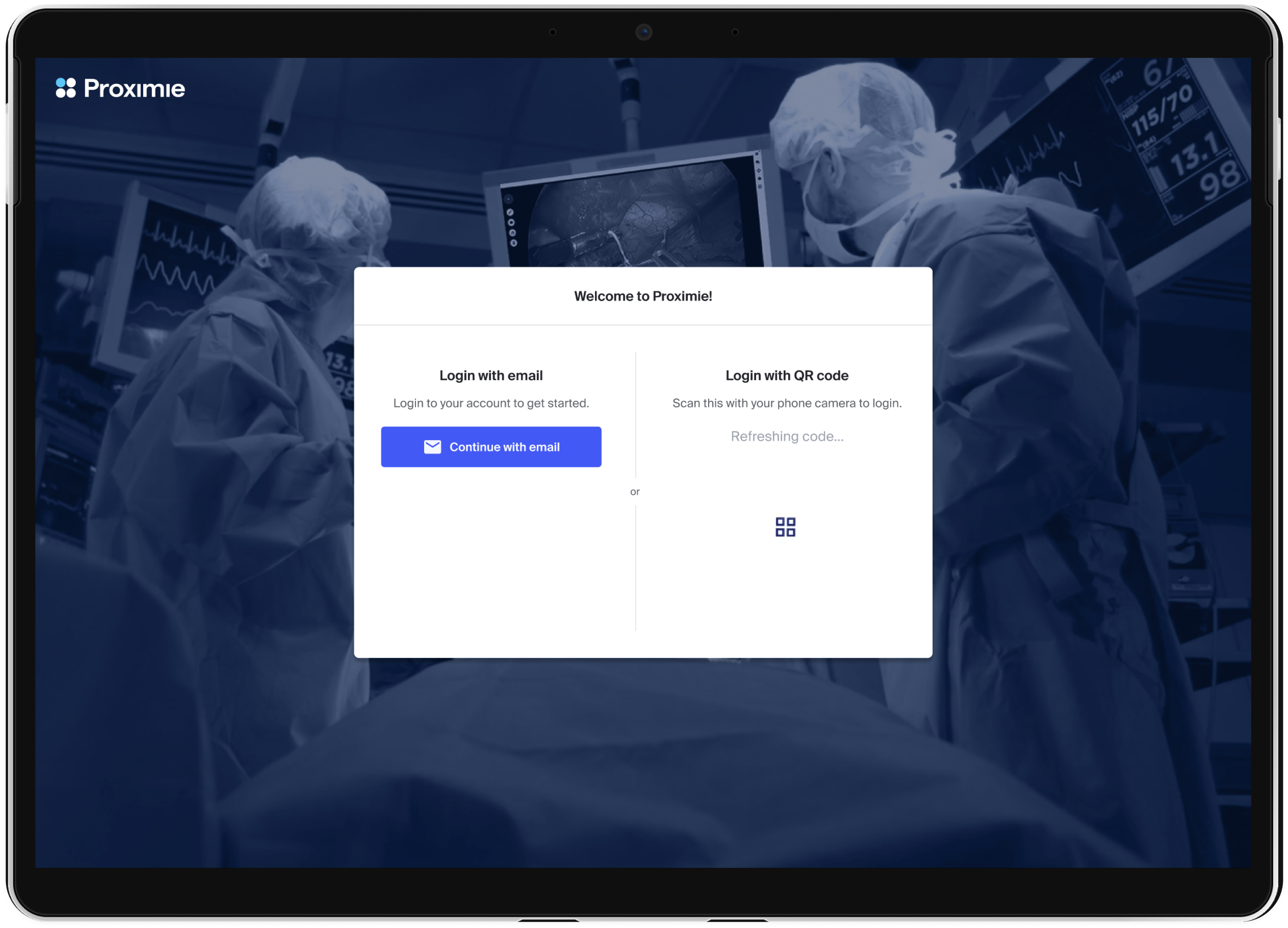
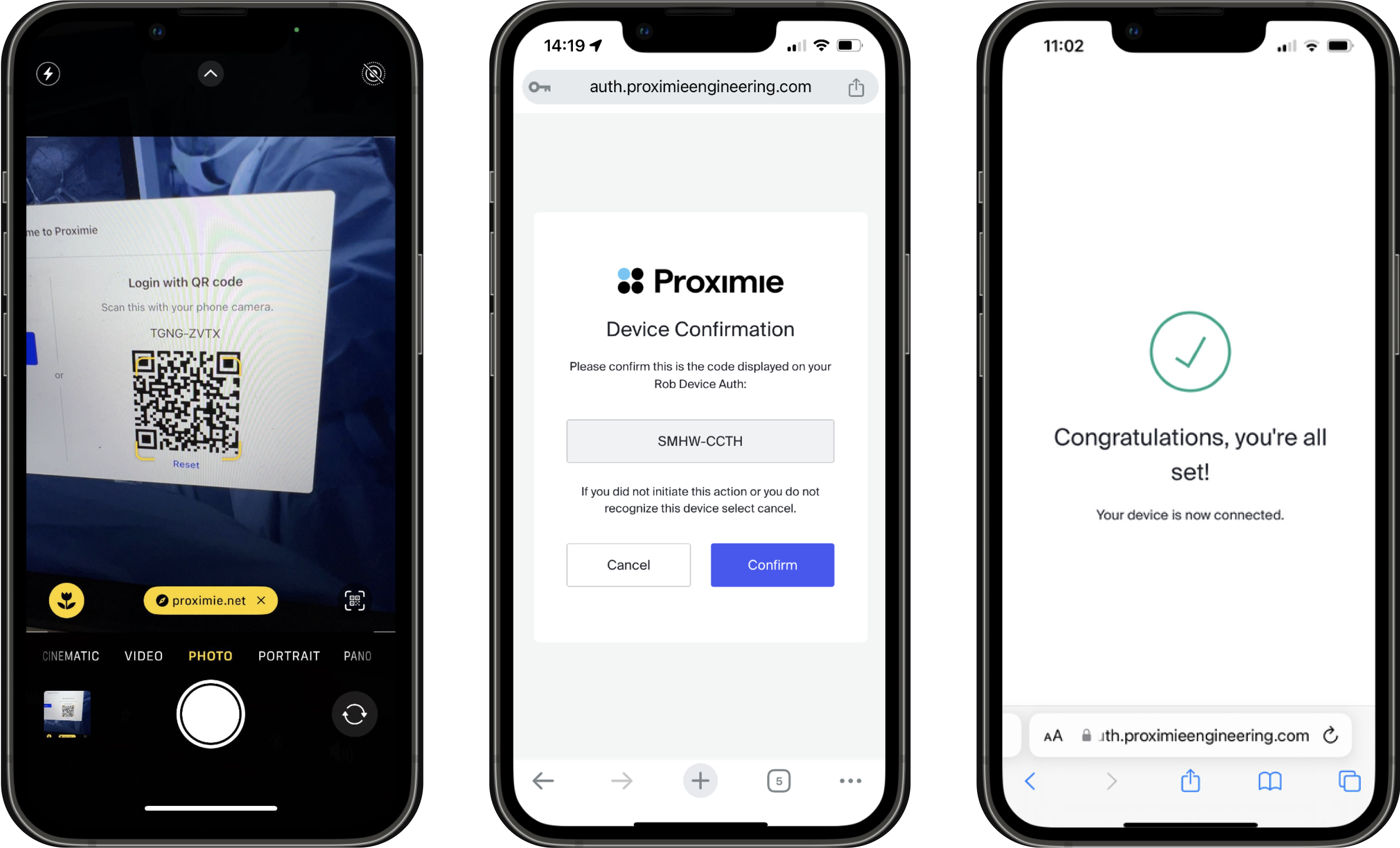
The final solution enabled surgeons to log in instantly to shared OR devices via QR code, eliminating manual password entry. Users can save their login credentials on their phone, and login with seconds. Users praised its speed, simplicity, and ease of access.
“The new login is so much faster and easier... It takes seconds. The main advantage is that I can use my phone–its seamless.” – Surgeon 2, Hospital in the US.
Reviews
1 review

Hey Rohan,
Awesome job on this submission—really interesting implementation! I’d be curious to brainstorm potential risks or issues this approach might introduce, if any. The way you’ve broken everything down and explained it is really well done.
Nice job!
You might also like

Smartwatch Design for Messenger App


Bridge: UI/UX Rebrand of a Blockchain SCM Product


Pulse Music App - Light/Dark Mode


Uxcel Halloween Icon Pack


Monetization Strategy


Designing A Better Co-Working Experience Through CJM

Popular Courses

Product Vision & Strategy


Product Management Foundations


The Product Development Lifecycle & Methodologies