How to apply gradients
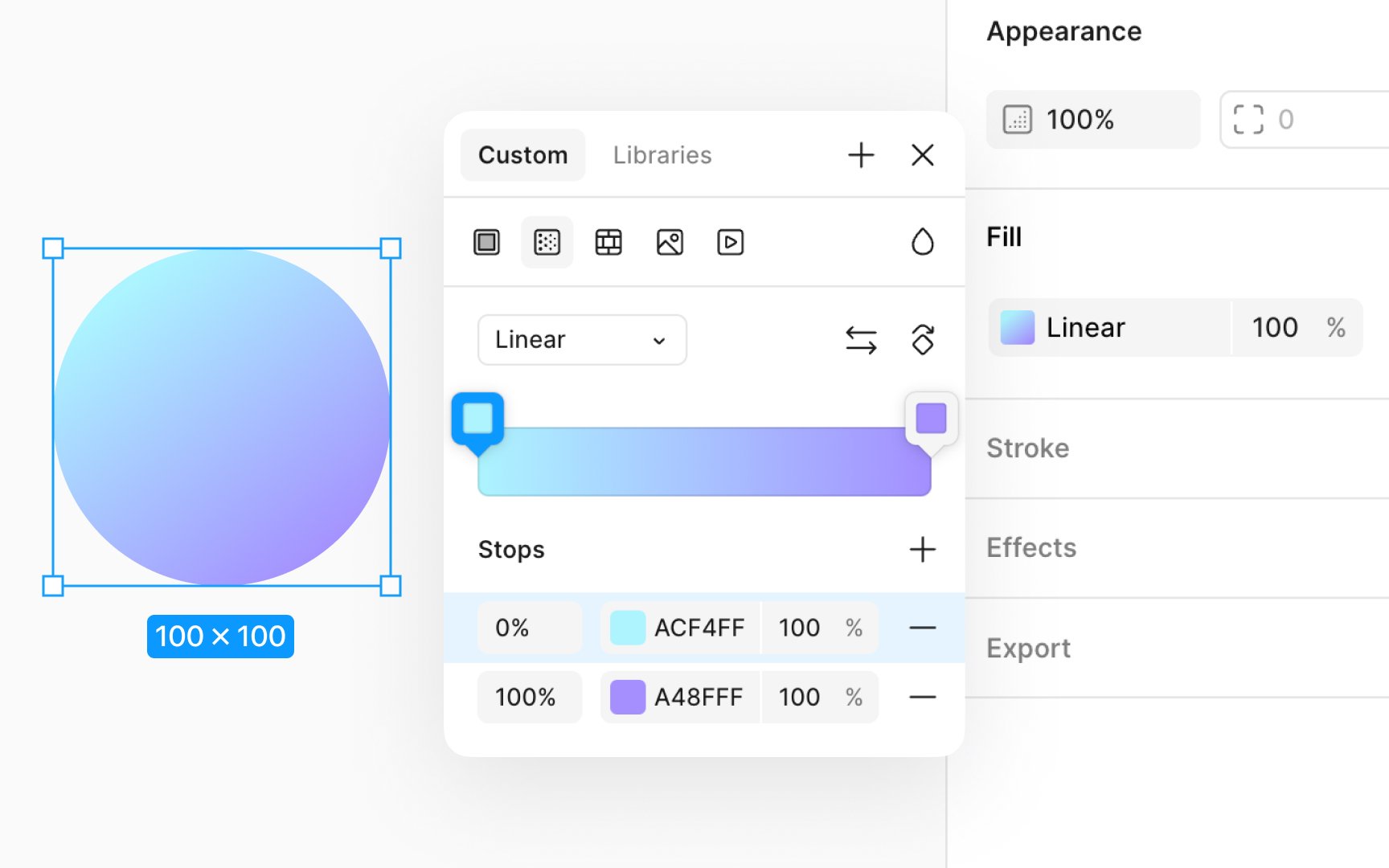
Applying a gradient adds a dynamic and visually appealing element to your designs. Here's how to apply a gradient to a layer:
- Choose the layer you want to apply the gradient to.
- In the Design panel, click on the Fill color to open the modal.
- Click on the Gradient icon.
- Select from linear, radial, or any other available gradient type.
- Gradients consist of stops that define the transition colors. Click on the gradient bar to add or select a stop, then use the color picker to adjust its color. You can drag stops to change the transition's smoothness.
- Adjust the opacity of stops to create softer transitions or make certain colors stand out more, adding a sense of depth or light.
- Adjust the angle directly on the canvas to set direction and spread.
Top contributors