Keeping text boxes consistent for accurate handoff
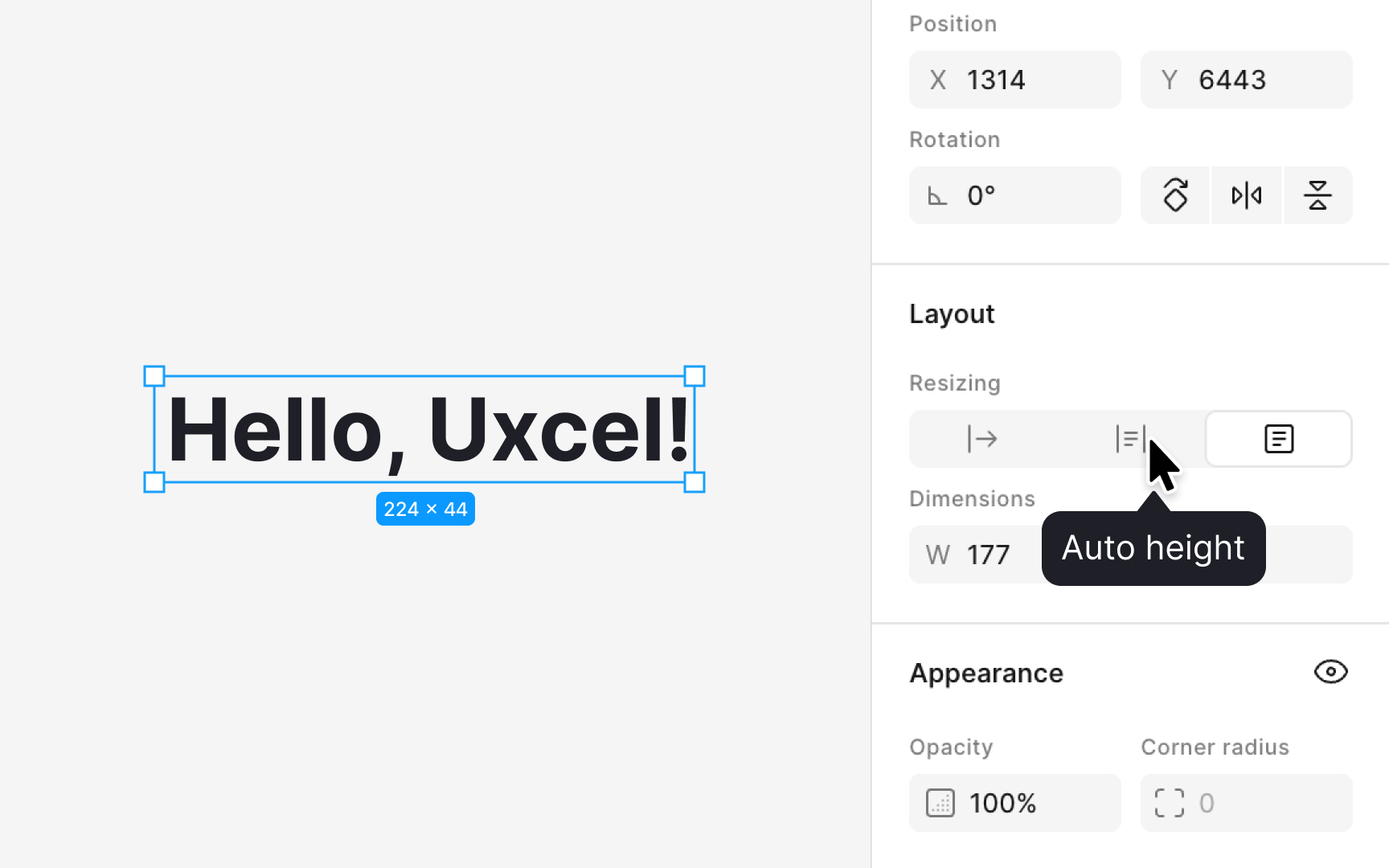
Typography in Figma depends not only on style settings but also on text box behavior. Figma provides 3 resizing modes: Auto width, Auto height, and Fixed size. Auto width is the default when clicking once to place text. Fixed is the default when drawing a text box manually. For precise handoff, Figma recommends switching text boxes to Auto height. This mode adjusts the height of the text box based on the line height of the style and removes extra space added by manual resizing.
This accuracy matters during development. If text boxes are too tall or too short, spacing that designers measure in Figma will not match what developers see in code. Auto height ensures the text box height reflects the actual line height value, which leads to more consistent spacing between components. When preparing files for production, reviewing text layers and switching them to this mode helps avoid layout issues that appear only after implementation.
Pro Tip: Switch text layers to Auto height before handoff to prevent spacing mismatches.