Symbol rendering modes
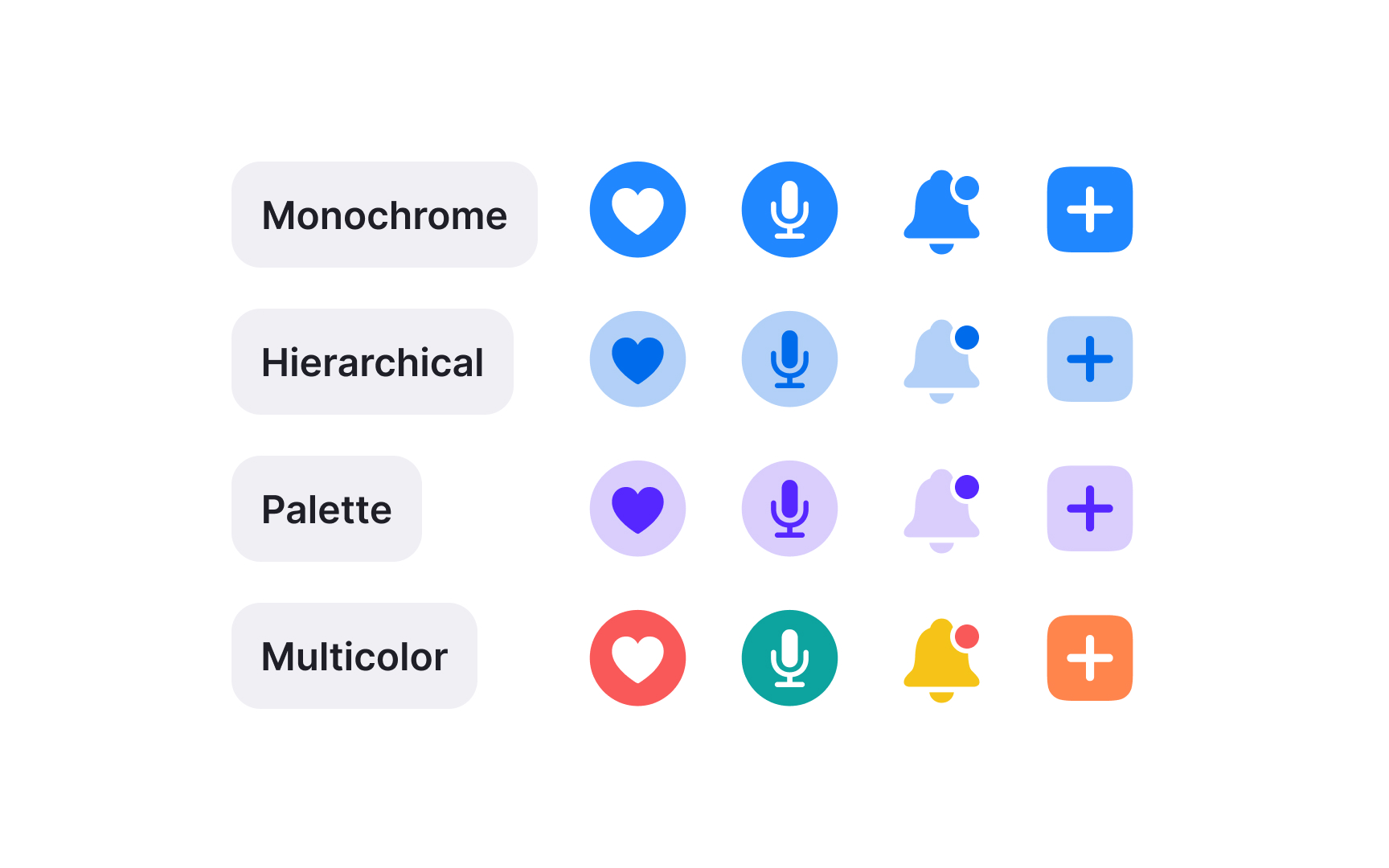
SF Symbols offer different rendering modes that determine how symbols appear in interfaces. Each mode serves specific design needs while maintaining legibility across contexts.
Available rendering modes:
- Monochrome — single color, perfect for interface elements. This mode provides the most flexibility, allowing any color to be applied uniformly.
- Hierarchical — single color with varying opacities for depth. Hierarchical rendering creates visual depth through opacity variations within a single color.
- Palette — enables custom colors for different parts of symbols.
- Multicolor — predefined system colors for specific semantic meanings.
Rendering modes affect how symbols respond to interface states and accessibility settings. Choose the mode that best supports your symbol's purpose and context.[1]
Pro Tip: Default to monochrome mode unless your symbol needs to convey additional meaning through color variation.
References
- SF Symbols | Apple Developer Documentation | Apple Developer Documentation