Individual strokes
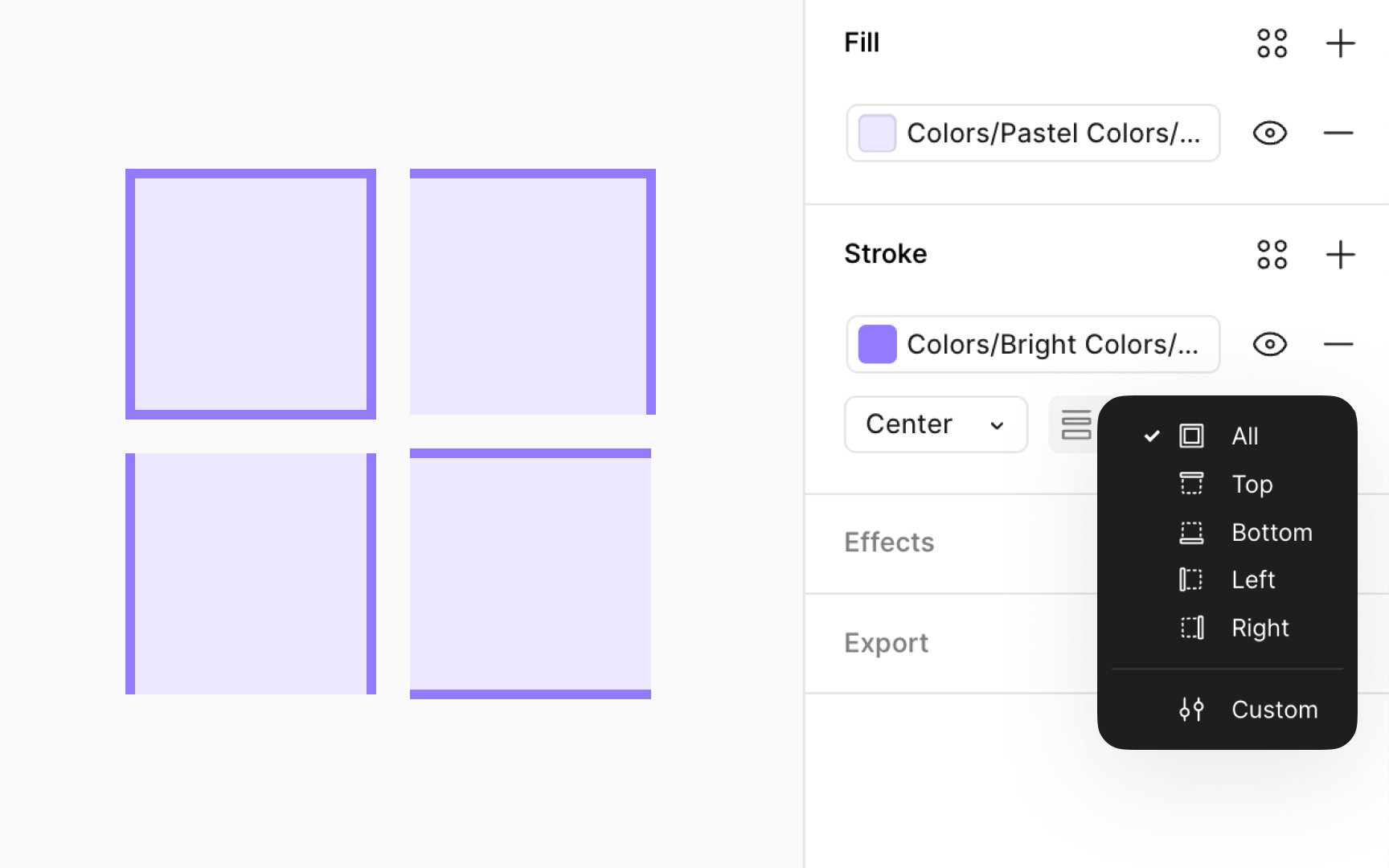
You have the flexibility to apply stroke properties selectively across different sides of a layer, such as rectangles, frames, or components/instances that utilize frames. This is made possible through the Individual strokes property under the Stroke settings in the Design panel, offering various options:
- All (default): Applies the stroke uniformly around the entire layer
- Top: Adds the stroke only to the top edge
- Bottom: Applies the stroke solely to the bottom edge
- Left: Targets the stroke application to the left edge
- Right: Focuses the stroke on the right edge
- Custom: Enables selective application of strokes to specific sides, also allowing for varied stroke weights on each side. When the Custom option is selected, 4 input fields appear under the Stroke section, permitting independent weight adjustments for each side. Setting a side's weight to 0 effectively removes the stroke from that side.