Spotlight yourself when presenting your ideas
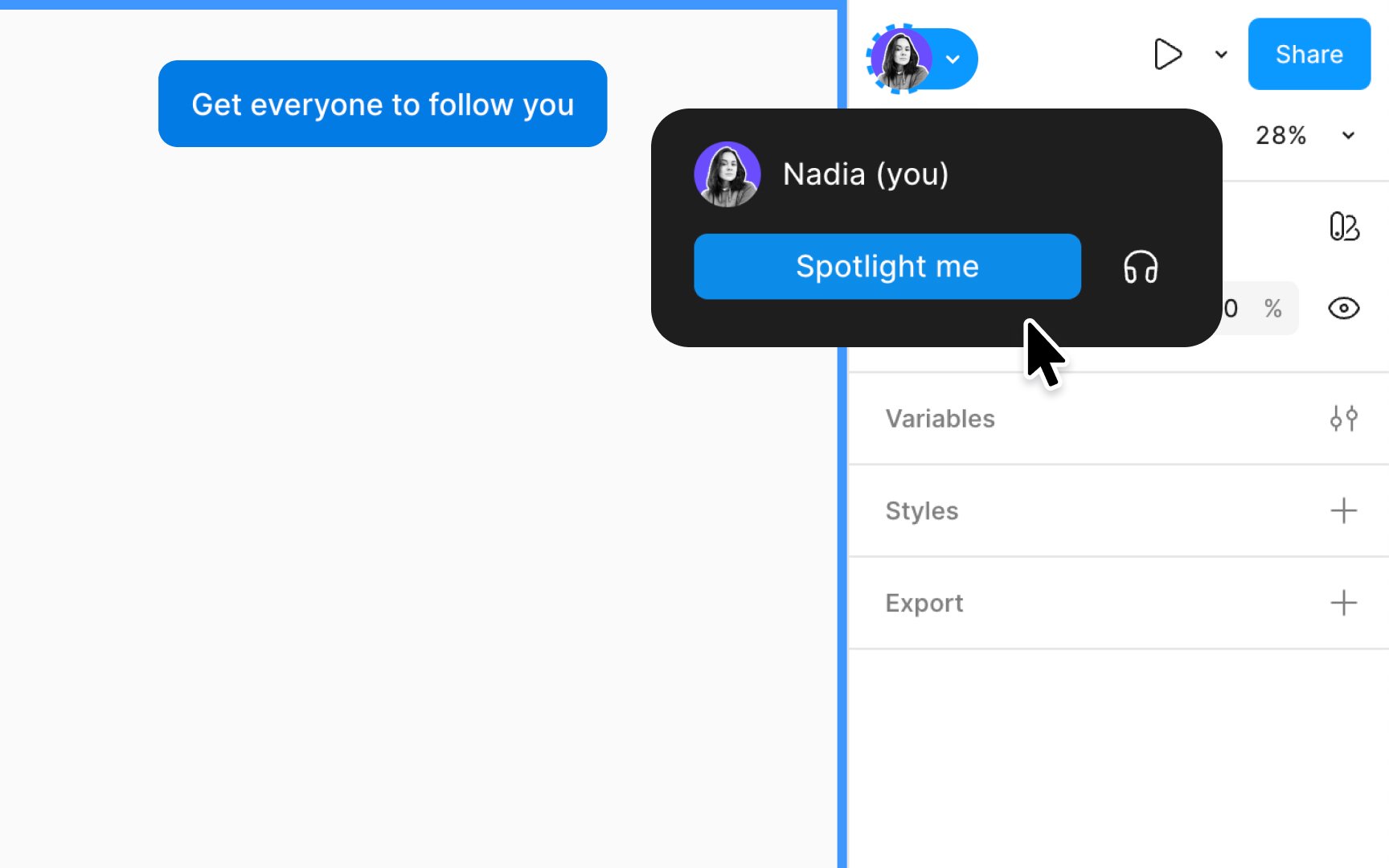
Figma's Spotlight feature is a powerful tool for sharing your view of a design file or prototype, enhancing collaboration and focus. It allows others to seamlessly follow your movements on the canvas, including zooming and page transitions, making it perfect for various collaborative scenarios without sharing toolbar or sidebar actions.
How to spotlight yourself:
- Hover over your avatar in the right sidebar and open the Multiplayer tools dropdown.
- Select the Spotlight me option. This action sends a prompt to your teammates, inviting them to view the board from your perspective. They will have a brief opportunity to click on Not now if they prefer not to join your view.
- While you are in the spotlight, your avatar is highlighted with a dashed border, providing a visual cue of your spotlight status. Additionally, a visible count informs you of the number of people following your view.
- To exit the spotlight mode and return to normal viewing, simply click the Stop button located at the top of your canvas.