Image saturation
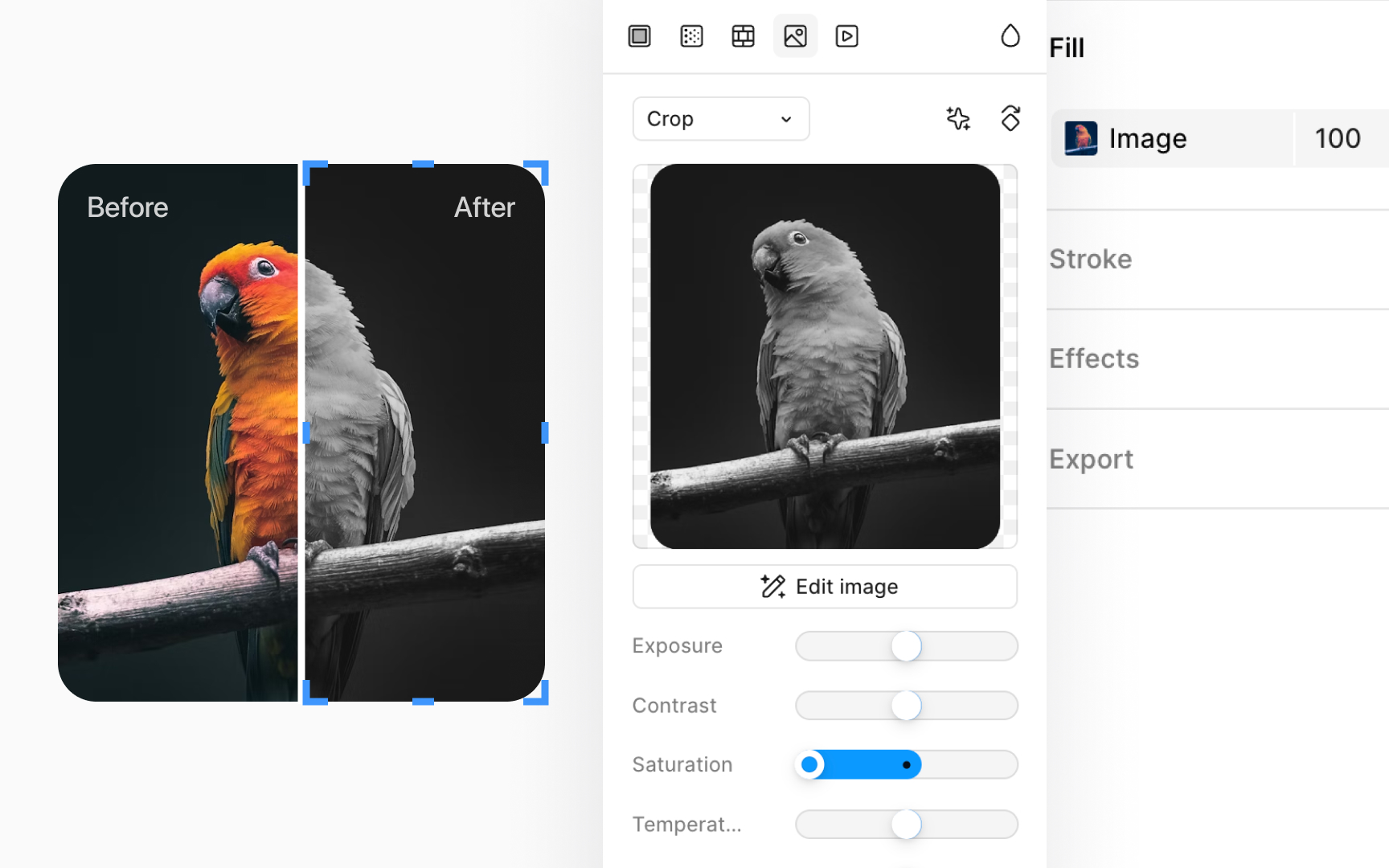
Saturation controls how intense or muted the colors in an image appear. High saturation makes colors look more vivid. Low saturation reduces color strength, eventually turning the image grayscale.
In Figma, you can find the Saturation slider by clicking the image thumbnail in the Fill section of the Design panel. Drag the slider right to boost color intensity. Drag it left to tone down the colors or remove them entirely.
Use this when an image looks too dull or too loud. Increasing saturation can help an image stand out. Decreasing it can help it feel more neutral or better match the surrounding UI.