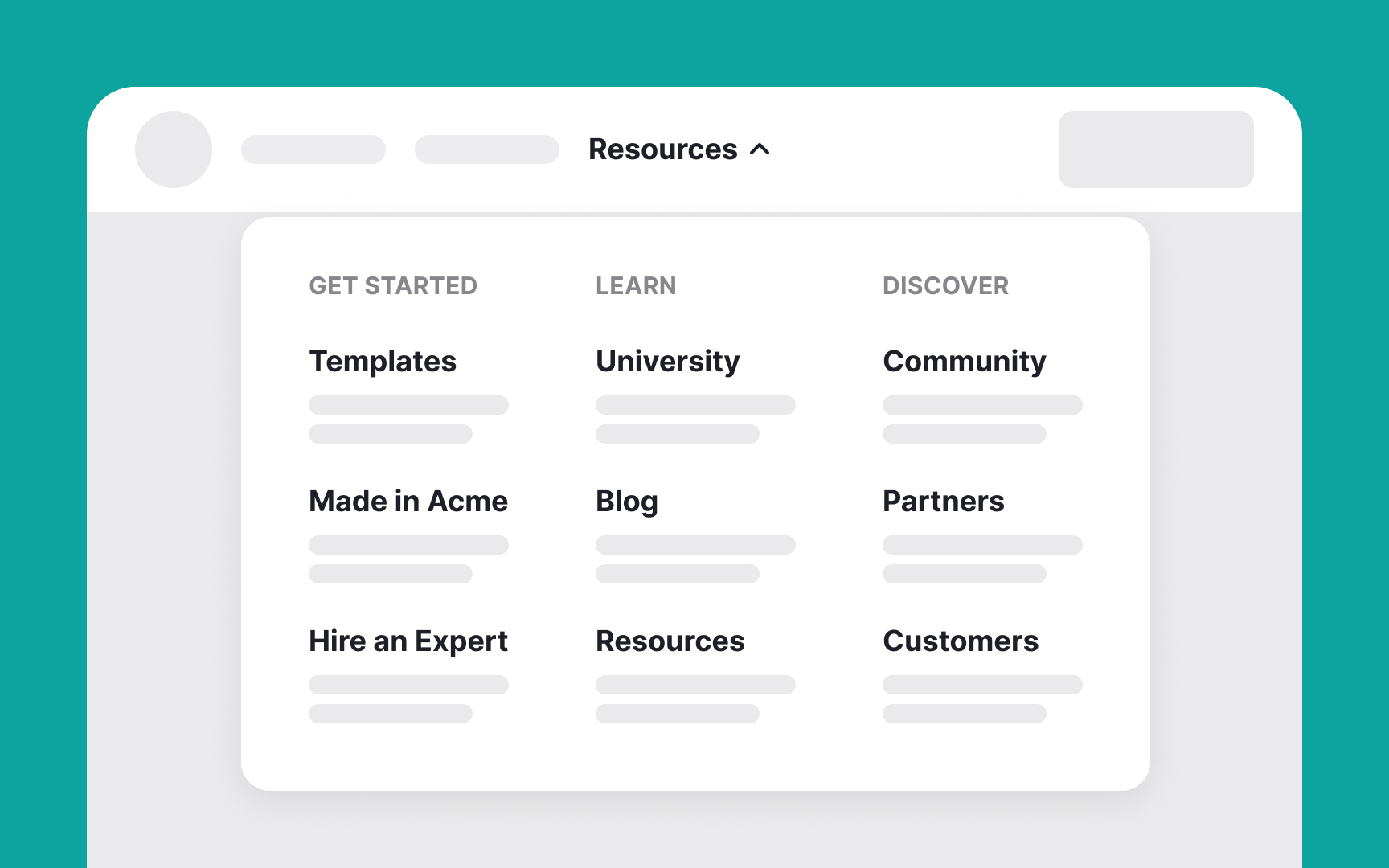
Uxcel MY Explore LEARN Courses Career Paths Briefs Assessments Tutorials Arcade Glossary GROW Showcase Certifications Salary Explorer Job Board Pro MembershipFor TeamsHelpLog inSign up Courses / Information Architecture / Common Navigation Patterns / Mega menus Mega menusMega menus are expandable menus that display many choices in a two-dimensional dropdown layout, ideal for sites with extensive options.Their characteristics include:Two-dimensional panels divided into groups of navigation optionsNavigation choices structured through layout, typography, and sometimes iconsEverything visible at once — no scrolling requiredVertical or horizontal forms when activated from top navigation bars; from left-hand navigation, they might appear as mega fly-outsMenu options revealed on hover, click, or tapBenefits of mega menus include:Comprehensive navigation: They show many options at once, making navigation efficient.Organized layout: Their clear structure helps users quickly find what they need.Enhanced user experience: They reduce the number of clicks needed to find information, improving overall efficiency. AI Tutor Translate TopicsProduct Strategy & PlanningProduct Usage AnalyticsIANavigationMenus componentsFrom Lesson Common Navigation Patterns ShareImprove your UX & Product skills with interactive courses that actually work Get started for free

Courses / Information Architecture / Common Navigation Patterns / Mega menus Mega menusMega menus are expandable menus that display many choices in a two-dimensional dropdown layout, ideal for sites with extensive options.Their characteristics include:Two-dimensional panels divided into groups of navigation optionsNavigation choices structured through layout, typography, and sometimes iconsEverything visible at once — no scrolling requiredVertical or horizontal forms when activated from top navigation bars; from left-hand navigation, they might appear as mega fly-outsMenu options revealed on hover, click, or tapBenefits of mega menus include:Comprehensive navigation: They show many options at once, making navigation efficient.Organized layout: Their clear structure helps users quickly find what they need.Enhanced user experience: They reduce the number of clicks needed to find information, improving overall efficiency. AI Tutor Translate TopicsProduct Strategy & PlanningProduct Usage AnalyticsIANavigationMenus componentsFrom Lesson Common Navigation Patterns ShareImprove your UX & Product skills with interactive courses that actually work Get started for free