Ethics in Product Maintenance, Evolution, and End of Life
Understand how products age, evolve, and end through ethical maintenance, thoughtful updates, and responsible sunsetting
Products don't end at launch. They evolve, age, and eventually reach their final chapter. Between the excitement of release and the inevitable sunset lies a critical phase where ethical decisions shape real lives. Every update pushed, every feature deprecated, every legacy user left behind carries weight. This is where companies reveal their true values, not through marketing promises but through actions that affect people who've built workflows, stored memories, and placed trust in their products.
Maintenance isn't just about fixing bugs. Evolution isn't just about adding features. End of life isn't just about turning off servers. Each decision in this phase creates ripples. A rushed migration breaks accessibility tools that users depend on. A feature sunset erases years of creative work. An update abandons hardware that low-income users can't afford to replace. These aren't edge cases or acceptable trade-offs. They're real people experiencing real consequences. The ethics of product maintenance, evolution, and end of life demand we consider who benefits from our decisions and who bears the cost, who gets heard and who gets ignored, what we preserve and what we're willing to destroy in the name of progress.
Deprecation marks the beginning of a feature's end, not its sudden disappearance. Companies deprecate features for various reasons: maintaining outdated code becomes too costly, security vulnerabilities emerge that can't be patched, or the feature conflicts with new strategic direction. Ethical deprecation planning means giving users adequate time to adapt, providing clear rationale for the decision, and offering viable alternatives before removal.[1]
The timeline matters significantly. A 30-day notice for a critical API differs drastically from a 12-month transition period. Consider the complexity of migration, the technical expertise of affected users, and the business impact of the change.
Communication must be transparent about why deprecation is happening. Combine advance warnings with documentation, migration guides, and support resources. The goal is ensuring no user wakes up to find essential functionality simply gone.
Feature sunsets mark the actual removal of functionality users have relied on, requiring communication that acknowledges the finality and disruption. Effective sunset communication explains what will happen on the shutdown date itself. Users need to know exactly when the feature stops working, what happens to their data, and whether anything will be permanently lost. This specificity helps users prepare for the actual moment of loss.
Provide concrete support for the transition as the sunset approaches. Send escalating reminders as the shutdown date nears, offer last-chance data export options, and ensure support teams can handle the influx of questions. This a more ethical approach than abrupt shutdowns where users discover features are simply gone without final warnings or opportunities to retrieve their content.
Migration paths guide users from deprecated features to new alternatives without losing data, workflows, or confidence. Effective migration design provides automatic conversion tools, preserves existing
Poor migration design creates unnecessary hardship. For example, a note-taking app replacing its tagging system with a new folder structure might require users to manually reorganize thousands of notes. Without automated conversion tools, users lose the organizational system they spent years building. Providing one-click migration that maps old tags to new folders preserves user workflows and demonstrates respect for their invested time.
Also consider
Backward compatibility ensures new versions of products continue supporting older implementations, data formats, or integrations. This principle protects users who can't immediately upgrade due to budget constraints, legacy systems, or organizational approval processes.
Breaking backward compatibility creates
Companies must weigh innovation speed against the real cost of forcing upgrades on vulnerable populations. Strategic compatibility decisions balance technical debt against user impact. Maintaining legacy support indefinitely becomes unsustainable, but phasing it out requires careful planning. Provide clear migration paths, maintain parallel systems during transitions, and offer extended support for critical use cases.
Data portability gives users the right to export their information in usable formats and transfer it to competing services.[2] This principle prevents vendor lock-in and respects user ownership of their
The format matters as much as access itself. Exporting data as a proprietary file type that only works within your ecosystem defeats the purpose. Some platforms export data in formats so obscure that users need technical expertise to make sense of their own information. Always allow users to download their data widely-supported formats like JSON, CSV, or XML rather than proprietary file types
Provide export features before users request them, make the process straightforward without hidden steps, and include metadata that gives context to raw data.

Updates should improve products without disrupting established user workflows or removing functionality people depend on. Instagram's addition of a repost button positioned directly next to the comment button sparked widespread user frustration. Users accustomed to quickly tapping to comment on posts suddenly found themselves accidentally reposting
Transparency builds trust during updates. Changelog visibility matters because users deserve to know what changed, why it changed, and how it affects their experience. Clear release notes that explain both technical changes and user benefits help people understand updates. Compare this to apps that simply say "bug fixes and performance improvements" while fundamentally altering core features or adding buttons in high-traffic interaction areas without warning.
Consider the ethics of forced updates versus optional ones. Security patches require immediate deployment, but new feature placements or interface redesigns don't. Offering preview or beta modes, rollback options, or gradual rollouts respects user autonomy while still allowing product evolution.
The hidden cost of technical debt often falls on marginalized users. Performance debt affects users on slower connections or older devices more severely. Accessibility debt means screen readers break with each update because proper semantic HTML wasn't prioritized. Infrastructure debt leads to outages during peak usage in specific regions. These aren't neutral technical decisions but choices about whose experience matters.
Transparent communication about technical debt helps users understand why certain improvements take time. When a development platform explains they're rewriting systems to improve performance for large repositories, users grasp why new features slow down. Contrast this with companies that ignore technical debt until catastrophic failures force emergency fixes, leaving users wondering why basic functionality breaks constantly.
End-of-life responsibilities extend beyond simply shutting down servers. Companies must consider what happens to user data, preserved memories, professional portfolios, and established workflows. For example, a short-form video platform's shutdown might erase thousands of creative videos that launched careers and defined cultural moments. Creating public archives or partnering with digital preservation organizations ensures cultural
Data preservation represents a fundamental ethical obligation. Users who uploaded photos, documents, or creative work trusted you with digital pieces of their lives. Providing adequate download windows, accessible archive formats, and clear deletion timelines shows respect for that trust. Multiple reminders prevent users from missing critical deadlines and losing irreplaceable content.
Consider downstream effects on dependent services and ecosystems. For example, a backend service platform's shutdown might render thousands of mobile apps completely non-functional overnight. Providing extended notice periods, open-sourcing critical code, and creating migration guides to competing services acknowledges responsibility beyond direct customers to the broader ecosystem relying on stability.
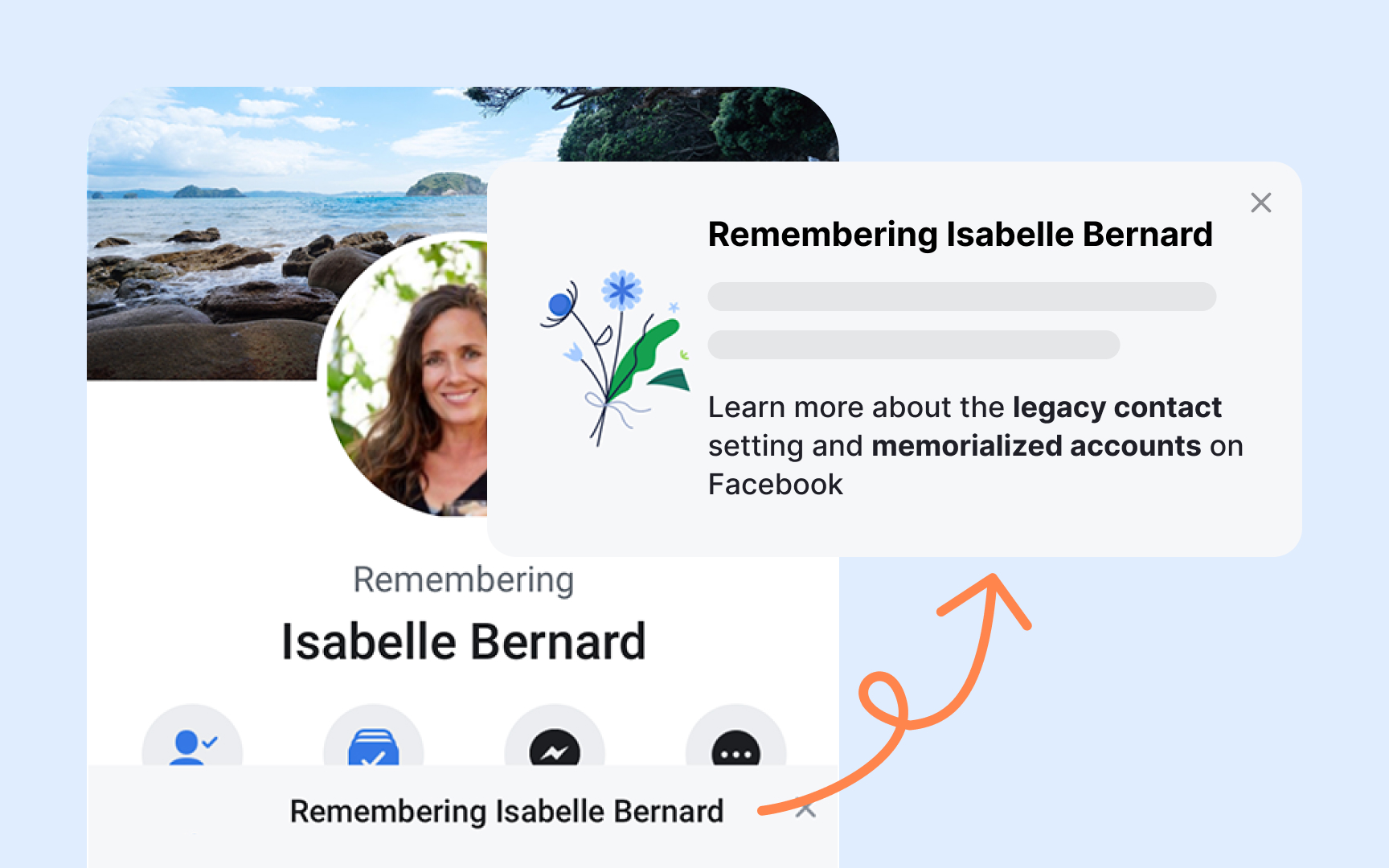
Archival and deletion policies determine what happens to user data after accounts close or products shut down. These decisions carry weight because they affect personal memories, professional work, and digital legacies. For example, an email provider deleting inactive accounts might erase correspondence with deceased loved ones, revealing how deletion policies intersect with grief and memory preservation. Implementing mandatory confirmation emails before deletion and extended grace periods protects users from irreversible loss.
Allowing users to download complete archives before deletion respects their ownership. Providing 30-90 day grace periods gives users time to reverse decisions made during emotional or impulsive moments or recover from temporary account access issues.
However, a balance between privacy and preservation creates complex dilemmas. Deceased users' accounts become digital memorials, yet families may want access or deletion based on personal wishes. Memorialization features that lock accounts while preserving public
References
- How to deprecate software features without bothering users | TechTarget | Search Software Quality
- Art. 20 GDPR – Right to data portability - General Data Protection Regulation (GDPR) | General Data Protection Regulation (GDPR)
Topics
From Course

Share


Similar lessons

Product Development Lifecycle

Product Development Stages