Weather forecast app wireframing
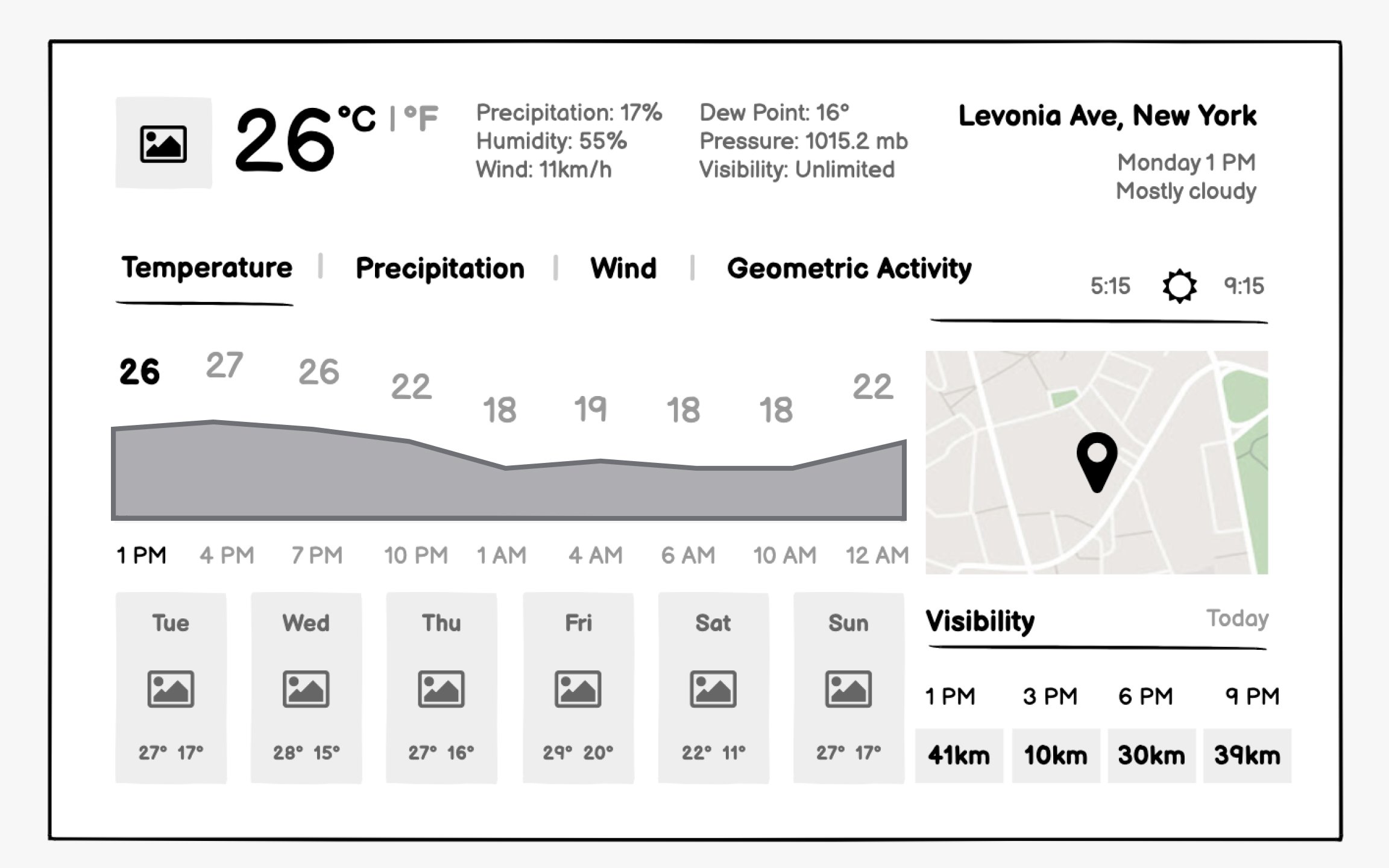
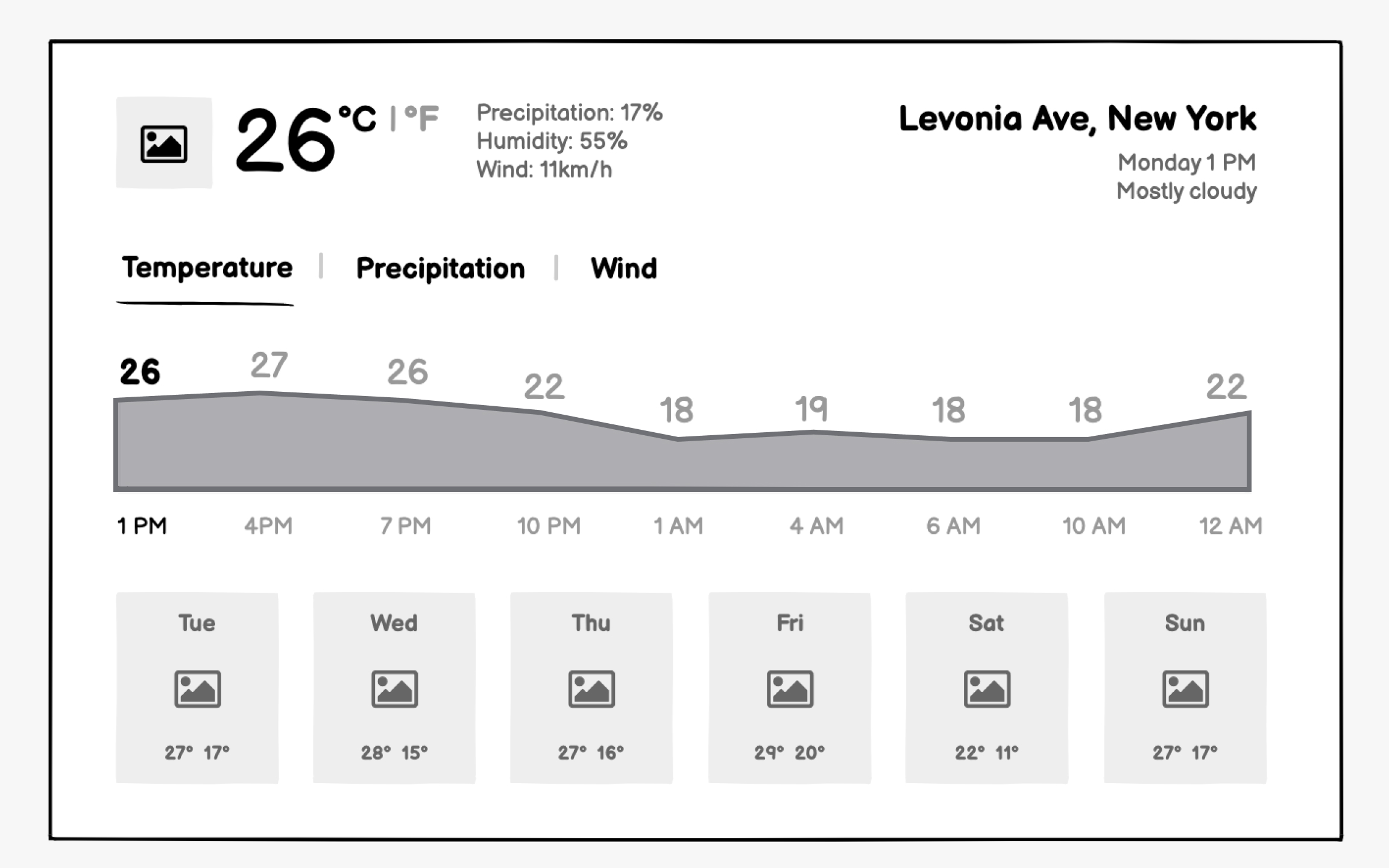
Weather apps succeed through instant clarity. Users check the weather in seconds while getting dressed or planning activities. Your wireframes must surface critical information like temperature and precipitation within milliseconds while organizing additional details for those who need them.
Visual hierarchy in weather wireframes goes beyond typical apps. Current temperature might display at 72pt font while humidity sits at 12pt. These extreme contrasts reflect information priority. Include weather icon placement even in wireframes — users process "sunny" icons faster than reading "clear skies."
Forecast presentation needs careful time segmentation. Hourly views help immediate planning, and daily views assist week-ahead preparation. Your wireframes should show how users navigate between timeframes without losing context. Consider how precipitation probability displays differently for snow versus rain.