Identify content zones
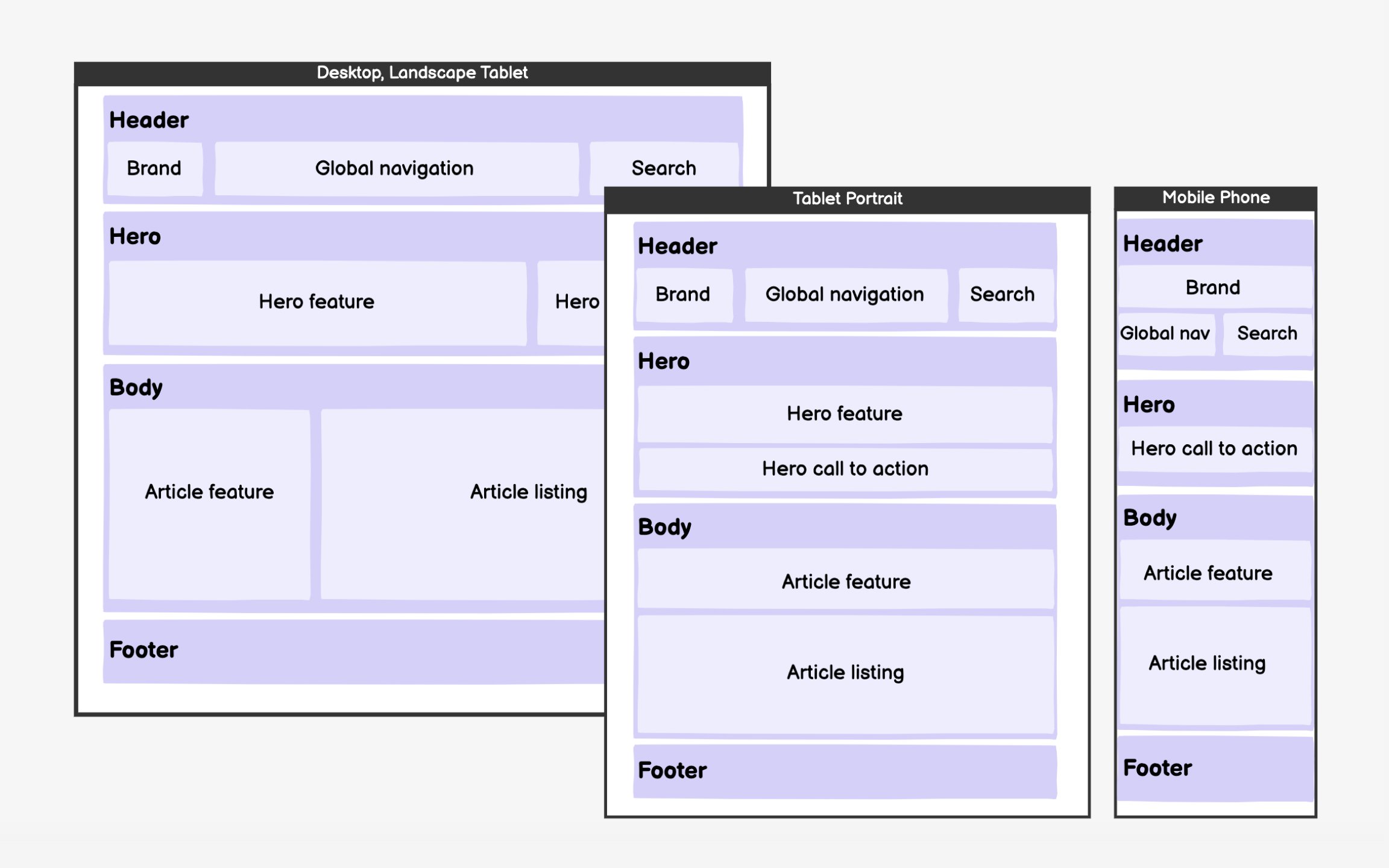
The next step is to identify content zones and populate them with actual content and interface elements. This stage tests whether your zone hierarchy supports real content. Start with mobile layouts, forcing ruthless prioritization. If it works on the smallest screen, scaling up is straightforward.
Follow scanning patterns when arranging elements. The F-pattern applies across devices — users scan horizontally across the top, then down the left side, with occasional rightward glances. Place critical elements in these high-attention zones.
On mobile, everything stacks vertically, making order even more crucial. Resist adding visual design during wireframing. Gray boxes and simple typography keep focus on structure and hierarchy. You might discover that planned layouts don't accommodate actual content, requiring zone adjustments. This iterative refinement is exactly why we wireframe before visual design.