Linkedin Mobile App - Engagement Decline

Approach & Rationale
Understanding the context: I began by targeting my audience. For this project, I will focus on EU mobile app users of LinkedIn. The goal is to discover user needs and pain points to reveal why user engagement dropped, and consequently create one to three user personas.
Gathering User Feedback
App Reviews: I examined user reviews on platforms like Trustpilot and the App Store to identify common complaints. For example, “I thought this site was supposed to be about looking for work? … all I’ve seen on LinkedIn is random people who I couldn’t give a toss about post a fake [story]”. (Link)
User Interviews: I incorporated insights from an interview with a real user. He shared why he deleted the LinkedIn app: to avoid getting stuck in a “dopamine rush” of endless scrolling that wasted 30-40 minutes, and because the feed content quality was poor. In his words, “LinkedIn is born as a job platform, but users once they find a job they stop using it… to expand their revenue, LinkedIn made the algorithm super addictive… for every 1 good post there are 3 posts by influencers to get likes with no real content or interest.”
Identifying Key Themes
Analyzing the above feedback, I noted recurring patterns behind declining engagement:
- Irrelevant or Low-Quality Content: The feed is cluttered with posts that users don’t find valuable (e.g., self-promotional or “engagement bait” posts), reducing interest in scrolling.
- Diminished Post-Job Hunt Utility: Many use LinkedIn primarily for job searching. Once that need is met (e.g., they secure a job), they decrease usage because the platform’s ongoing content/services don’t justify regular visits.
- Addictive Design Leading to Avoidance: The app’s design + fake notifications encourage endless scrolling and frequent checking (for engagement), which some users find too addictive or time-wasting.
- User Experience Frustrations: (Secondary theme) Complex settings, excessive notifications, and account issues (e.g., security checks, spam) frustrate users, contributing to disengagement. One EU user said the system is “way too complicated… I will remove my profile completely once I am done with work.” This suggests that some only tolerate the platform while actively job-seeking. (link)
3 Hypotheses
Uninteresting Feed Content: The quality of content on the feed is poor for many users.
Job-Found, Goal Achieved: Users who joined to find a job stop or decrease the usage of the app.
Avoidance of Time Sink: A segment of users consciously avoids the mobile app due to its addictive nature.
Challenge Hypotheses
I looked for corroborating evidence in multiple user reviews. Indeed, many reviews echo these points. For example, users complain that “every 1 good post [is followed by] 3 posts… with no real content” (content spam) and that “every single job alert… is already removed” by the time they click, indicating frustration with content and job features. Another frustrated user wrote, “I never got likes for my posts… LinkedIn [feels like] a high school clique… fake people are popular here”, suggesting ordinary users don’t get value or recognition, leading them to withdraw.
Considering positive feedback too, some users still value LinkedIn for networking or learning. However, even engaged users often mention the same drawbacks, implying these issues are widespread.
To strengthen these findings, additional research is recommended.
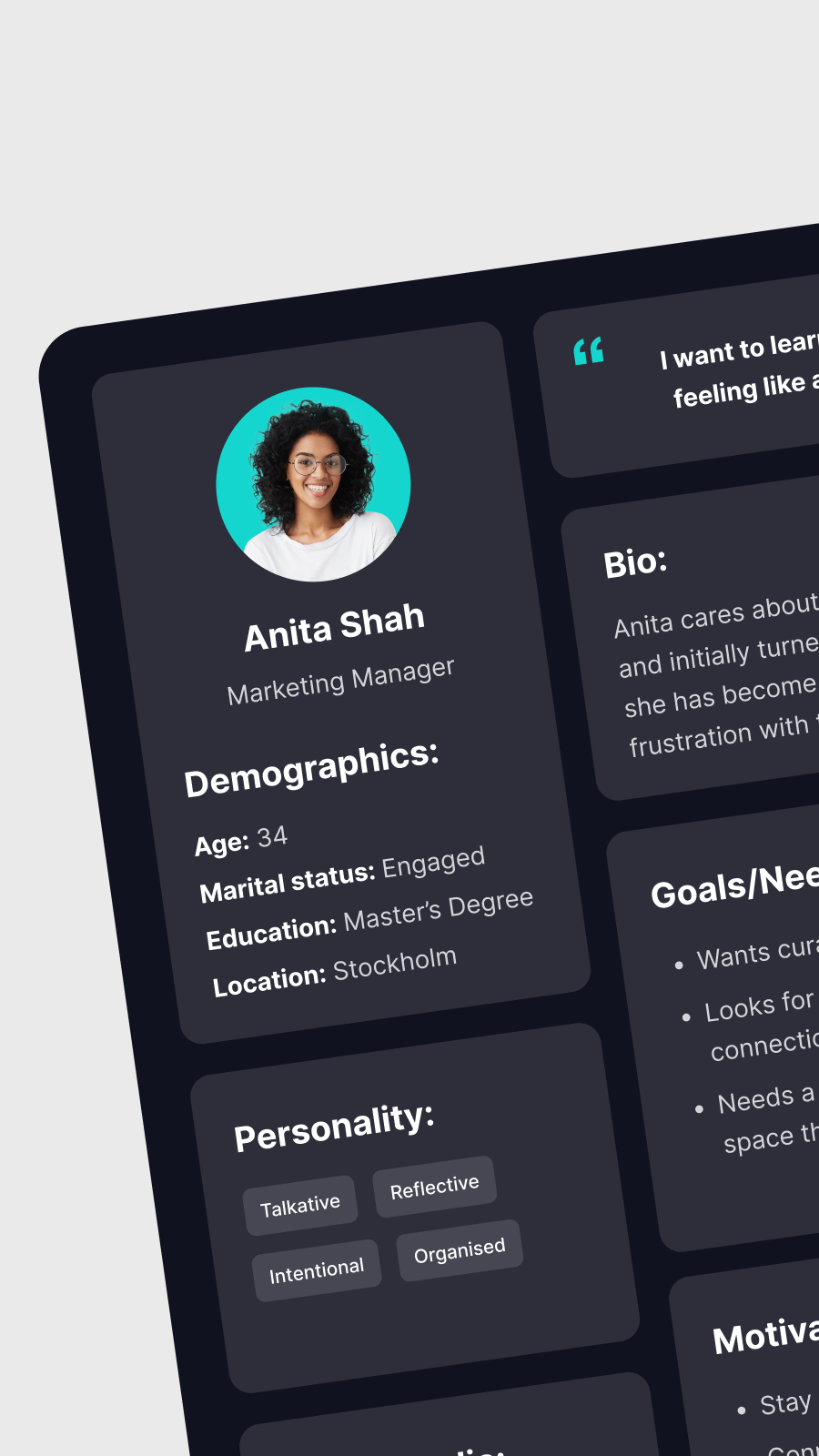
Personas
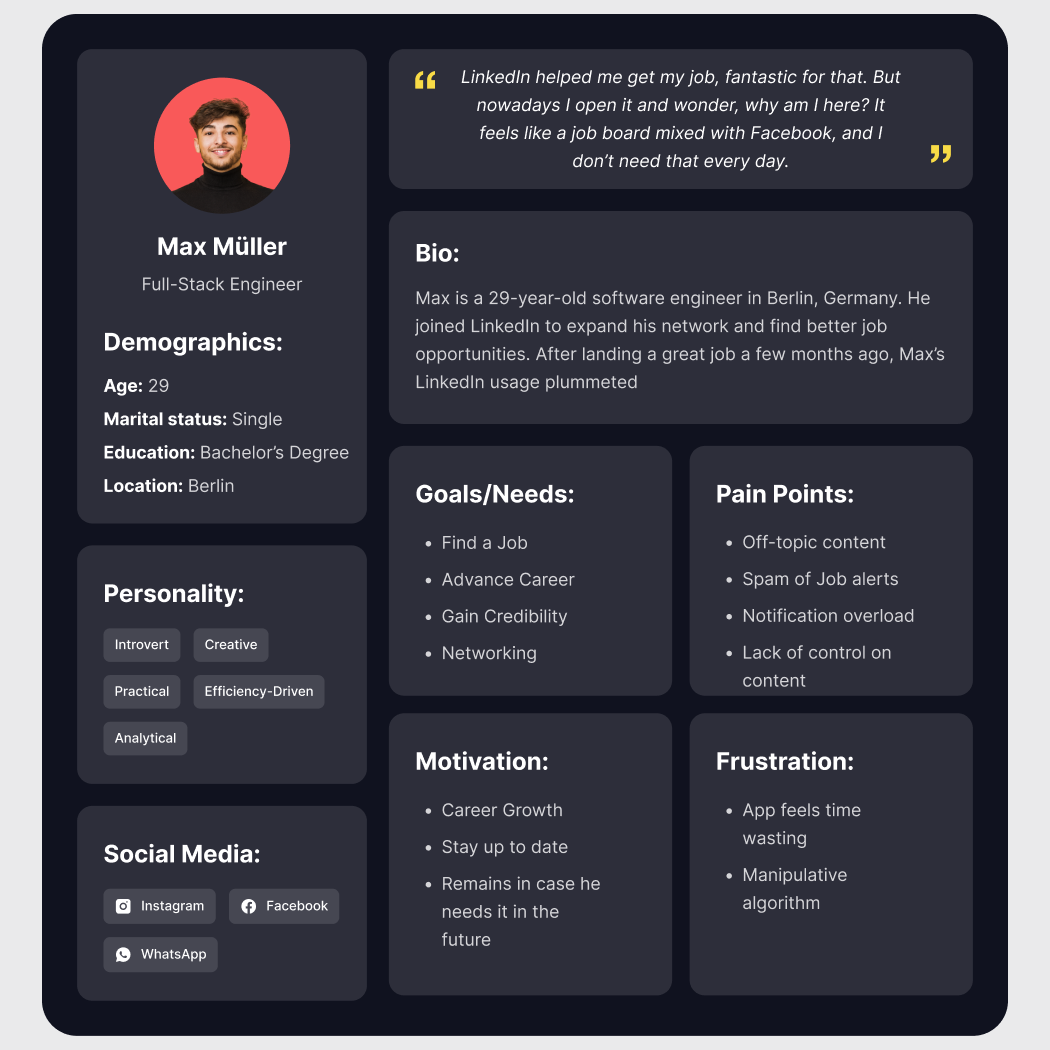
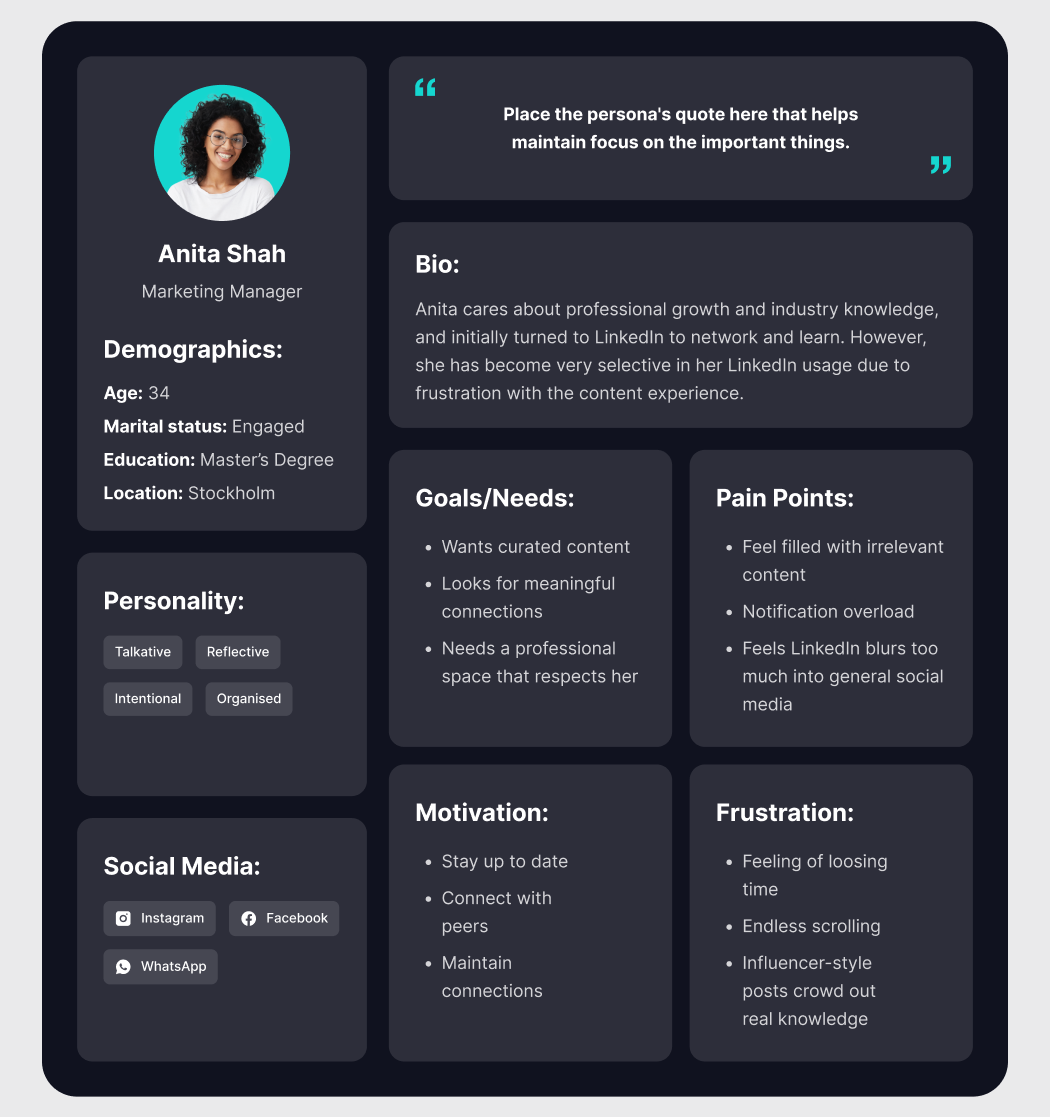
Insight 1: Low-quality and irrelevant feed content breaks trust
Insight
Users don’t trust the feed to deliver meaningful, professional value. When content feels noisy or influencer-driven, they stop opening the app.
Behavioral impact
• Reduced daily app opens
• Less scrolling → fewer touchpoints
• Switch to browser use for “controlled” consumption
• Lower engagement with posts and creators
Pattern
Professionals value quality. If a platform wastes their attention, they disengage.
Opportunity
• Build a high-relevance professional feed (industry insights, role-specific content, real expertise).
• Add better feed controls (mute content types, upgrade personalization).
Insight 2: Value drops sharply after users find a job
Insight
LinkedIn excels during job search, but once users are employed, the platform stops offering clear, ongoing value.
Behavioral impact
• Episodic usage (only when needed)
• Users ignore notifications
• Reduced feed interactions
• No habit loop forms
Pattern
Tools built for one life stage struggle to retain users without a new, relevant value proposition.
Opportunity
• Create post-hire value pathways: curated learning, industry communities, mentorship, and role-specific content.
• Adjust notifications dynamically (detect “not job hunting” mode).
Insight 3: Addictive mobile design backfires on time-conscious professionals
Insight
Professionals don’t want dopamine loops. When the mobile app feels addictive, they delete it or only use LinkedIn via desktop.
Behavioral impact
• Uninstall the mobile app
• Intentional avoidance of scrolling
• Users prefer browser sessions
• Lower in-app retention and session time
Pattern
People in professional contexts seek intentional, controlled usage, not attention traps.
Opportunity
• Introduce an Essential Mode: no infinite scroll, reduced notifications.
• Offer lightweight, focused mobile workflows (e.g., messages, key insights, updates).
Reviews
3 reviews

Hey, Martina! Good job on following the brief and covering the necessities: audience definition, research, themes, hypotheses, personas, they are visually organized and easy to understand. it's clear that you understand the fundamentals, the next step is turning them into insights, Why do these issues matter? How do they influence behavior? What patterns connect them? but great start!

Great work again Martina! Seems like you've updated the project after Elene's review? It looks like you've covered everything on my side. I resonate a lot with your findings and - because of my own personal experience on LinkedIn and what I've personally heard from others - think you've nailed these personas.

A good start for you, Martina – let me help you as a mental of the reason of creation. In a company, you are hired to improve the product and business. Put a lot of money on you as a bet for your trust you Designer job is to help business grow, visually mentally and adapt behaviourally. I also started like this, but eventually learn the reason of persona or UX research is a one more section at the bottom, saying business insight or what business could learn.
Let me clarify again. If you give this to a product manager who has to handle a lot of development team Design team and marketing team plus the CEO. He will not read it. He will only look at three lines like adding new features that will improve the business or changing, this can improve the business. This three lines is more important than all the processes combine this processes are for you and you itself. Remember that word.
So focus or add more section, you can improve anything or add new section into it. It is just a starting point, and don't restrict this as a law, but as an option.
🔥 If you want to learn properly in-depth about all this processes and what is my workflow use it as a very experienced Mentor 👉 See my profile and msg me if you need anyone on one guidance for free. 😇
You might also like

Smartwatch Design for Messenger App


Bridge: UI/UX Rebrand of a Blockchain SCM Product


Pulse Music App - Light/Dark Mode


Monetization Strategy


Designing A Better Co-Working Experience Through CJM


Design a Settings Page for Mobile
User Research Courses

Ethical & Responsible Product Design

Product Management Foundations

The Product Development Lifecycle & Methodologies