A User-Friendly Fitness App Design

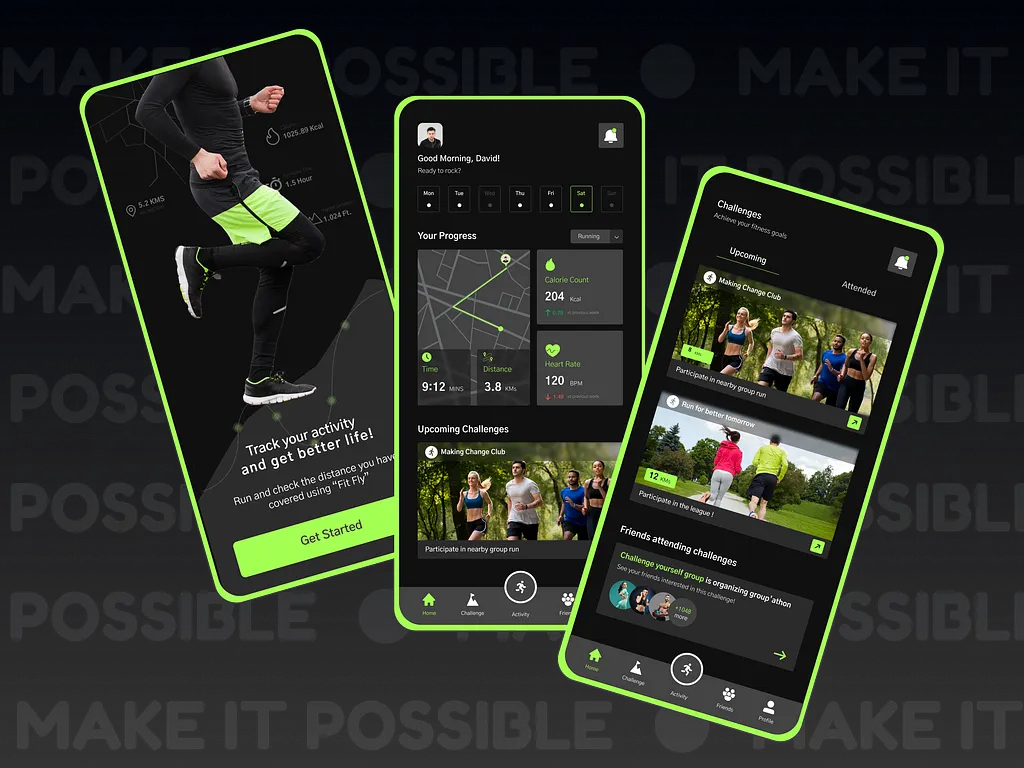
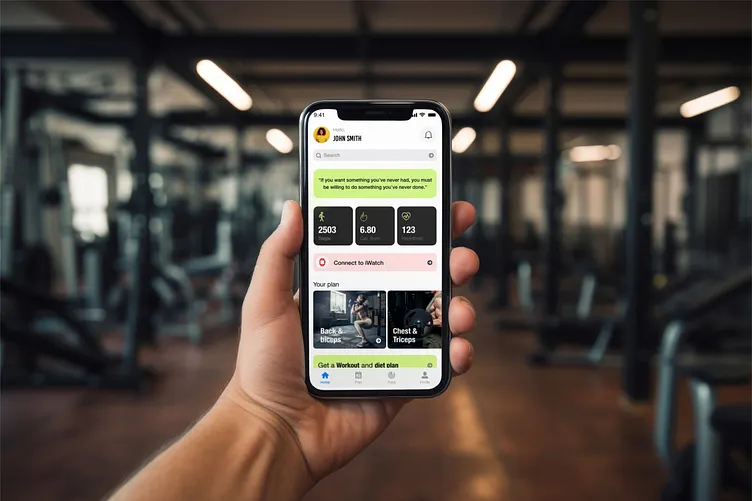
Key Highlights of a Well-Designed Fitness App:
- Personalized workouts: Tailored plans based on fitness levels and goals.
- Interactive exercises: Clear instructions and guided animations keep users on track.
- Community connections: Find motivation and support through groups and challenges.
- Progress tracking: Monitor performance and celebrate achievements.
Swipe through the screens to see how this fitness app design fosters a positive and empowering fitness experience! Let me know your thoughts in the comments.
Reviews
1 review

Your fitness app design effectively combines personalization, motivation, and progress tracking, creating an engaging and structured experience for users.
Strengths:
- Tailored workout plans and real-time progress tracking ensure users stay motivated and on track.
- Key stats (steps, calories burned, heart rate) are prominently displayed, making it easy to scan and understand progress.
- Social challenges, group participation, and friend activity tracking encourage motivation and consistency.
- The neon green accents against the dark background enhance readability while giving the app a dynamic and modern feel.
Areas for Improvement:
- Some screens have a lot of information packed into a small space. Introducing more white space or collapsible sections could improve readability.
- Ensuring uniform button styles and icon placements across screens would create a more cohesive experience.
- Adding subtle animations (e.g., button presses, progress bars) could improve engagement and user interaction.
3 Claps
Average 3.0 by 1 person
You might also like

Project
SONZ - Entertainment platform

The next-generation entertainment platform will allow its users not only to browse the trending songs and visuals but also to create their o

Project
Camp & Travel Explorer - App Design

Hey Uxcel Community, Most travel apps focus on destinations. This one focuses on the experience. Camp & Travel Explorer is a real client pr

Project
Solar system Dashboard Utility


Editors’ Choice
Project
Uxcel Halloween Icon Pack

🎃 Introducing the Uxcel Halloween Icon Pack! 🎃 This custom Halloween-themed icon set was created to enhance the seasonal user experience o

Project
Signup page for a SaaS website

1. 44×44px touch targets All interactive elements fields, buttons, and the password visibility toggle meet the 44px minimum tap target. This

Project
Color System

To develop the color system for a productivity platform from start to finish, I decided to create a quick UI design for a fictional task man
Popular Courses

Course
UX Design Foundations

Learn UX design fundamentals and principles that create better products. Build foundational knowledge in design concepts, visual fundamentals, and workflows.

Course
Introduction to Figma
Learn essential Figma tools like layers, styling, typography, and images. Master the basics to create clean, user-friendly designs

Course
Design Terminology

Learn UX terminology and key UX/UI terms that boost collaboration between designers, developers, and stakeholders for smoother, clearer communication.