Uniform grid properties
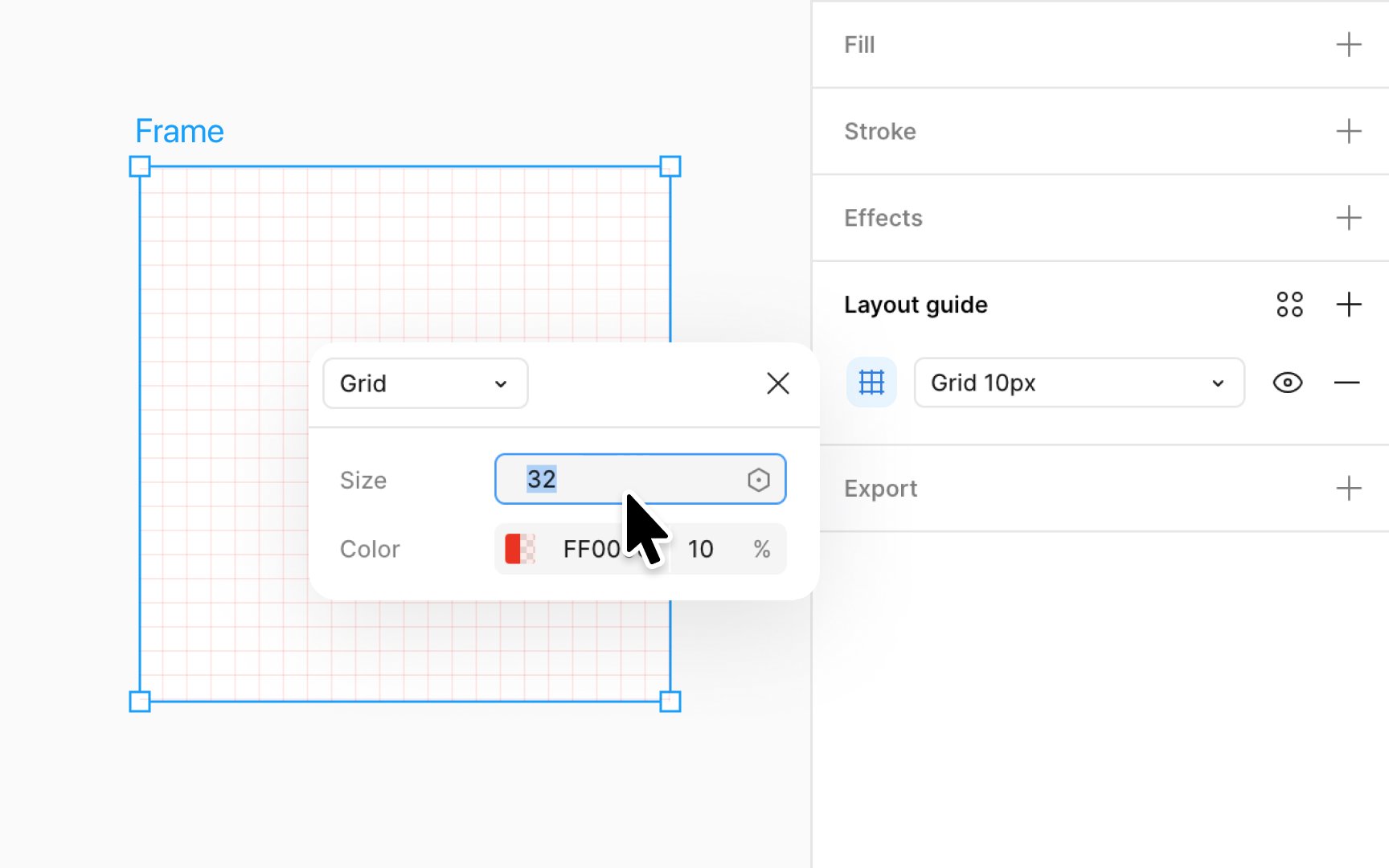
Uniform grids are great for situations requiring precision, like designing symbols or icons. When you use the default uniform grid in Figma, it creates 10x10px squares. If you want to change the size of these squares, click on the Layout grid settings icon. In there, you'll see a field named Size. This is where you can type in how big you want each square to be.
If you change it from 10pt to 20pt, each square will grow bigger to adjust to your new setting. After you've set it to the size you like, just click X to close the window and see your changes on the canvas. A grid with larger squares can aid in broad layout structures, while a grid with smaller squares is perfect for minute and intricate adjustments.