Placeholder - Fashion App

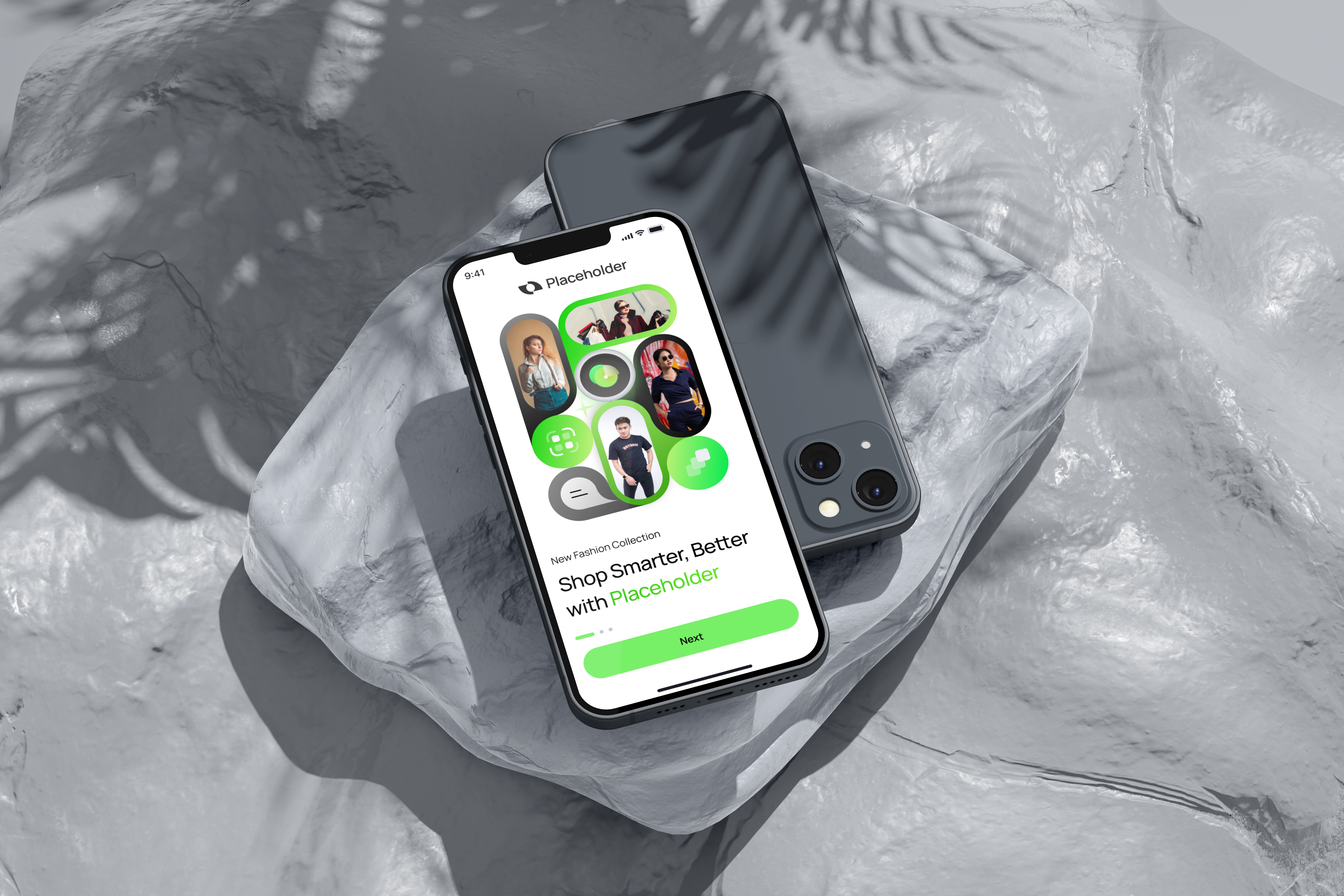
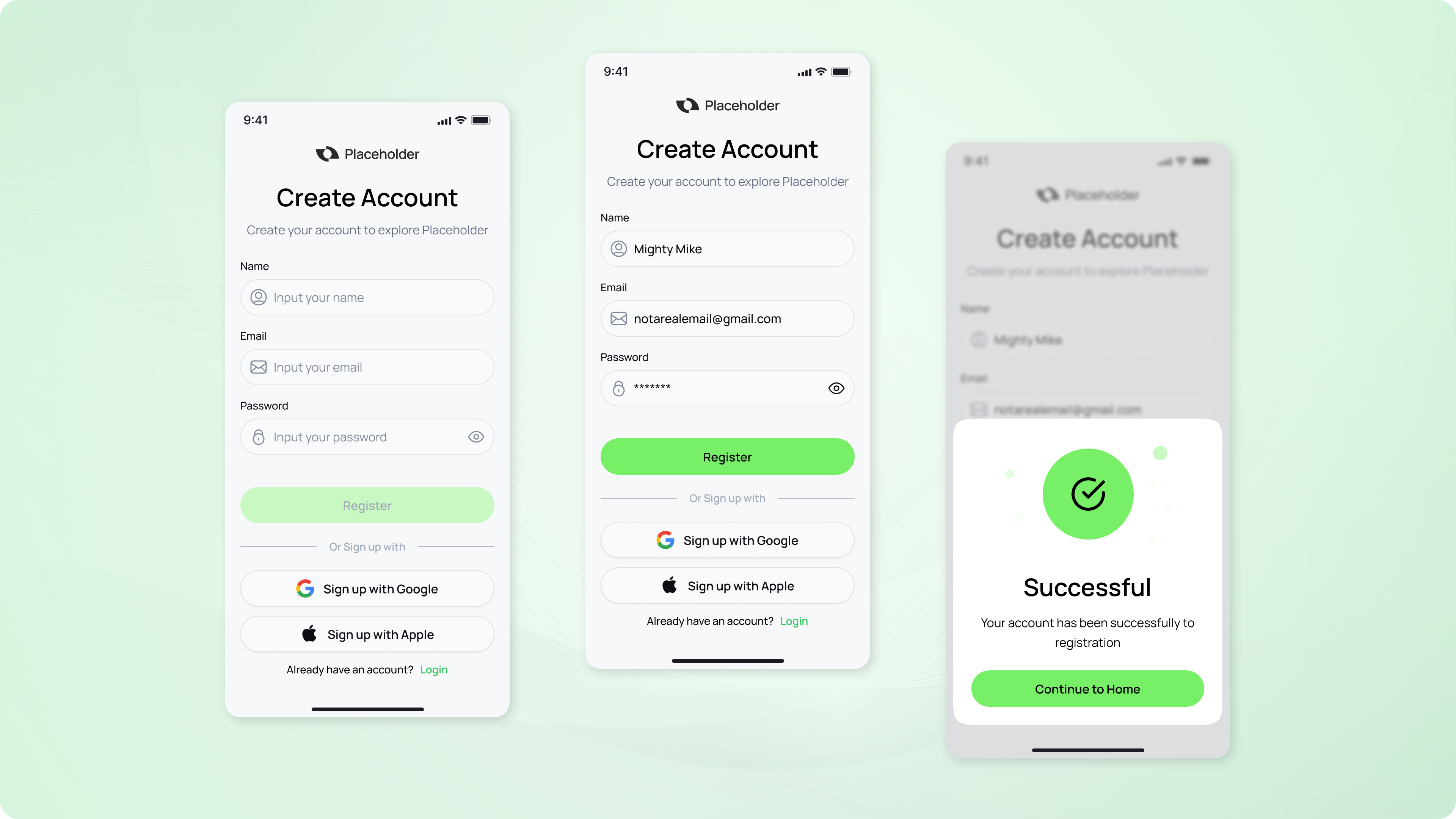
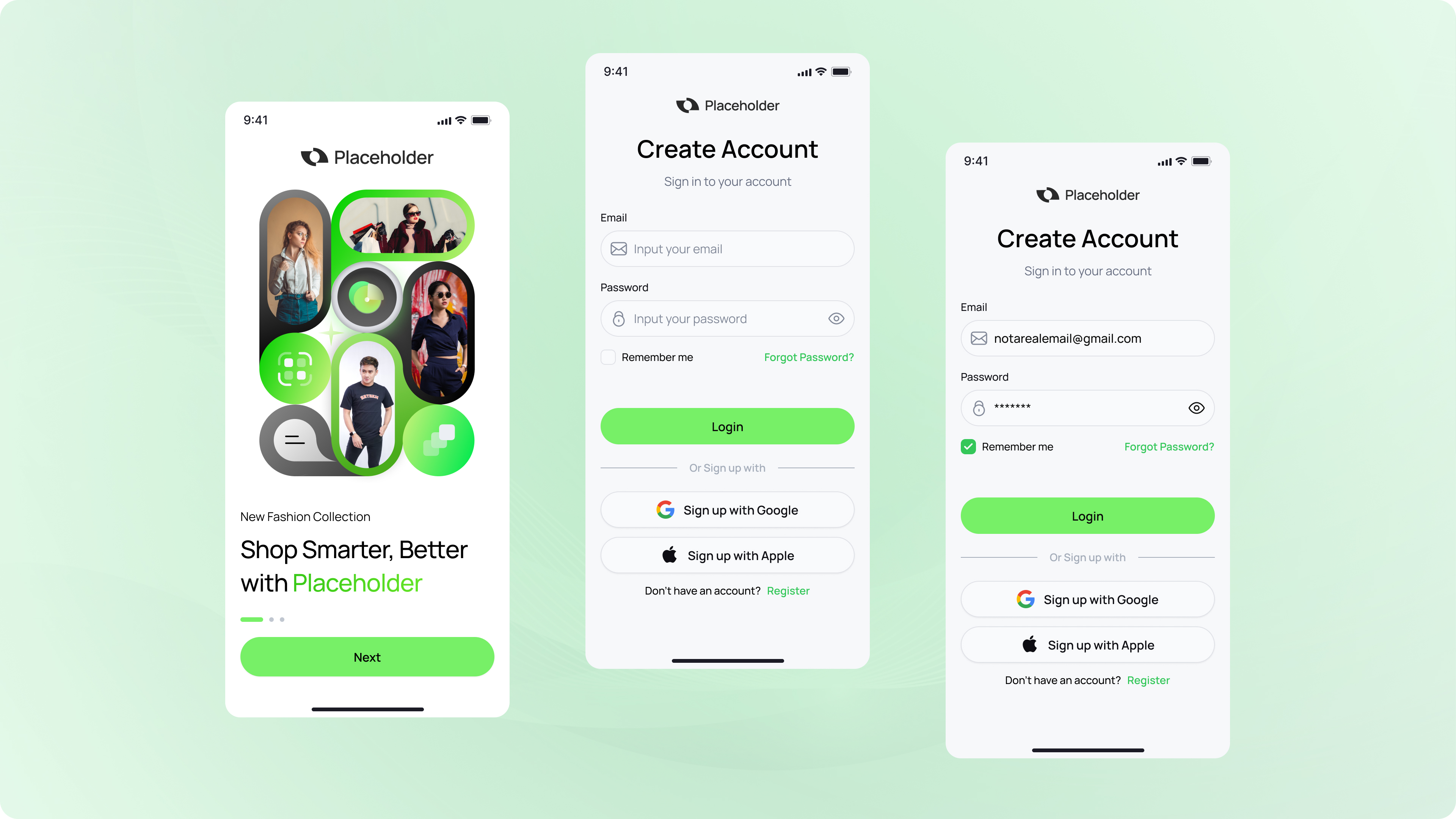
Just a simple sign up & sign in process of a fashion ecommerce app. I tried to meet all the requirements and looking forward to your comments. Thanks for watching.
Tools used
From brief

Topics
Share
Reviews
3 reviews

Amazing job, the design looks very aesthetically pleasing without being too distracting or over-done. Looks great.
A small adjustment I would make is that I'd shorten the copy for the placeholders - currently they repeat what the input label says "Input your ..." while creating more text that the user must read. This can be either just shortened to e.g. "first name" (also beware - some users might be left wondering if the name field should contain just the first name, both first and last, or if it's a username field) or, what's better, it can specify an example like "eg. Adam Smith".
Another small element I'd consider is the way you disable the button, yet do not specify which input is required. Although some sources contradict this finding that inputs should not have a red asterisk icon if required, in this case it is important. Without the ability to view validations, the user might feel stuck not knowing which fields are required until they actually fill them out - there is no validation and the button is disabled. Alternatively you can make the button enabled and then show "required" under inputs that are missing and overlooked by the user when they press the CTA.
Besides that, you did a truly great job. Bravo!

Very interesting product, your approach is very modern, with a clean minimalist design. I hope your future products will inspire even more people.

Nice colour scheme! Clean and stylish design!
You might also like

SONZ - Entertainment platform


Camp & Travel Explorer - App Design


Solar system Dashboard Utility


Uxcel Halloween Icon Pack


Color System


Duolingo Halloween Icon Pack

Visual Design Courses

UX Design Foundations


Introduction to Figma

Design Terminology
