Reviews
2 reviews
Hello Ashwin,
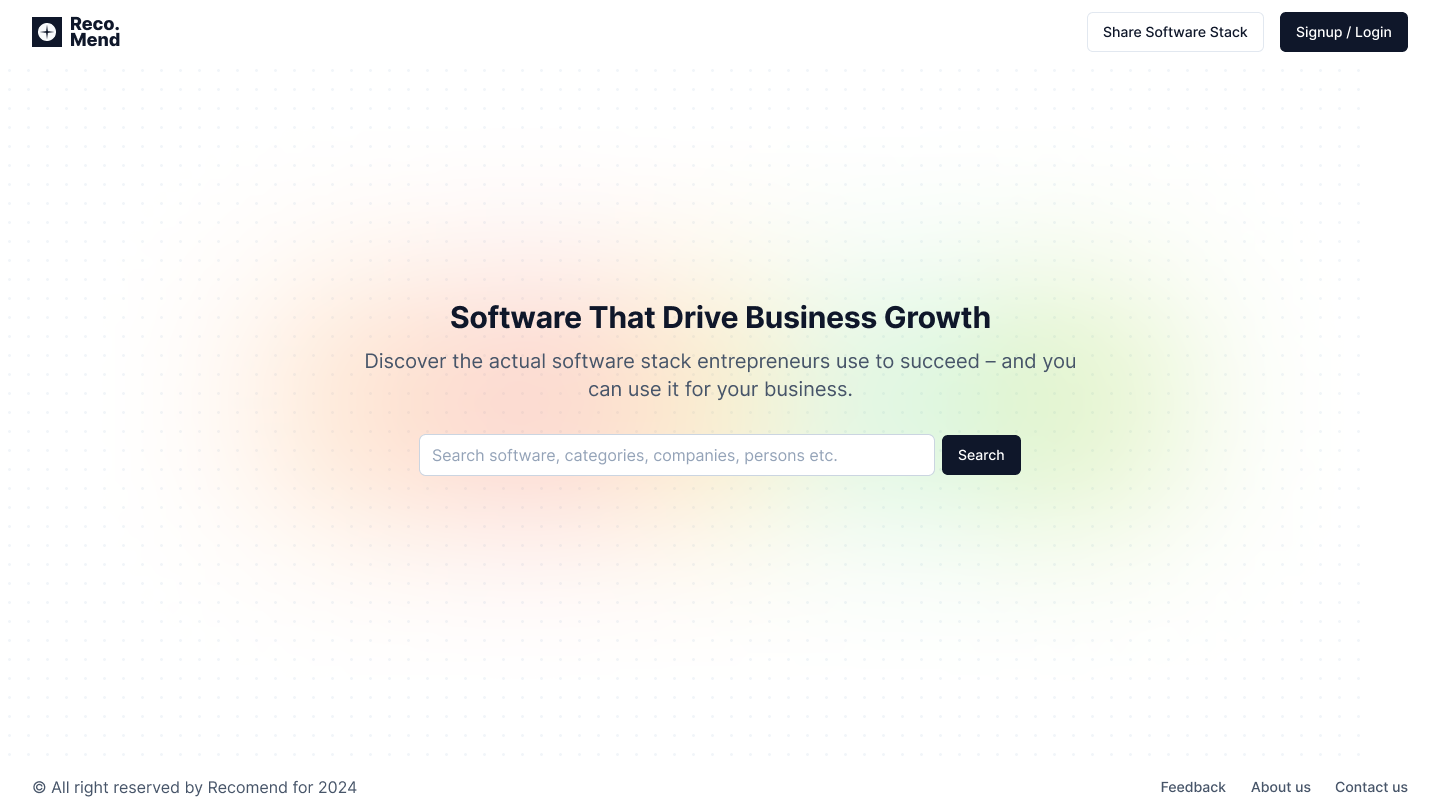
I appreciate the modern and minimalist style of your design. You've done a great job. I have just one suggestion to make it even better.
The text size in the search input is as attention-grabbing as the header and body text. If you reduce its color and size, it would create a cleaner look and allow the contrast to be more focused on the header and body text. The search section already attracts enough attention due to the button, so this adjustment will enhance the overall harmony of your design.

(edited)
Thankyou very much for your feedback, I will learn from your feedback and Improve the design. Very appreciated.
Thanks for your sub, Ashwin!
I would like to see more context here. Maybe the before, and why did you make it like this?
It looks clean and in a Google-like style. I love it but i need more context!
Great vibes only!
I was Just uploaded this because uxcel was trying to complete my profile. I will upload the full project later after completing the Product designer certification and improving the overall design based on that and then post the full project here. Thankyou very much for your feedback.
8 Claps
Average 4.0 by 2 people
You might also like

Project
💊 Healthcare Desktop & Mobile App UX/UI Design
This project was created for a healthcare client aiming to offer a clear and accessible way for patients to book doctor appointments online.

Project
Fitness Challenges App
Mobile App for fitness and habits build on gamification and competition between users

Project
Personal Wellness Dashboard
Detailed ExplanationVitalTrack is a health-intelligence interface that consolidates fragmented data from wearables and manual logs into a si

Project
Events Managment App
🔹 Project OverviewEvent Management Tool (iOS) UX/UI concept for business community event managers This project focuses on designing functio

Project
SaaS Signup Design
This is an exciting task, designing a SaaS sign-up page, and this time I chose my own app, ANT.gg, which offers a digital workspace/office f

Project
Customer Journey Map — Offsite Co-Working Experience
Structure explanation: The journey map is organized horizontally by seven experience stages, moving left to right from Awareness & Discovery
Popular Courses
Course
UX Design Foundations
Learn UX design fundamentals and principles that create better products. Build foundational knowledge in design concepts, visual fundamentals, and workflows.
Course
Introduction to Figma
Learn essential Figma tools like layers, styling, typography, and images. Master the basics to create clean, user-friendly designs
Course
Design Terminology
Learn UX terminology and key UX/UI terms that boost collaboration between designers, developers, and stakeholders for smoother, clearer communication.