[DESIGN BRIEF] BUTTON DESIGN
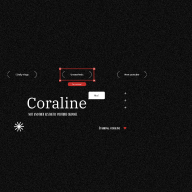
![[DESIGN BRIEF] BUTTON DESIGN](https://users-content.uxcel.com/826acda5-c9ba-4557-90a3-5e143eb90525/briefs/design-brief-button-design-cover-8335-1724297130793.png)
Hi everyone!
I'm Coraline, here's the reply to design brief for beginner that require button design system.
I chose Discord as inspiration to cover the project. Start with the primary color: #5865F2 on White foreground, I create three sizes of buttons, having height at 44px minimum to ensure enough touch area.
Along with 6 button variants: primary, secondary, tertiary, text and icon, icon only and destructive.
I'd appreciate feedbacks on the button sizes, states, and variants.
Thank you all!
Reviews
1 review
Hi Quynh, I can see that you've done a lot of hard work on this project and that you've given attention to a lot of details. However, there are some things missing ( like a focus on accessibility) and I feel that generally you could look at your layout consistency a bit more. While your project generally does contain all the details that were asked for, the actual user experience of going through your project can be a bit confusing and unclear.
Additionally, it would be great to see some prototyping or interactivity happening in your presentation.
You might also like

Smartwatch Design for Messenger App


Bridge: UI/UX Rebrand of a Blockchain SCM Product


Pulse Music App - Light/Dark Mode


Monetization Strategy


Designing A Better Co-Working Experience Through CJM


Design a Settings Page for Mobile
Visual Design Courses

UX Design Foundations


Introduction to Figma

Design Terminology
