Ethics in the Age of AI
Navigate ethical challenges of using AI tools and building AI-powered product features
AI transforms both how we build products and how products work. As a product professional, you may use AI tools like ChatGPT for writing specs, analyzing user feedback, or generating ideas. Or you may design AI-powered features like recommendations, search, or automated support. Both uses raise ethical questions. When using AI tools, you might accidentally share sensitive user data or rely on biased suggestions. When building AI features, you might create systems that discriminate or manipulate.
This means there are always two sides to consider: ethical use of AI in your PM workflow (data privacy, over-reliance, verification) and ethical design of AI features (transparency, fairness, control). Here, understanding when AI helps versus hinders, how to validate AI-generated insights, and how to ensure AI features serve all users fairly, helps you leverage AI's power while avoiding its pitfalls.
When using AI to draft product requirements, always verify technical feasibility and business logic. Those brilliant features suggested might be technically impossible or violate regulations. Protect your company's confidential information. Don't paste customer data, revenue figures, or strategic plans into public AI tools. Many teams learned this lesson when Samsung engineers accidentally leaked proprietary code through ChatGPT.[1] Use enterprise versions with data protection agreements or anonymize sensitive information before using AI assistance.
Pro Tip: Create a team policy on what information can and cannot be shared with AI tools.
To protect this data, always anonymize before uploading. Replace real names with User1, User2. Remove company names, locations, and any identifying details. Strip out sensitive information like health conditions or financial situations. What seems like harmless context to you could be personally identifiable when combined with other data.
Use enterprise AI tools with data agreements when handling sensitive research. Tools like Microsoft 365 Copilot[2] or Claude for Business[3] provide contractual guarantees about data handling. For extra sensitive research (healthcare, financial services), consider on-premise AI solutions that never leave your infrastructure.
Believe it or not,
Cross-reference AI analysis with multiple sources. If an AI tool says your competitor raised $50M, check Crunchbase, press releases, and SEC filings. Use AI insights as starting points for investigation, not endpoints for decision-making. Build verification into your workflow — assign someone to fact-check before insights reach leadership.

Your team is adding AI-powered features to your product — maybe automated recommendations, content generation, or predictive actions. But users are increasingly skeptical of
Start with low-stakes, high-value features. If you're building AI for a finance app, begin with spending insights, not investment advice. Design for user control at every step. Show AI suggestions as options, never automatic actions. Include clear "Turn off AI features" settings.
When AI generates content, mark it clearly, because users feel betrayed when they discover AI involvement after the fact.
Additionally, build transparency into the interface itself. Instead of burying limitations in
Consider this scenario: after seeing Claude write excellent PRDs, your team stops writing original documents. Every
Use AI to enhance, not replace, product thinking. Start with human ideas and use AI to expand, challenge, or refine them. Write your first draft, then ask AI for alternatives. Brainstorm features yourself, then use AI to spot gaps. This maintains your product instincts while leveraging AI's processing power.
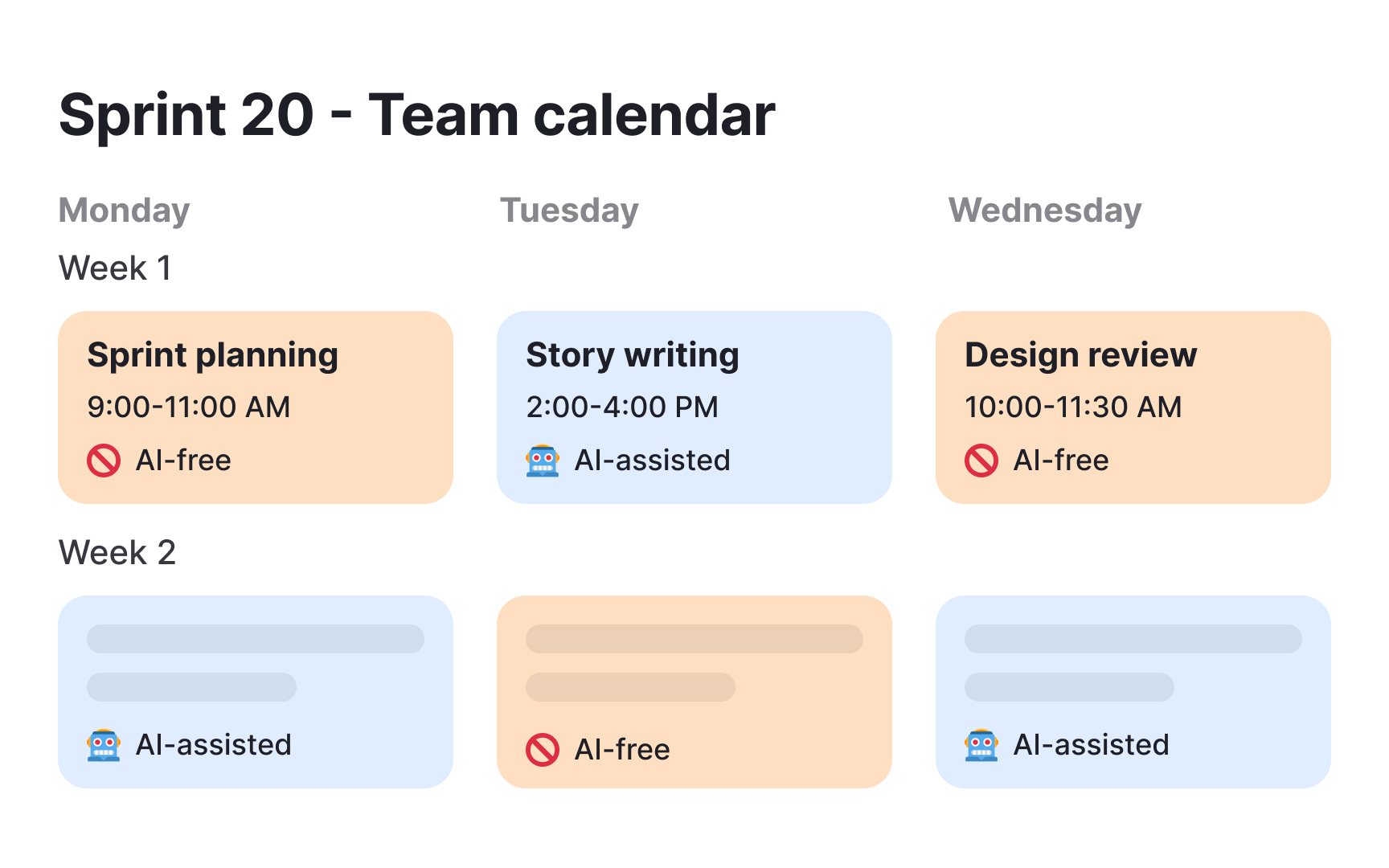
Schedule regular "AI-free" sessions. Run some sprint plannings, design reviews, and strategy sessions without any AI assistance. This keeps core product skills sharp and ensures your team can function if AI tools become unavailable. It also helps identify where AI truly adds value versus where it's become a crutch.
To tackle this bias, test proactively across demographic dimensions. Before launching any AI feature, evaluate its performance across age groups, languages, regions, and abilities. Create test sets that specifically include edge cases: non-native speakers for text analysis, diverse photo libraries for image recognition, and varied accents for voice features. Track performance metrics separately for each group, because aggregate success rates hide discrimination.
Build feedback loops specifically for bias detection. Add easy reporting mechanisms like "This doesn't work for me" with optional demographic context. Monitor these reports for patterns. When certain user groups consistently report problems, that's systematic bias requiring immediate attention.
References
Topics
From Course

Share


Similar lessons
AI’s Role in Text Generation and Modification
Best Practices and Potential Pitfalls of AI Writing Tools